Repository navigation
Failing to automatically Activate .venv #25754

Replies: 3 comments

|
This might be a bug, but I "fixed" it in my environment while I was writing up the question by changing the following setting to true in my user settings. |

|
Hello- sorry about the delay here! We have made substantial updates to the python environments extension so if you are able to retry with the newest stable version (and turning that setting back to "true") that would be fantastic to see if this bug still exists. Thanks! |

|
One useful distinction here is interpreter discovery versus terminal activation. "python.terminal.activateEnvironment" controls terminal activation; it doesn't guarantee that a ".venv" created after the workspace opens will be discovered and selected automatically. I'd suggest checking the following with the latest stable Python and Python Environments extensions:
python -c "import sys; print(sys.executable)"
If interpreter discovery succeeds but a fresh terminal still uses the global Python executable, that narrows the problem to terminal activation rather than environment discovery. A useful follow-up would be the VS Code version, both extension versions, operating system, and Python/Python Environments output logs. This would also help determine whether the extension updates mentioned by the maintainer resolved the original problem. |


Uh oh!
There was an error while loading. Please reload this page.
Uh oh!
There was an error while loading. Please reload this page.
I have a script that automatically creates a .venv in the project on VSCode folder open. However, I am not able to get VS Code (Python extension) to automatically recognize it and activate it in terminal without the user having to activate or take some action. I get a pop up and have to click Yes, and I am not sure where that setting is stored.
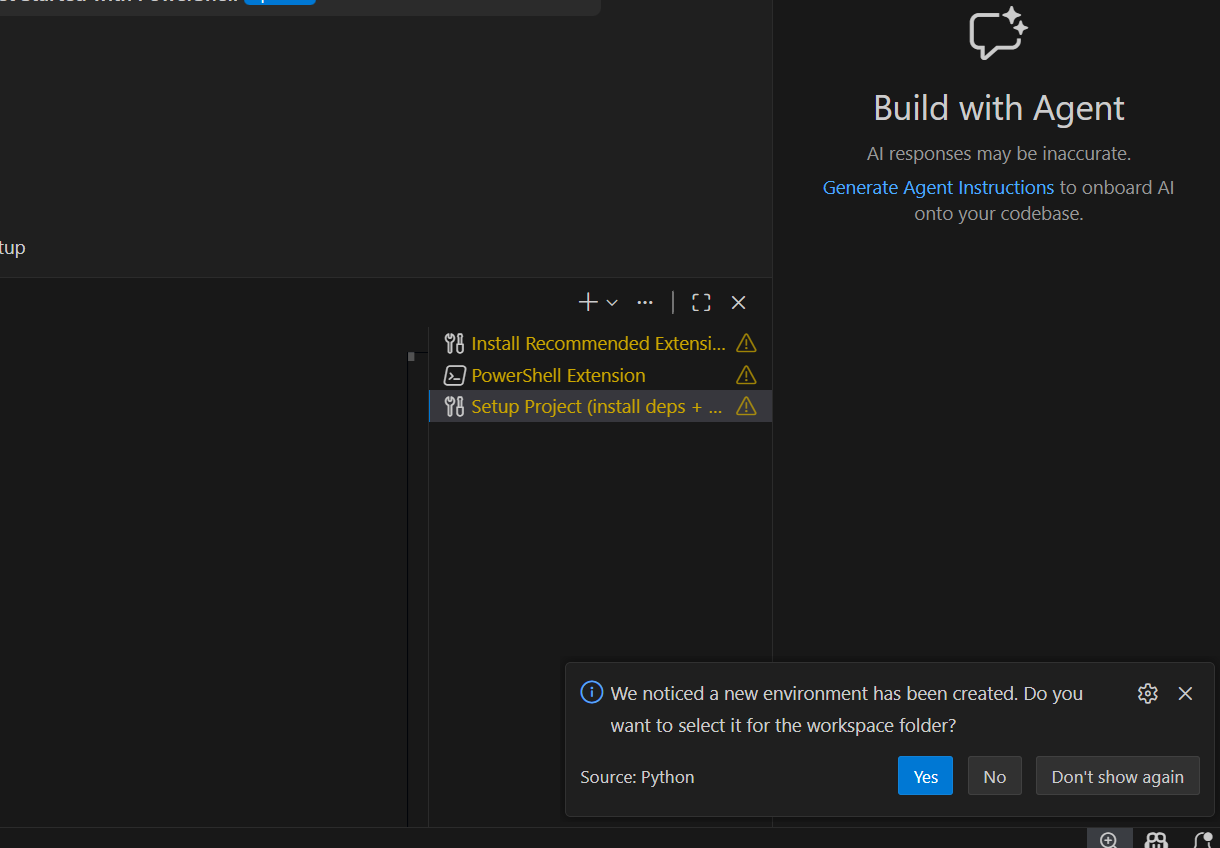
Also, the project's
.vscode/settingsfile is tracked in git, and I don't want the interpreter path to be stored because python executable paths are different across platforms.I am open to any proposed solutions.
Here is the
.vscode/settingsfile that is tracked.All reactions