
Skip your WebGL bundle when the page is drawn by the CPU.
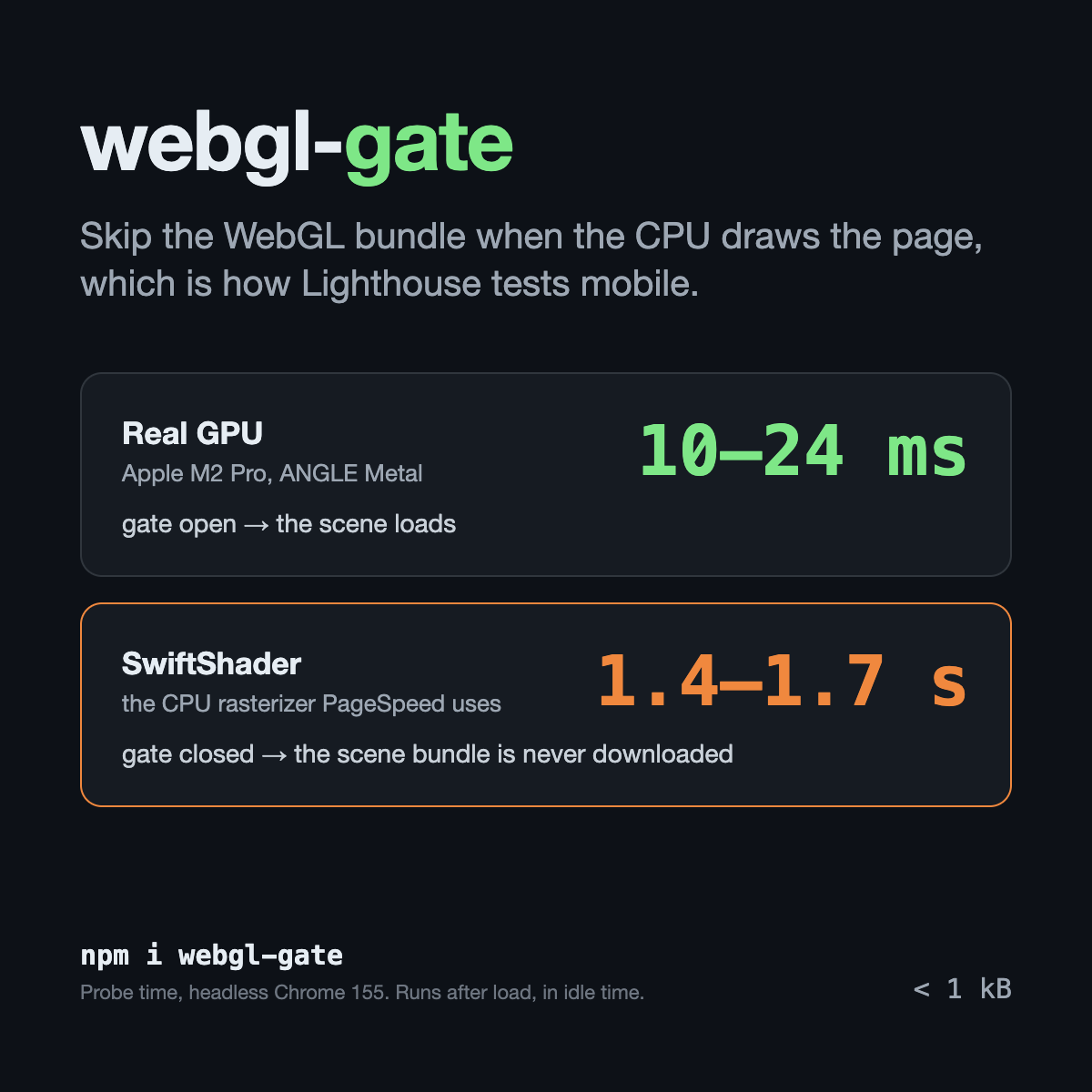
Lighthouse and PageSpeed Insights measure mobile pages on SwiftShader, a software rasterizer. So do many
virtual machines and remote desktops, and so does any browser with hardware acceleration switched off. There a
PixiJS or three.js scene doesn't just run slowly. Downloading and parsing its bundle alone costs main-thread time,
and your Total Blocking Time goes with it. webgl-gate answers one question before you load that bundle: is
there a real GPU behind this page?
- Under 1 kB: 745 B gzip for the core, 223 B for the React hook.
- No network, no benchmark tables, no dependencies.
- Checks the renderer name, not only
failIfMajorPerformanceCaveat. Headless Chrome on SwiftShader still hands out a context with that flag set. - Off the critical path: probes after
load, when the browser is idle.
npm install webgl-gateLoad the scene only on a real GPU. On the CPU the import is never called, so the bundle is never downloaded:
import { loadIfFastWebGL } from 'webgl-gate';

const scene = await loadIfFastWebGL(() => import('./scene'));
if (scene) scene.mount(canvas);
// otherwise keep the static image that is already on the page
With React (SSR-safe: null on the server and on the first client render, so hydration matches):
import { useFastWebGL } from 'webgl-gate/react';

export function Hero() {
  const fast = useFastWebGL();
  return fast ? <LiveScene /> : <img src="/hero.avif" alt="" width={1200} height={630} />;
}
LiveScene should itself be lazy (next/dynamic, React.lazy), so its WebGL code stays in a separate chunk.
Anything heavy that only looks good on a GPU and has a cheap static fallback:
- Hero and background effects: shaders, particles, animated gradients. Show the poster frame instead.
- Game covers and playable demos on a landing page (where this gate came from). Show a screenshot.
- 3D product viewers and configurators (three.js, Babylon.js). Show product photos.
- WebGL maps (MapLibre GL, Mapbox GL). Show a static map image with a "open map" link.
- GPU data visualisation (deck.gl, regl). Show a pre-rendered chart.
Keep the engine import inside the scene module, so the bundler puts it in its own chunk:
// scene.ts
import { Application } from 'pixi.js'; // or: import * as THREE from 'three'
export async function mount(host: HTMLElement) { /* create the app, append its canvas to host */ }
// main.ts
import { loadIfFastWebGL } from 'webgl-gate';
const scene = await loadIfFastWebGL(() => import('./scene'));
if (scene) await scene.mount(document.querySelector('#hero')!);'use client';
import dynamic from 'next/dynamic';
import Image from 'next/image';
import { useFastWebGL } from 'webgl-gate/react';
const LiveCover = dynamic(() => import('./LiveCover'), { ssr: false });
export function Cover() {
const fast = useFastWebGL();
return fast ? <LiveCover /> : <Image src="/cover.avif" alt="" width={1200} height={630} priority />;
}The static image is the Largest Contentful Paint on every device; the live cover replaces it only on a real GPU, after the page has loaded.
import { lazy, Suspense } from 'react';
import { useFastWebGL } from 'webgl-gate/react';

const Scene3D = lazy(() => import('./Scene3D')); // the file that imports @react-three/fiber

export function Viewer() {
  const fast = useFastWebGL();
  const poster = <img src="/product.avif" alt="Product" width={800} height={800} />;
  return fast ? <Suspense fallback={poster}><Scene3D /></Suspense> : poster;
}<script setup lang="ts">
import { defineAsyncComponent, onMounted, ref } from 'vue';
import { probeWebGLWhenIdle } from 'webgl-gate';
const LiveScene = defineAsyncComponent(() => import('./LiveScene.vue'));
const fast = ref(false);
onMounted(async () => { fast.value = (await probeWebGLWhenIdle()).fast; });
</script>
<template>
<LiveScene v-if="fast" />
<img v-else src="/hero.avif" alt="" width="1200" height="630" />
</template><script>
import { onMount } from 'svelte';
import { loadIfFastWebGL } from 'webgl-gate';
let Scene = null;
onMount(async () => { Scene = (await loadIfFastWebGL(() => import('./Scene.svelte')))?.default ?? null; });
</script>
{#if Scene}<svelte:component this={Scene} />{:else}<img src="/hero.avif" alt="" width="1200" height="630" />{/if}import { loadIfFastWebGL } from 'webgl-gate';
const maplibre = (await loadIfFastWebGL(() => import('maplibre-gl')))?.default;
if (maplibre) new maplibre.Map({ container: 'map', style: '/style.json', center: [30.52, 50.45], zoom: 11 });
// otherwise the <img> of the static map stays in #map| Export | What it does |
|---|---|
loadIfFastWebGL(load) |
Waits for an idle moment after load, then calls load() only on a real GPU. Returns the module or null. |
probeWebGLWhenIdle(timeout?) |
The verdict, { fast, reason, renderer }, probed after load in requestIdleCallback. |
probeWebGL() |
The same verdict, synchronously. Memoized: one probe per page. On the server returns fast: false without caching. |
hasFastWebGL() |
probeWebGL().fast. |
isSoftwareRenderer(gl), rendererName(gl) |
For a context you already have. |
SOFTWARE_RENDERER |
The regular expression: SwiftShader, llvmpipe, softpipe, "Software", "Basic Render". |
resetWebGLProbe() |
Forget the memoized verdict. |
reason is one of gpu, software (a context exists but the CPU draws it), no-context (WebGL is off or blocked,
or the browser reported a major performance caveat), error, no-dom (server).
The same page in headless Chrome 155 on an Apple M2 Pro, three runs each:
| Renderer | Verdict | Probe time | Scene bundle requested |
|---|---|---|---|
| ANGLE Metal (Apple M2 Pro) | gpu |
10–24 ms | yes |
ANGLE SwiftShader (--use-angle=swiftshader) |
software |
1.41–1.73 s | no |
Read the second row carefully. On a CPU rasterizer, creating even one WebGL context is expensive, and that is
exactly where the answer is "no". That is why the default entry points wait for load and an idle callback
instead of probing during page load. If you call the synchronous probeWebGL() yourself, keep it off the critical
path too.
This is the gate from kutsikgames.com, a game studio site with live PixiJS covers. Together with inlined critical CSS and responsive AVIF covers, it took the site's mobile PageSpeed score from 78 (LCP 4.2 s) to 100 (LCP 1.7 s, TBT 0 ms). The gate is one of those changes, not all of them. The full story, with the measurements, is on the studio blog: 100 on PageSpeed with live WebGL, and the small gate behind it.
webgl-gate answers "GPU or not". If you need to know how strong the GPU is, to pick quality tiers,
use detect-gpu: it classifies GPUs by benchmark scores and is much larger.
Browsers that hide the real renderer name (fingerprinting protection) may report a generic one, so the gate sees a GPU. If that matters to you, time a real frame of your scene after mounting and fall back when it is too slow.
The verdict is not cached across visits. A cached "software" answer can outlive the hardware it describes: the user turns hardware acceleration back on, or a driver leaves a blocklist. Audit tools always start with a clean profile anyway.
MIT © Oleksandr Kutsenko