Keep the Import Wallet Next button clear of the keyboard - #6161
Conversation


003c75c to
7e779e8
Compare

|
You have reached your Codex usage limits for code reviews. You can see your limits in the Codex usage dashboard. |
![cursor[bot]](https://avatars.githubusercontent.com/in/1210556?s=60&v=4)

There was a problem hiding this comment.
Cursor Bugbot has reviewed your changes using high effort and found 1 potential issue.

❌ Bugbot Autofix is OFF. To automatically fix reported issues with cloud agents, enable autofix in the Cursor dashboard.
Reviewed by Cursor Bugbot for commit 7e779e8. Configure here.
f5b6a1f to
dbf030c
Compare

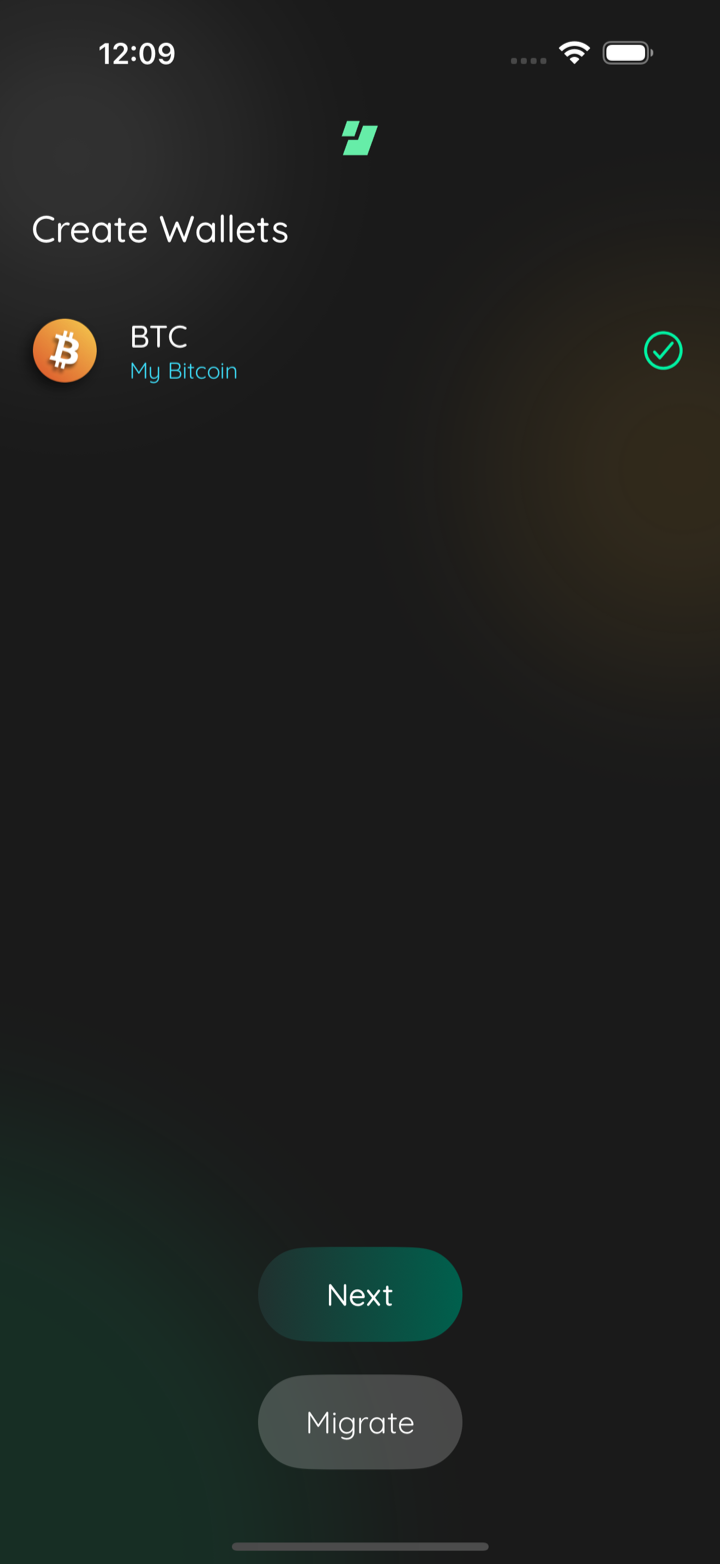
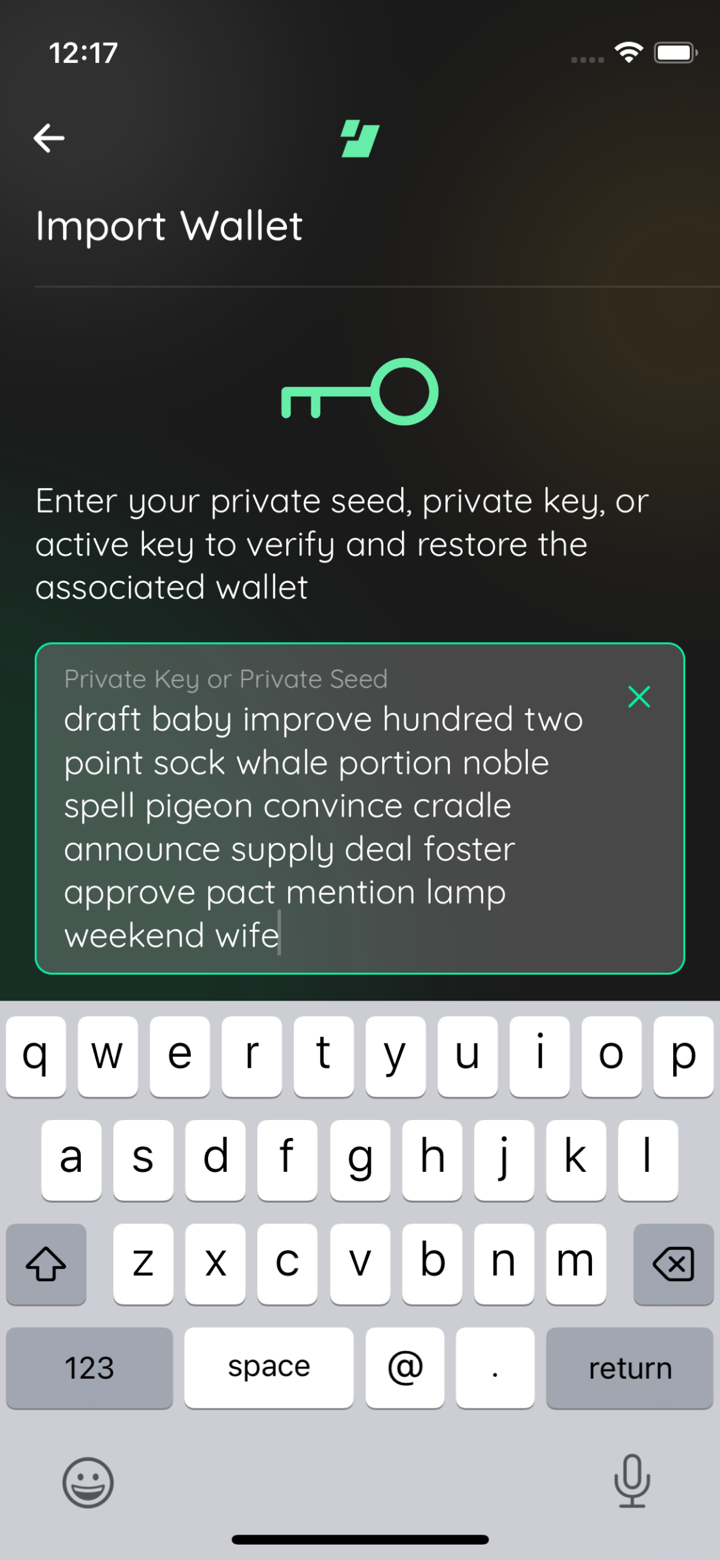
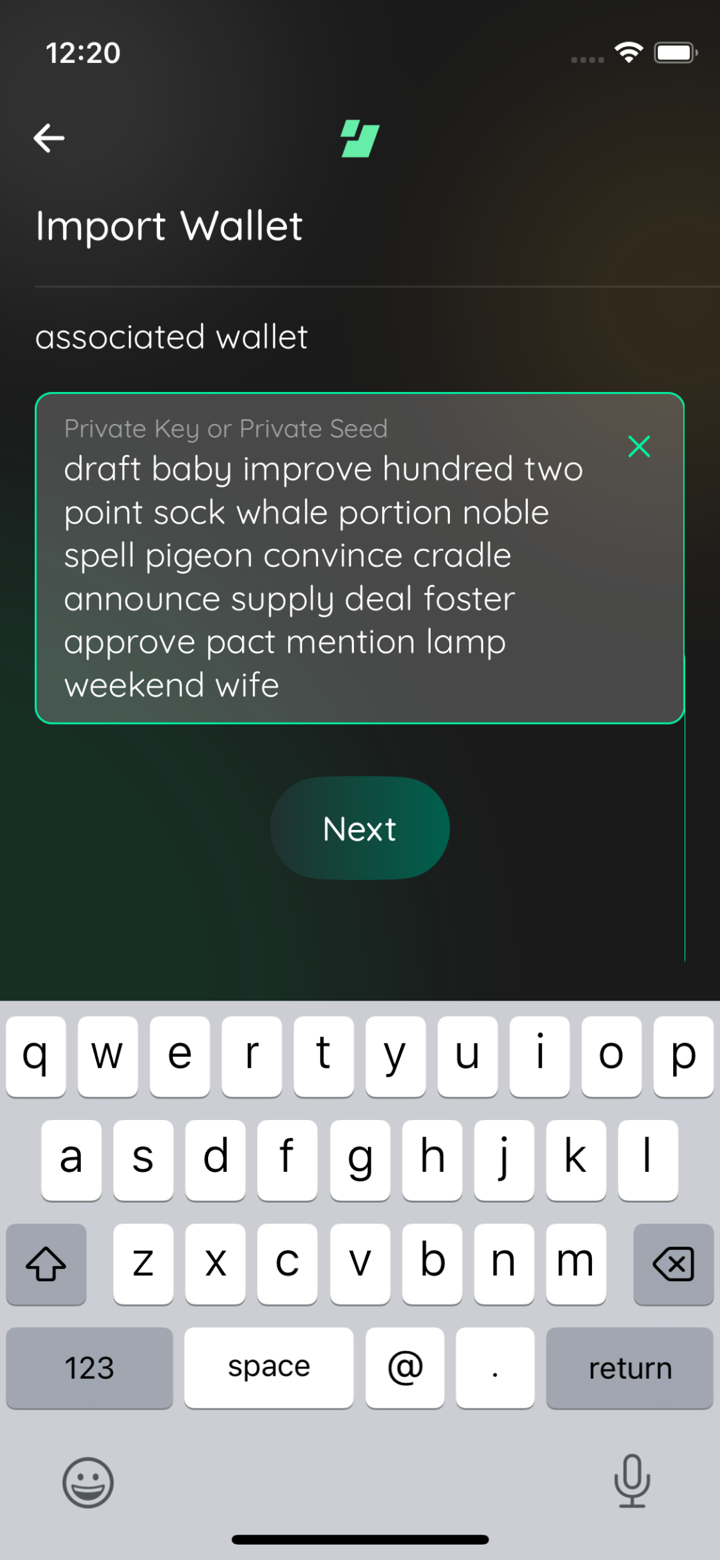
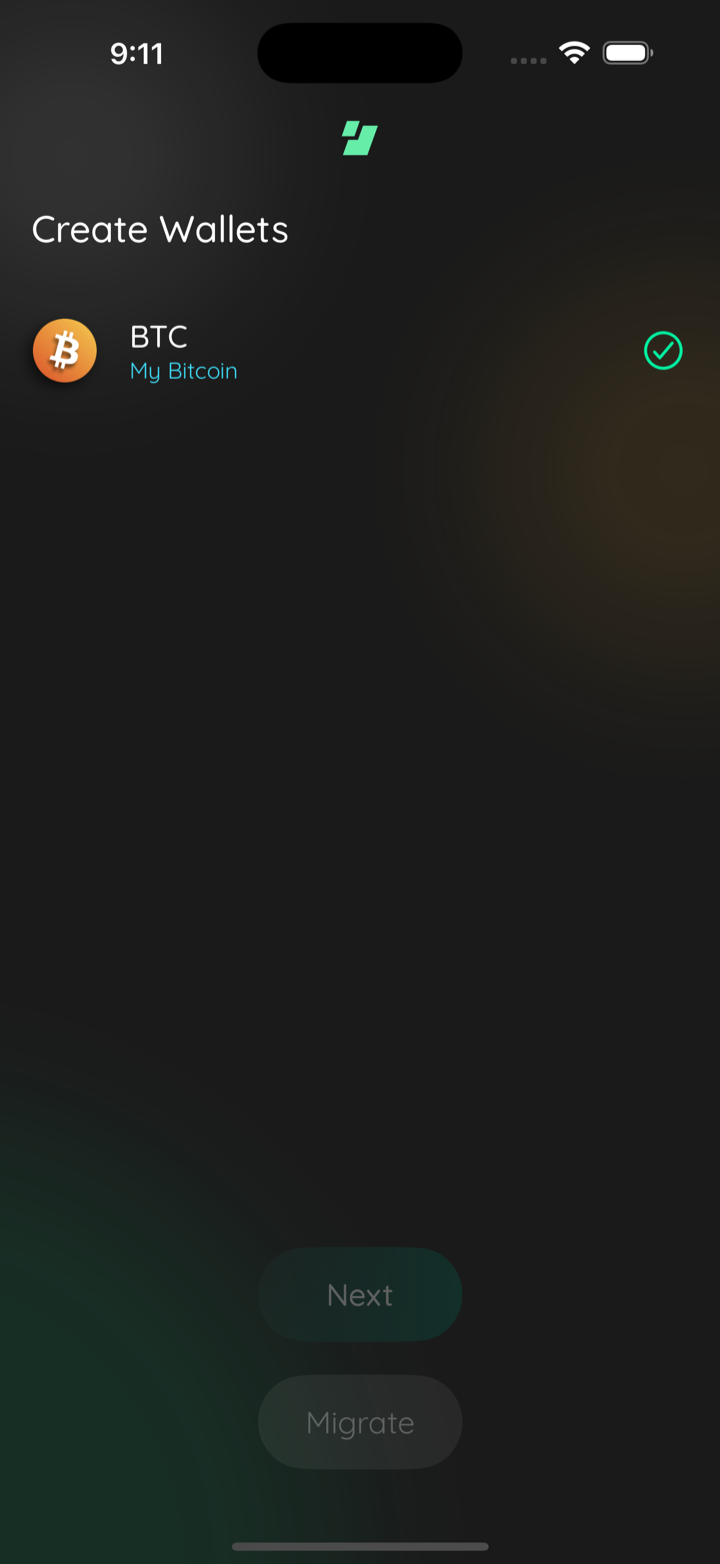
📸🪓 Test evidence (followup: seed field must not collapse)
btc zec seed typed
btc zec next scrolled
btc only seed typed
btc only next scrolled
btc only imported
🪓 HACK-FORCED: mini btc seed
🪓 HACK-FORCED: mini btc next scrolled
Captured by the agent's in-app test run (build-and-test). |
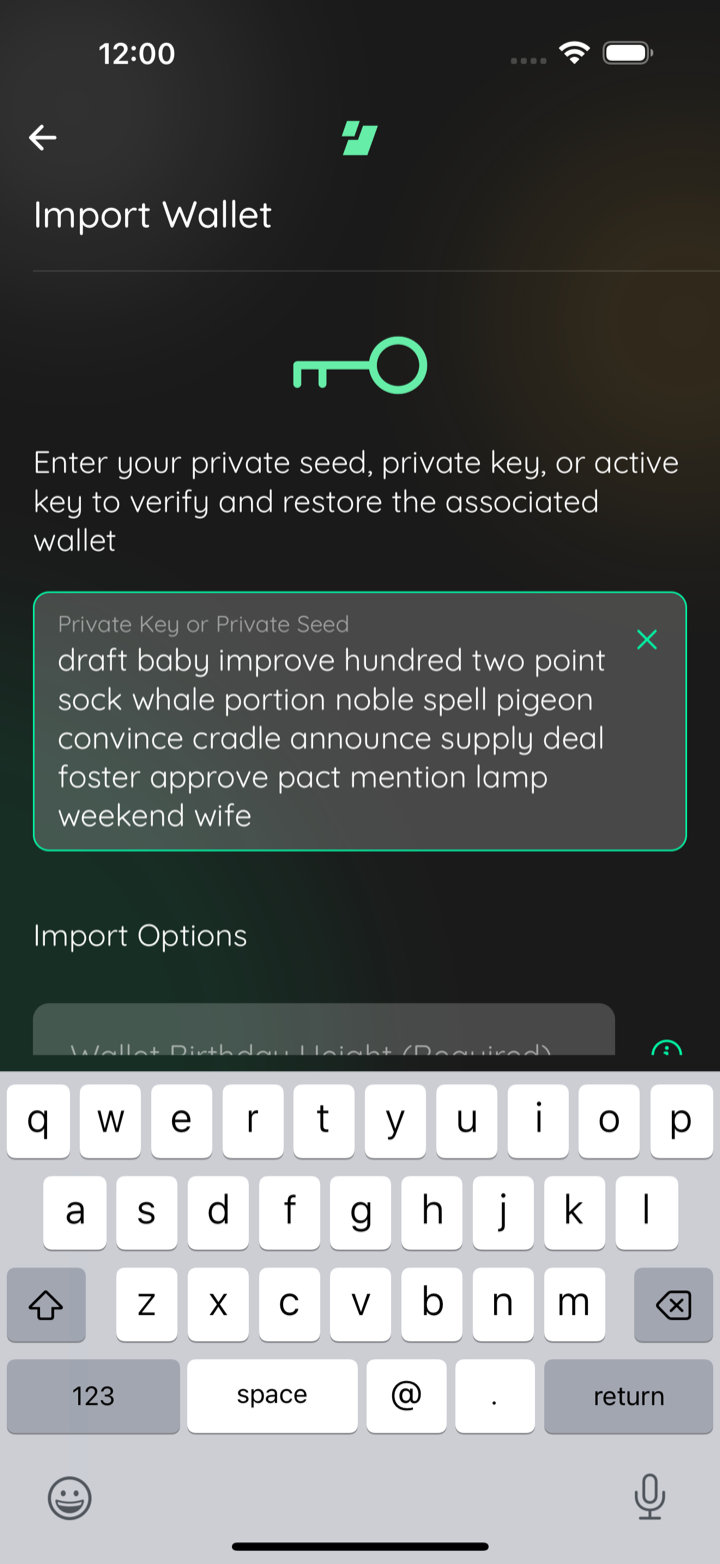
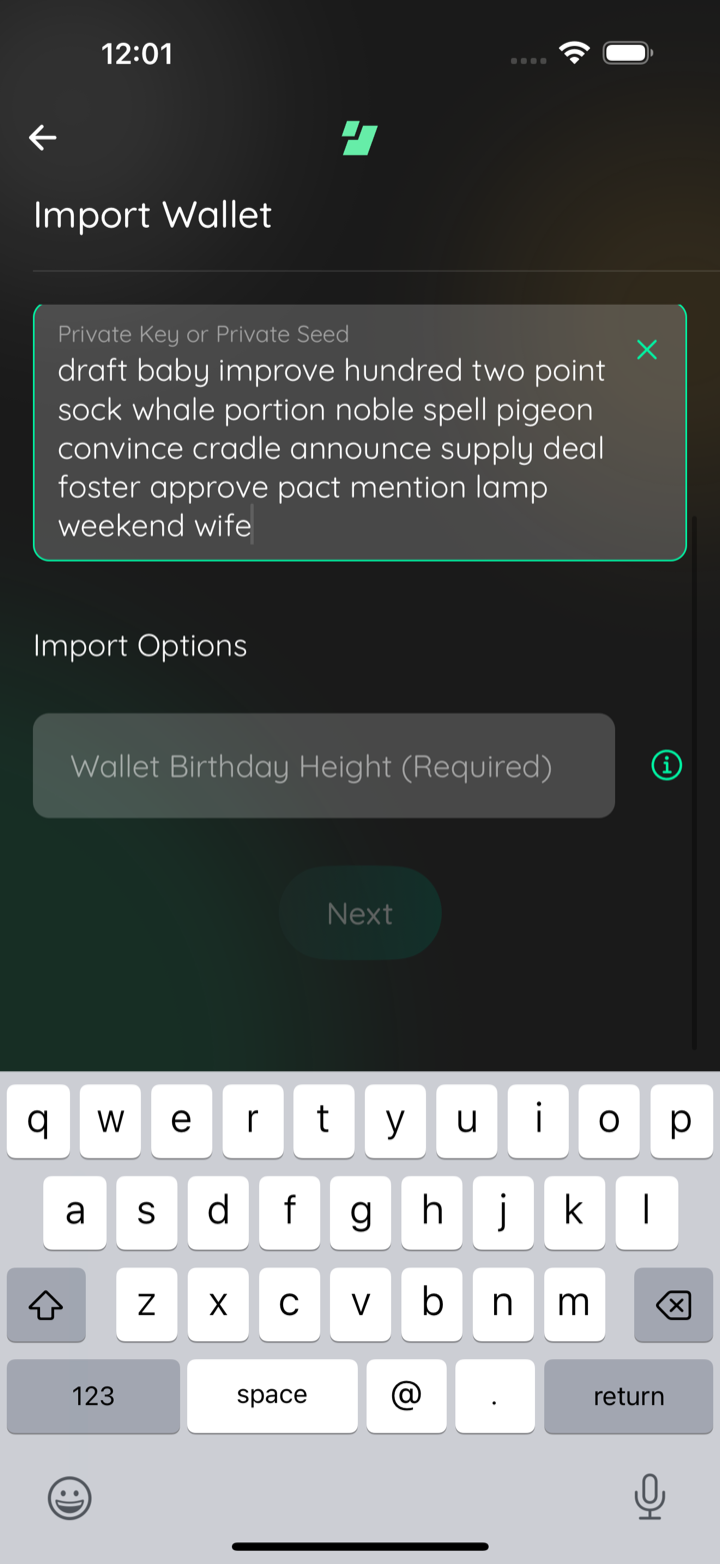
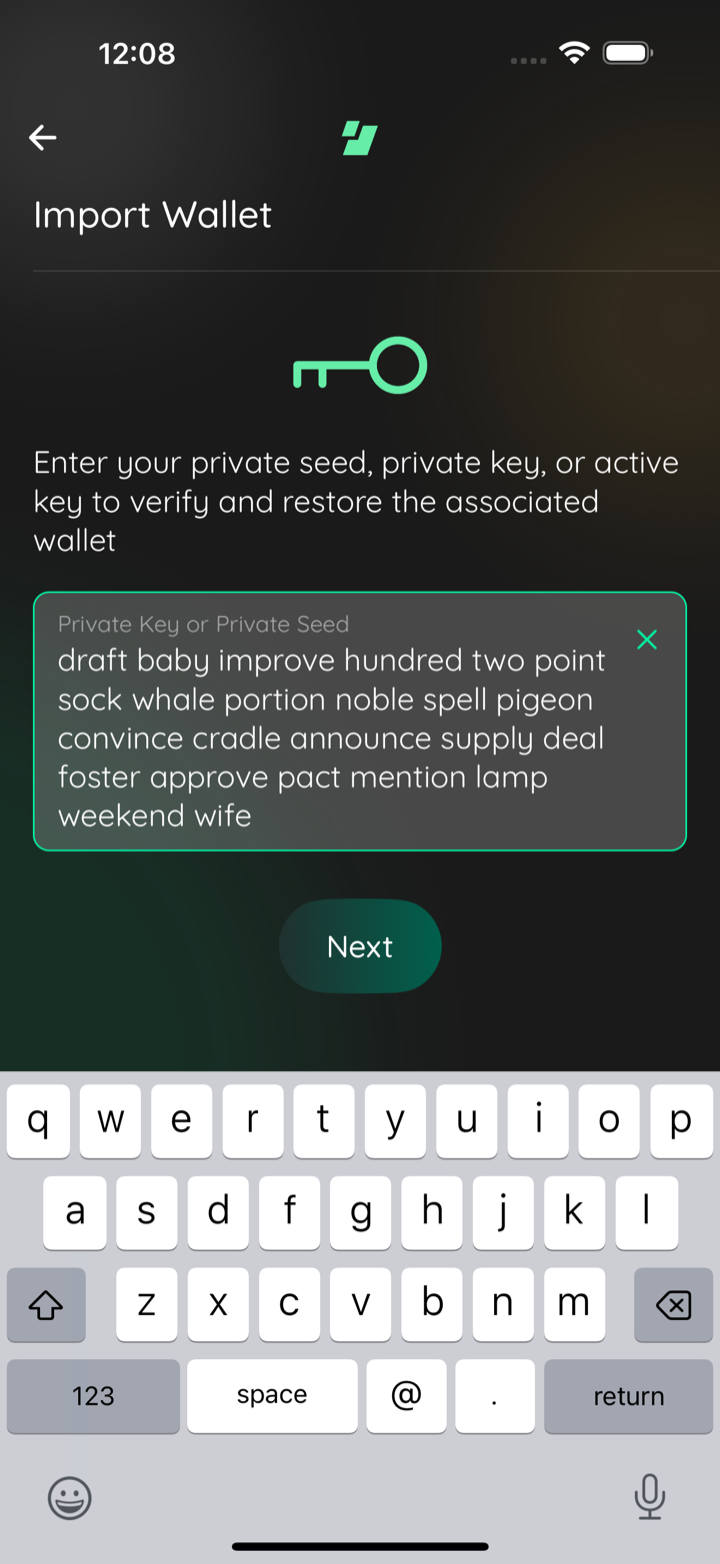
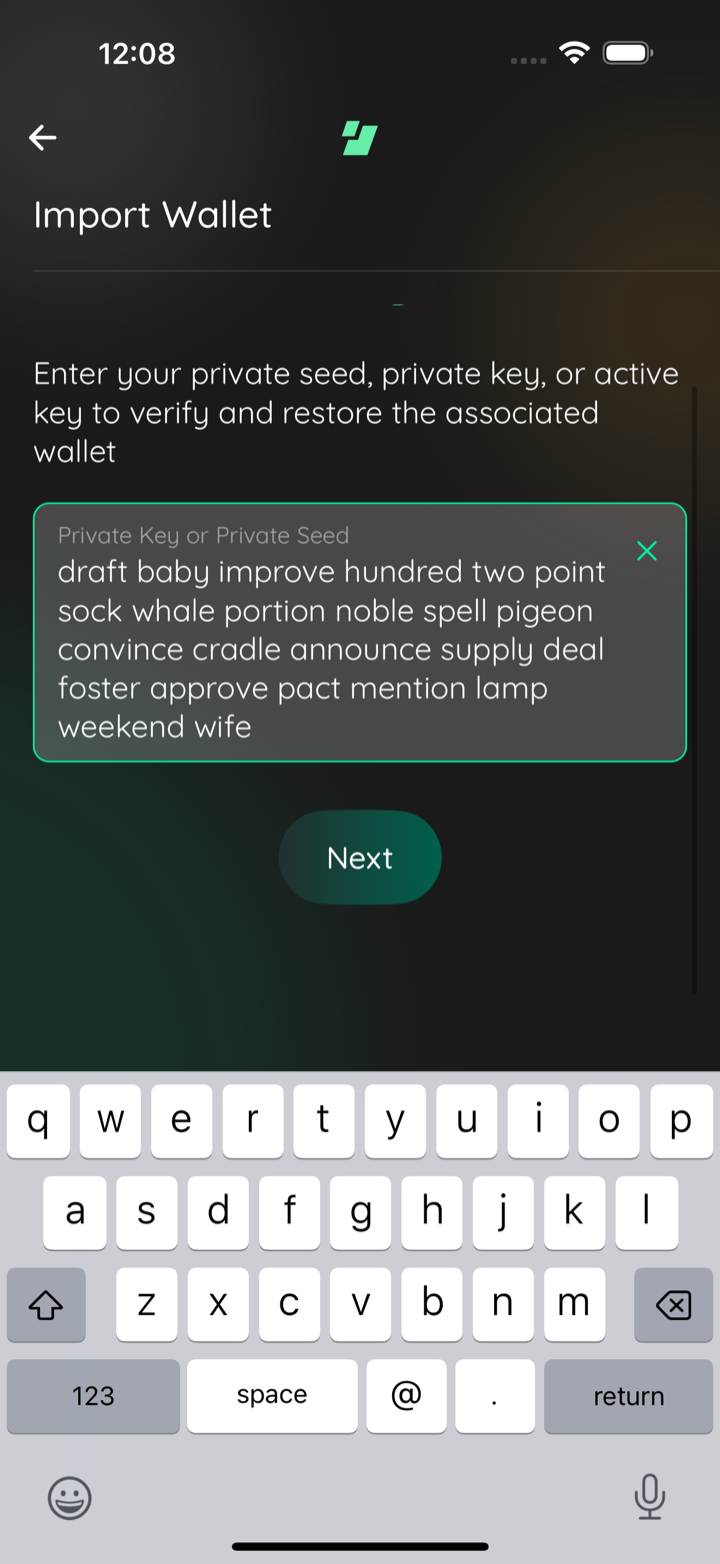
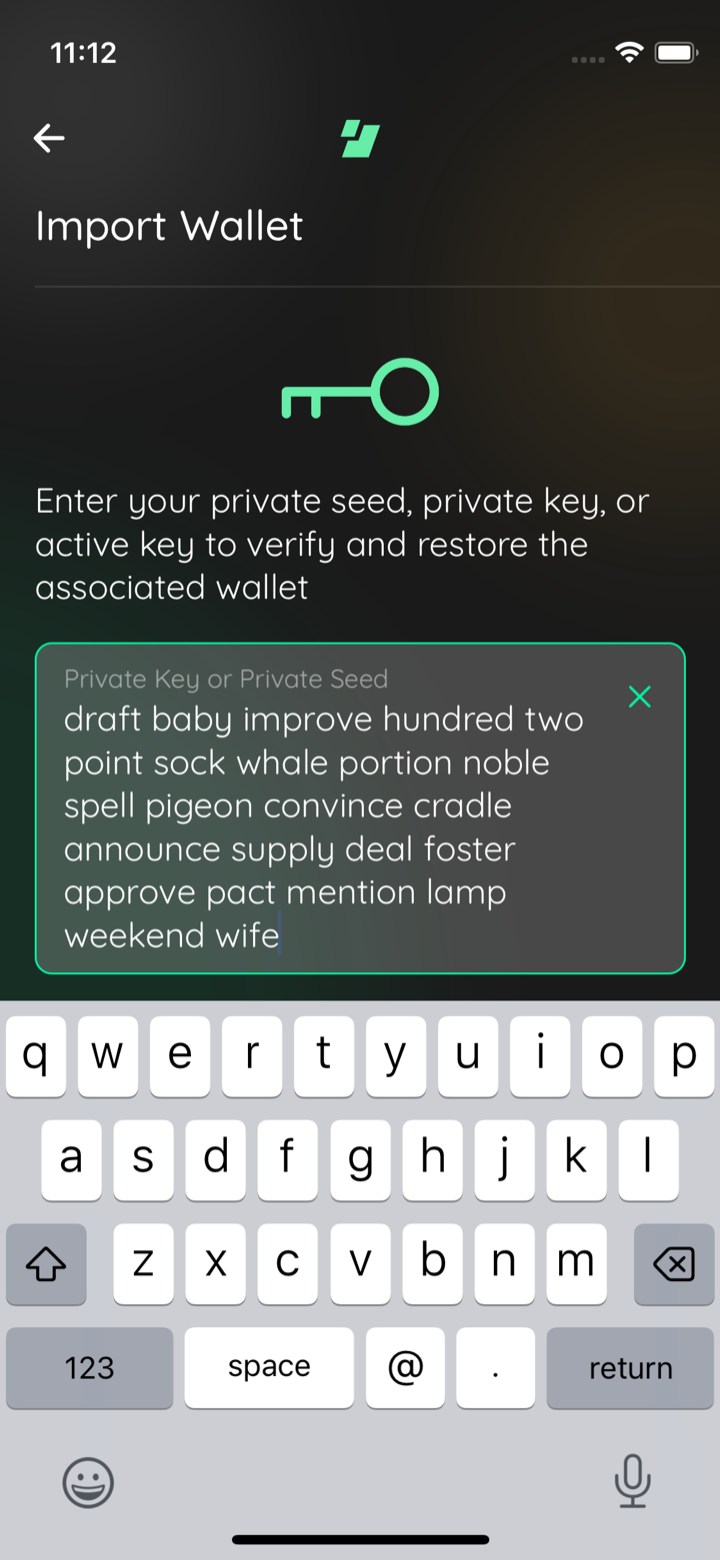
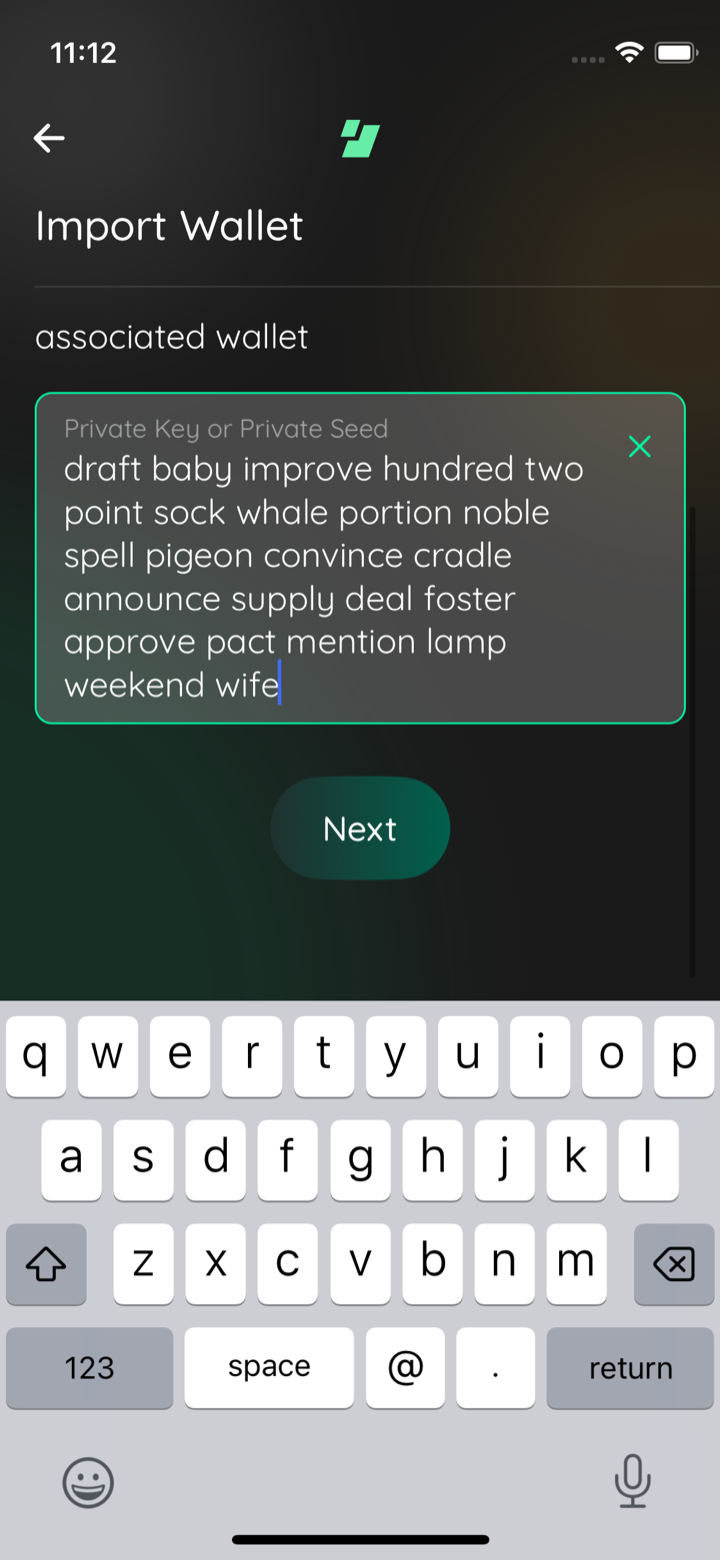
📸 Test evidence, iPhone 13 mini re-run (supersedes the earlier comment's mini frames)mini btc seed typed
mini btc next scrolled
Captured by the agent's in-app test run (build-and-test). |
dbf030c to
e1f444b
Compare
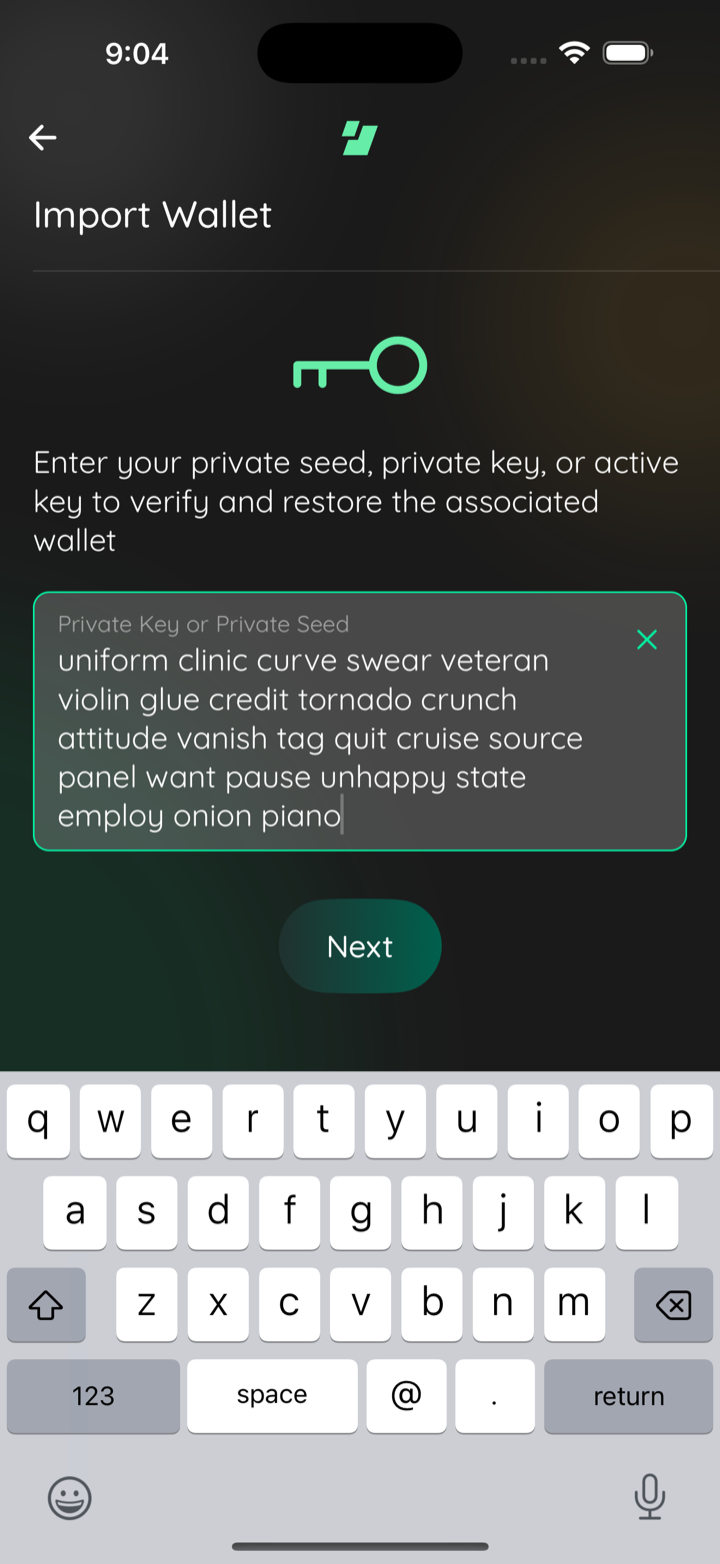
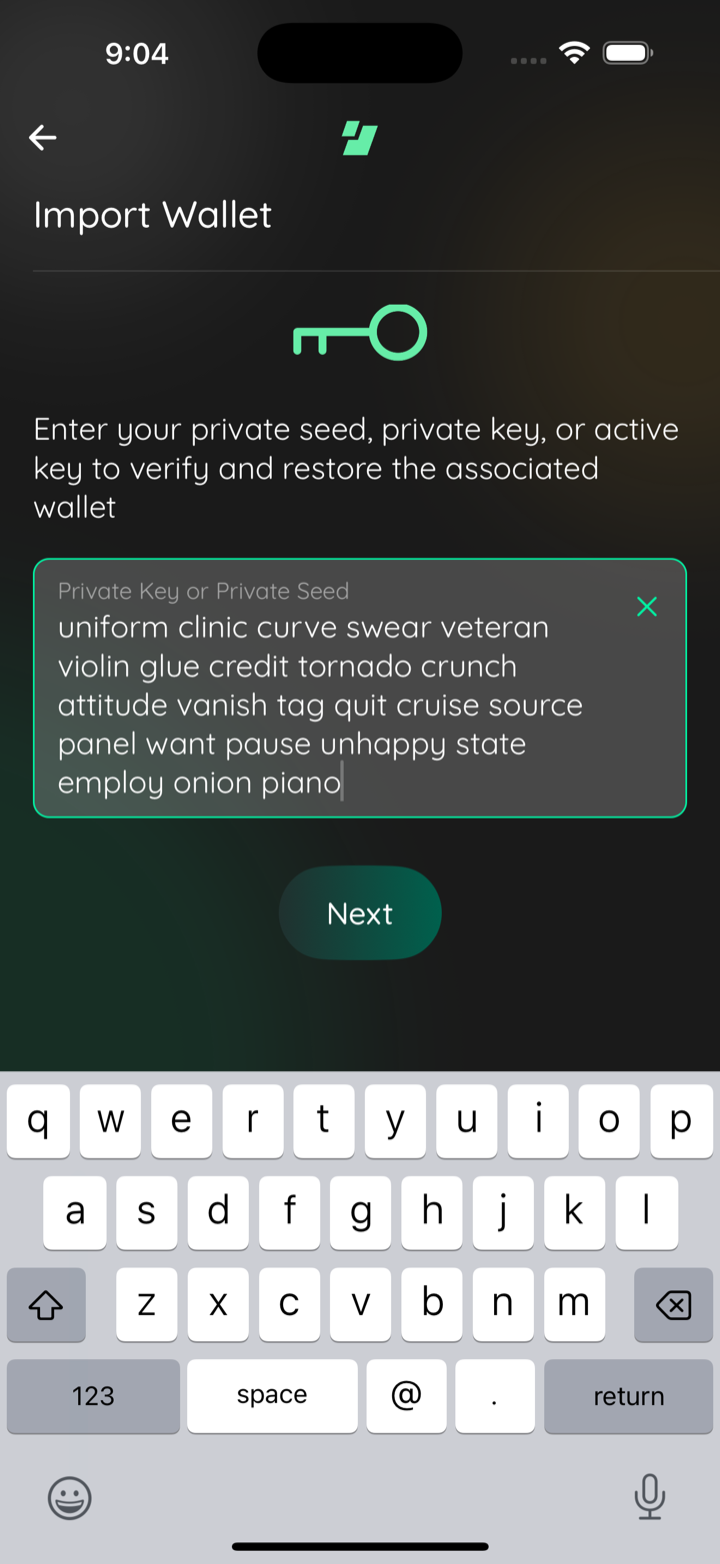
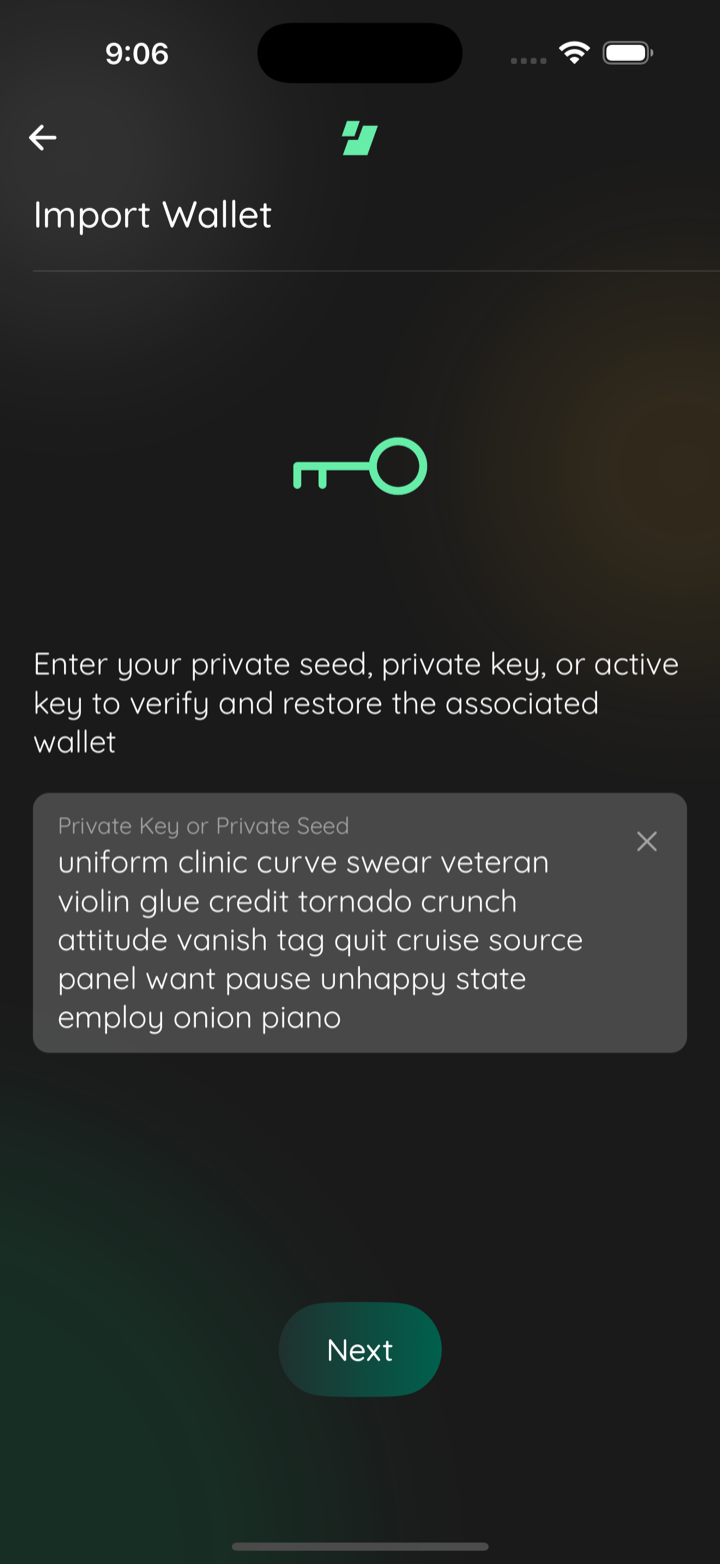
📸 Test evidence: gap between Next and the keyboard (iPhone 16 Pro Max, iOS 18.6)import keyboard open
scrolled to end
keyboard closed
import success
Captured by the agent's in-app test run (build-and-test). |

Convert the component to the React.FC form the lint rule expects.
e1f444b to
09c034b
Compare
![claude[bot]](https://avatars.githubusercontent.com/in/1236702?s=60&v=4)

There was a problem hiding this comment.
Claude Code Review
Claude Code Review is paused for this repository. To reconnect it, an admin of this repository's GitHub organization (or the account owner, for personal repositories) who can also manage your Claude organization's Code Review settings needs to re-link GitHub in Code Review settings. This is a one-time step.
Tip: disable this comment in your organization's Code Review settings.
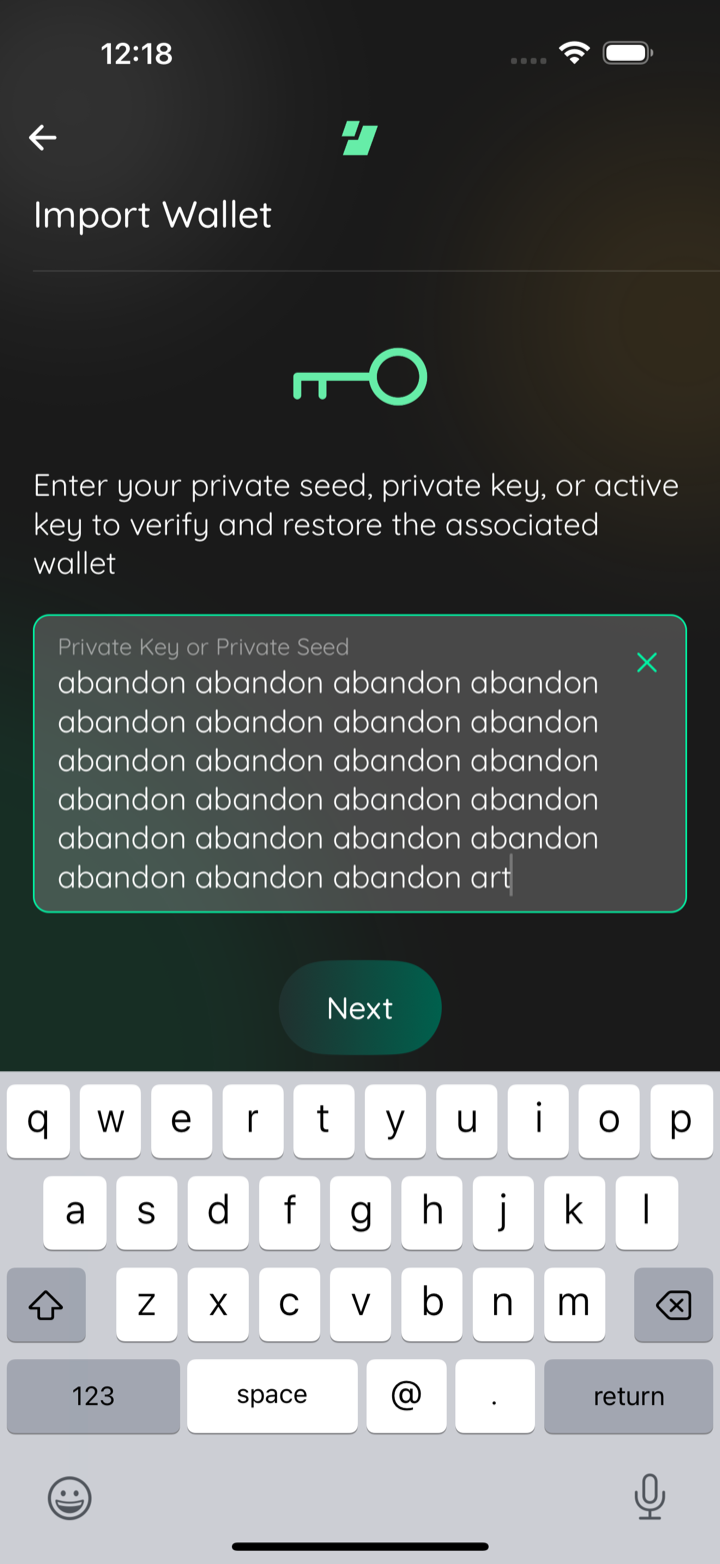
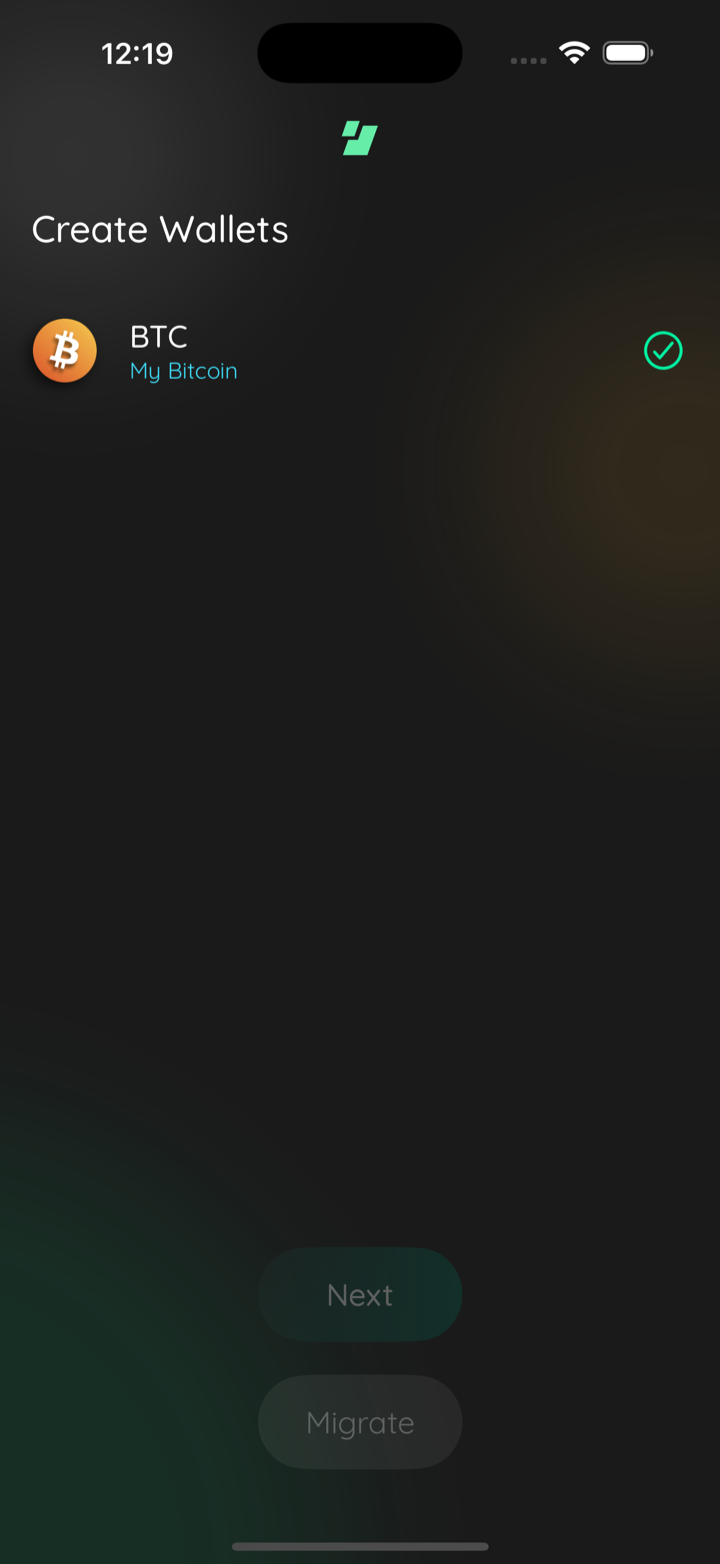
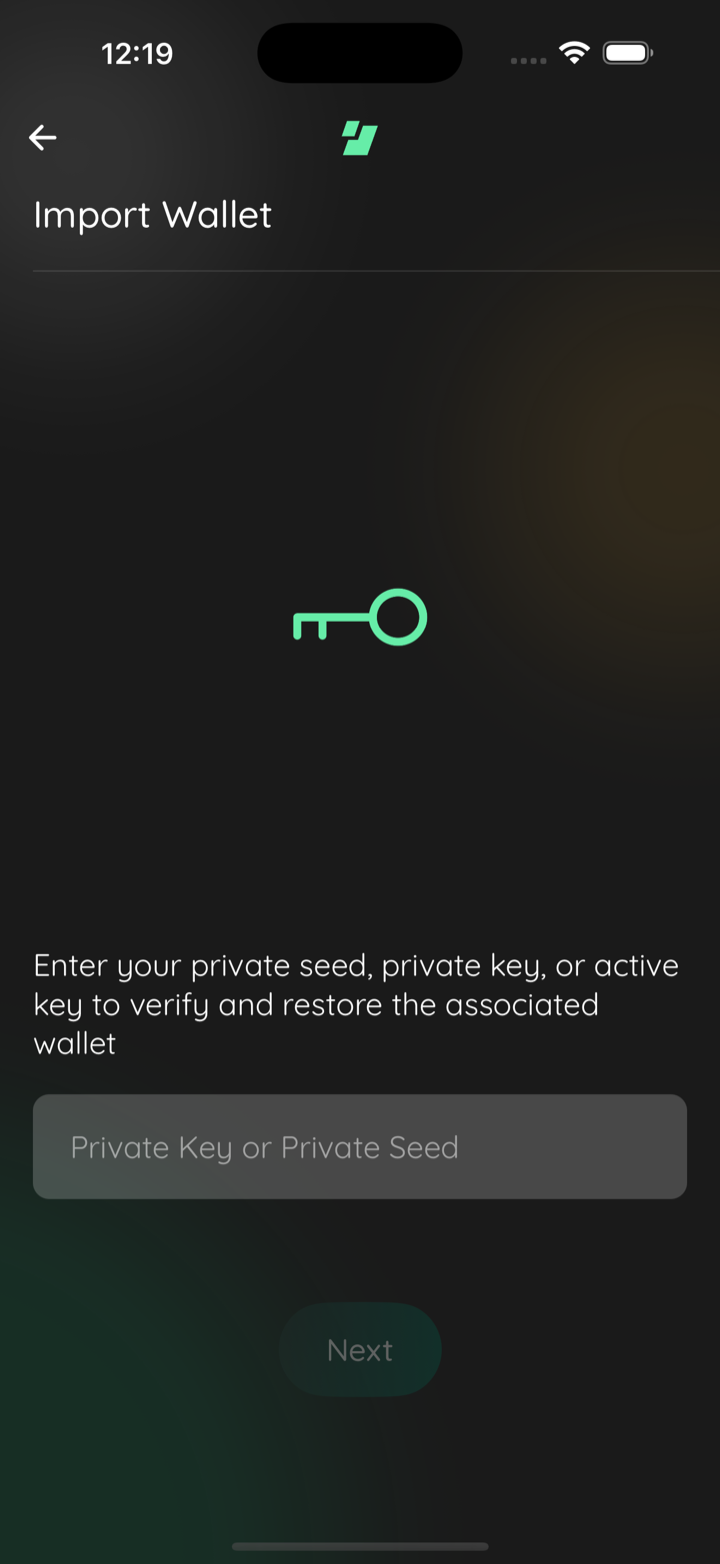
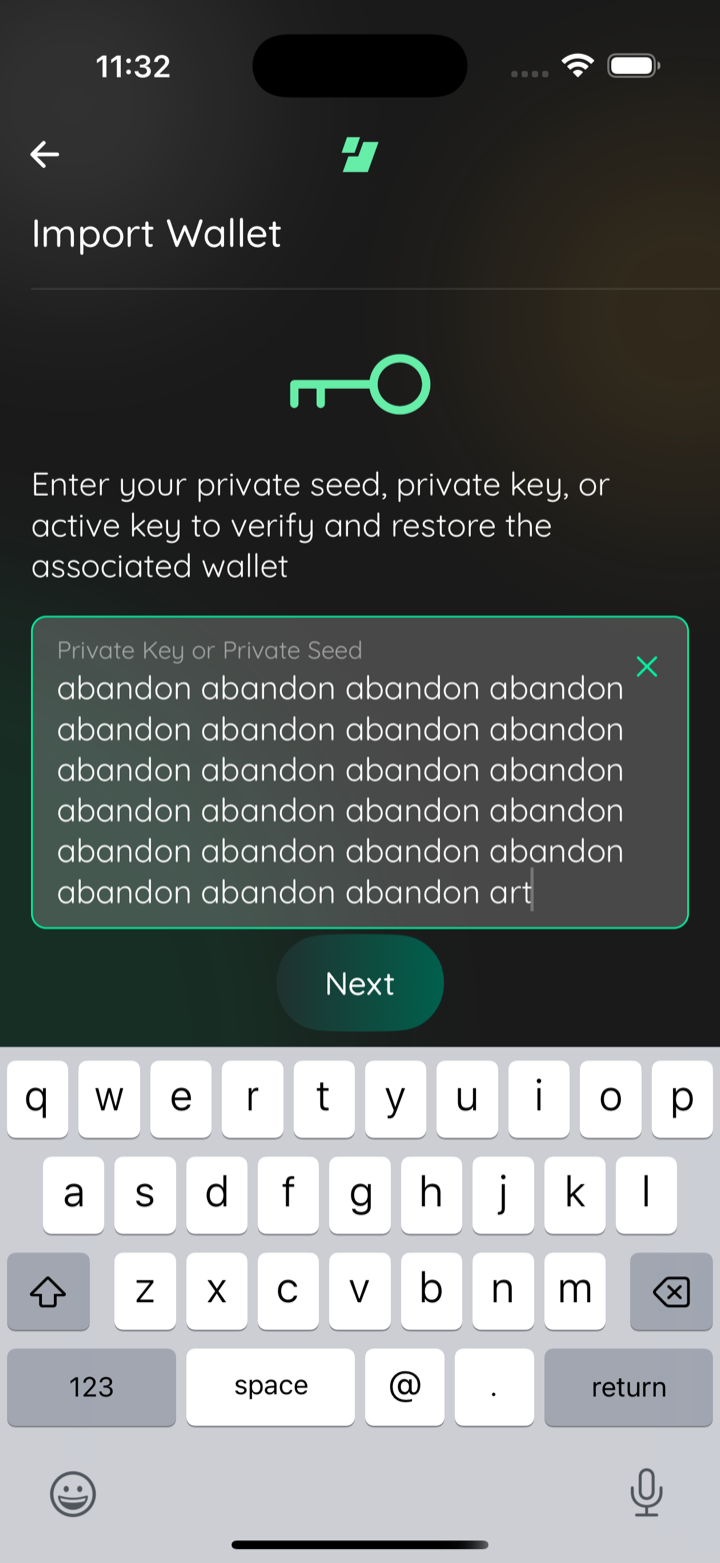
📸🪓 Test evidence (keyboard-aware button clearance)
btc keyboard up next clear
btc import success
keyboard closed idle
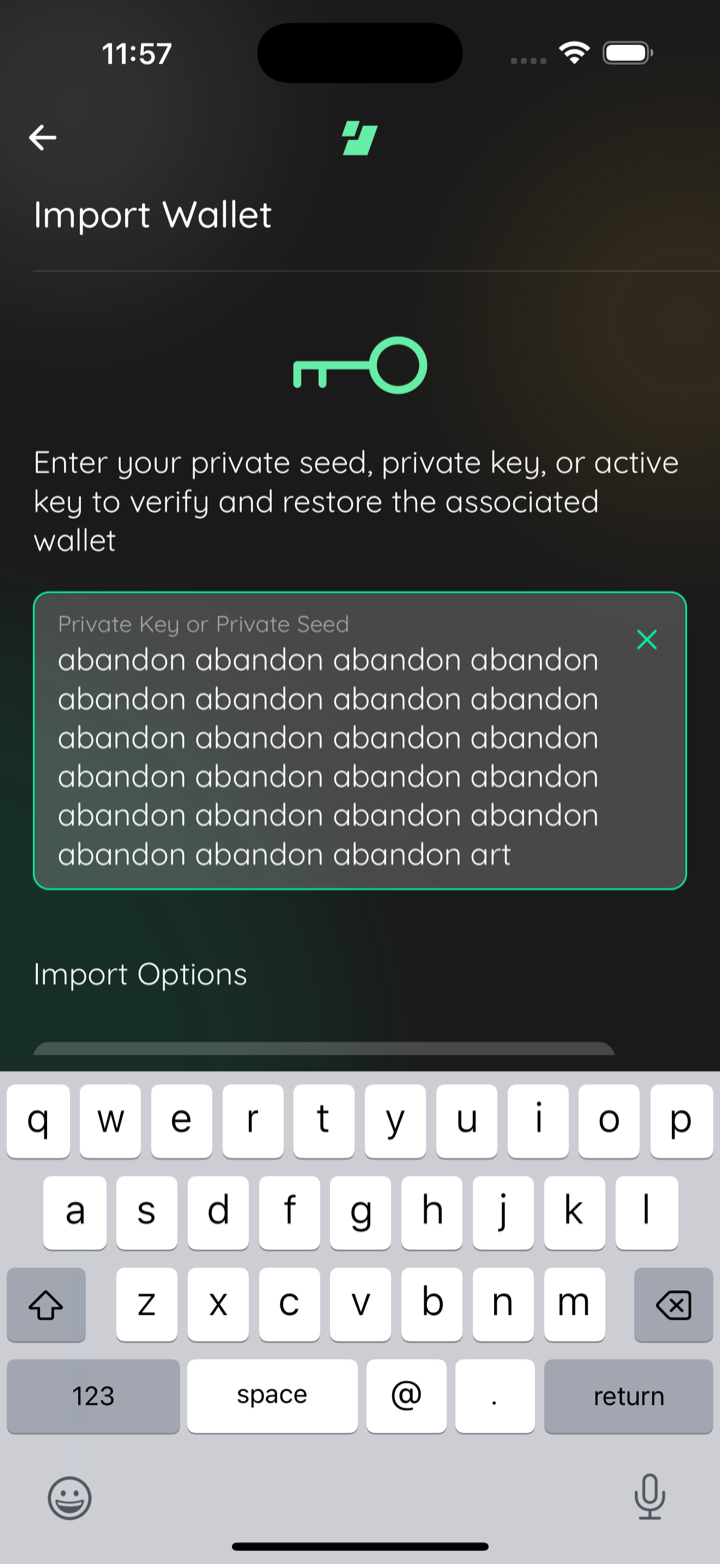
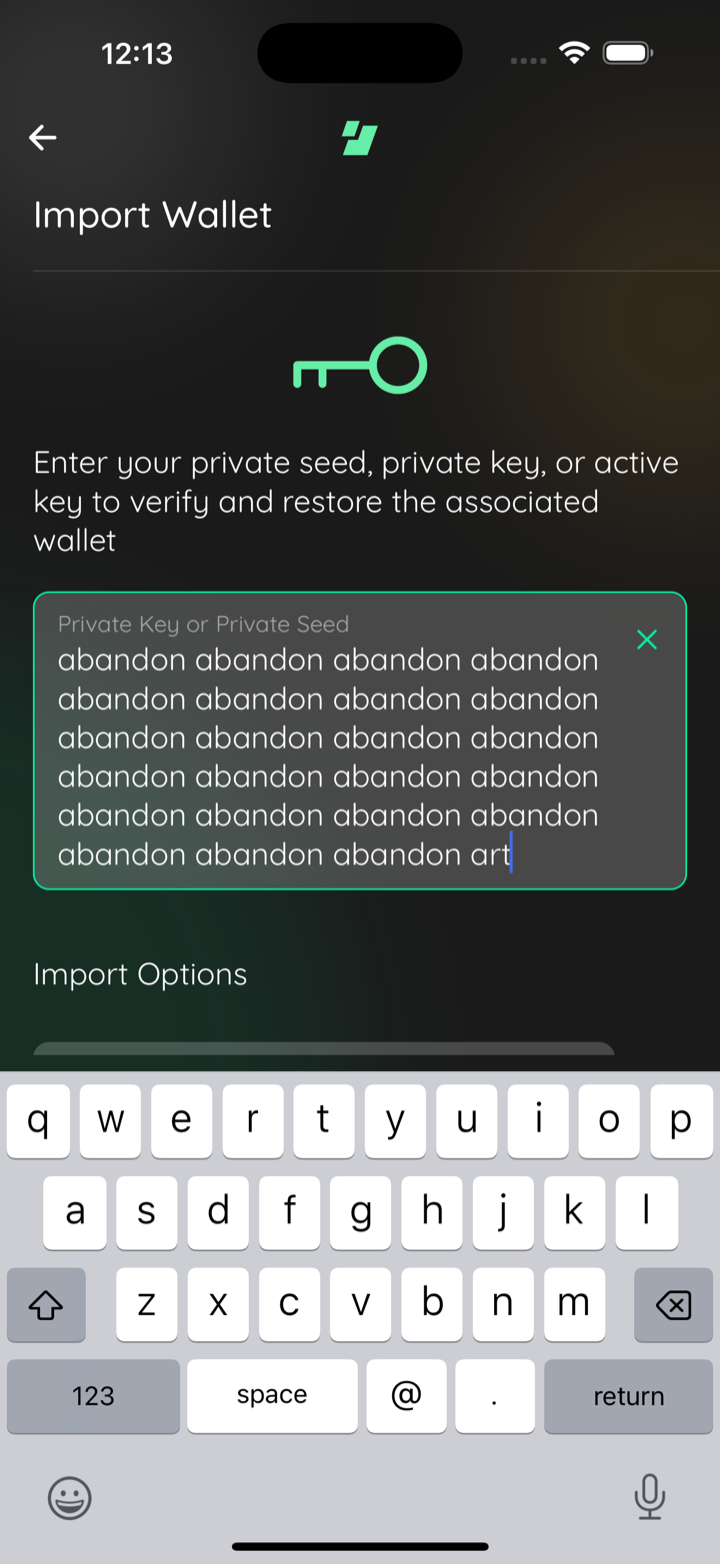
btczec before next below keyboard
btczec after
🪓 HACK-FORCED: iphone air after
Captured by the agent's in-app test run (build-and-test). |
a985d07 to
25df067
Compare
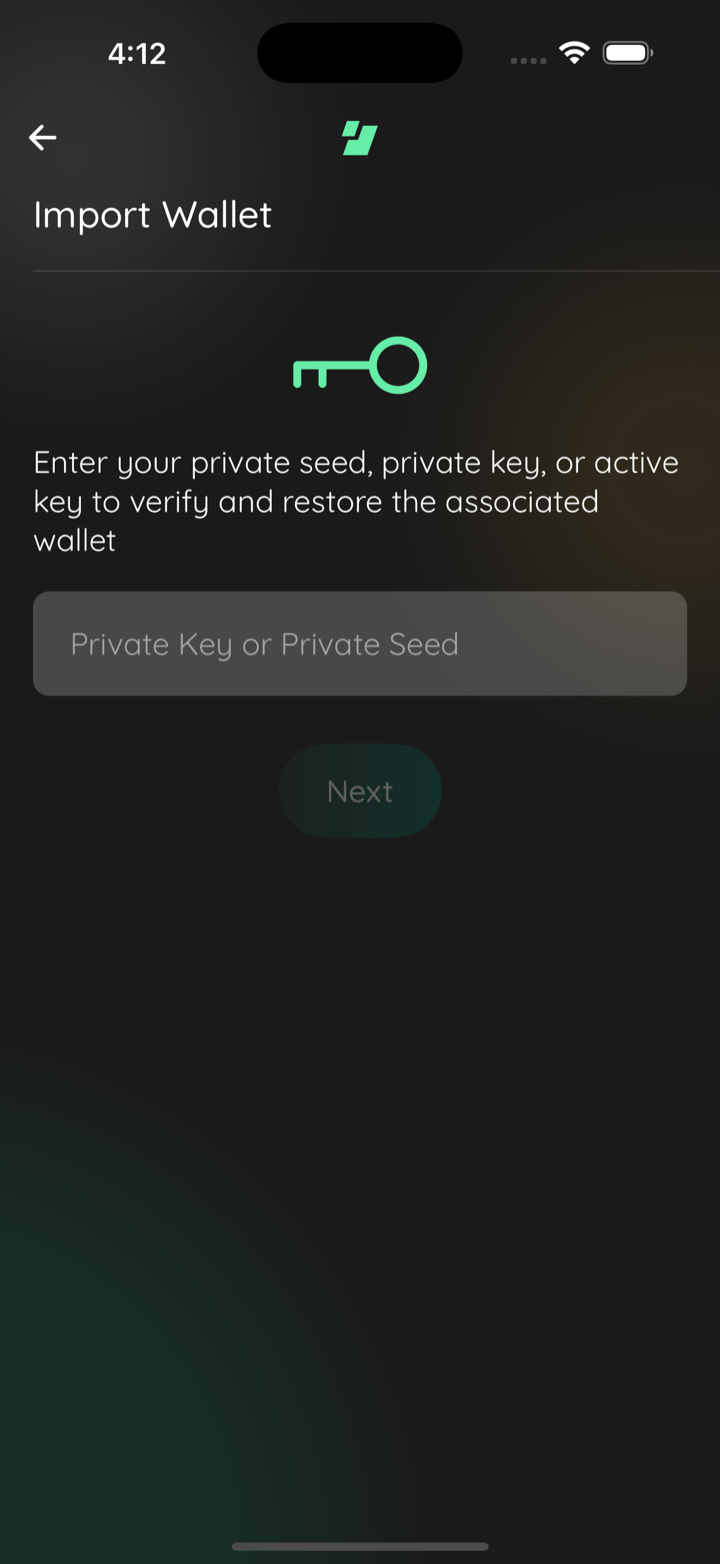
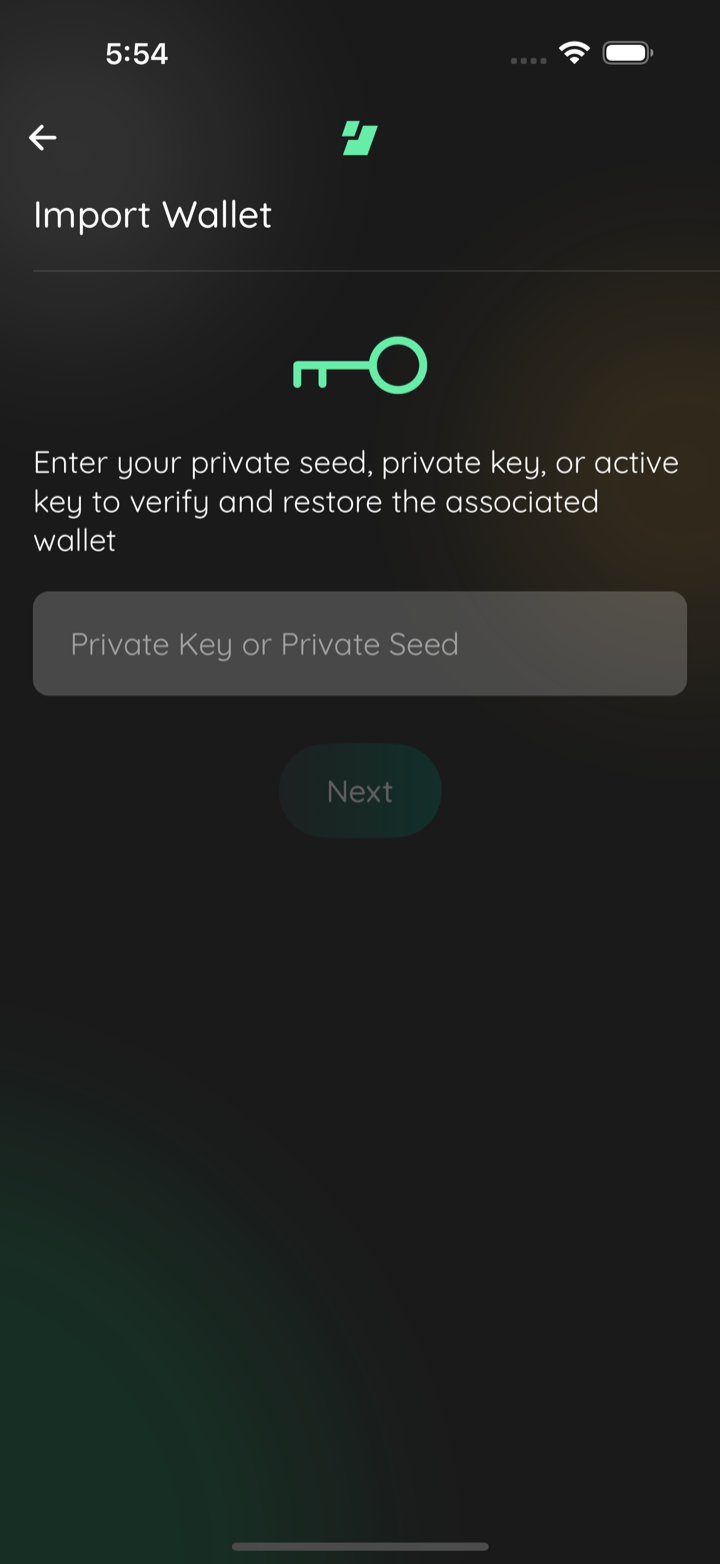
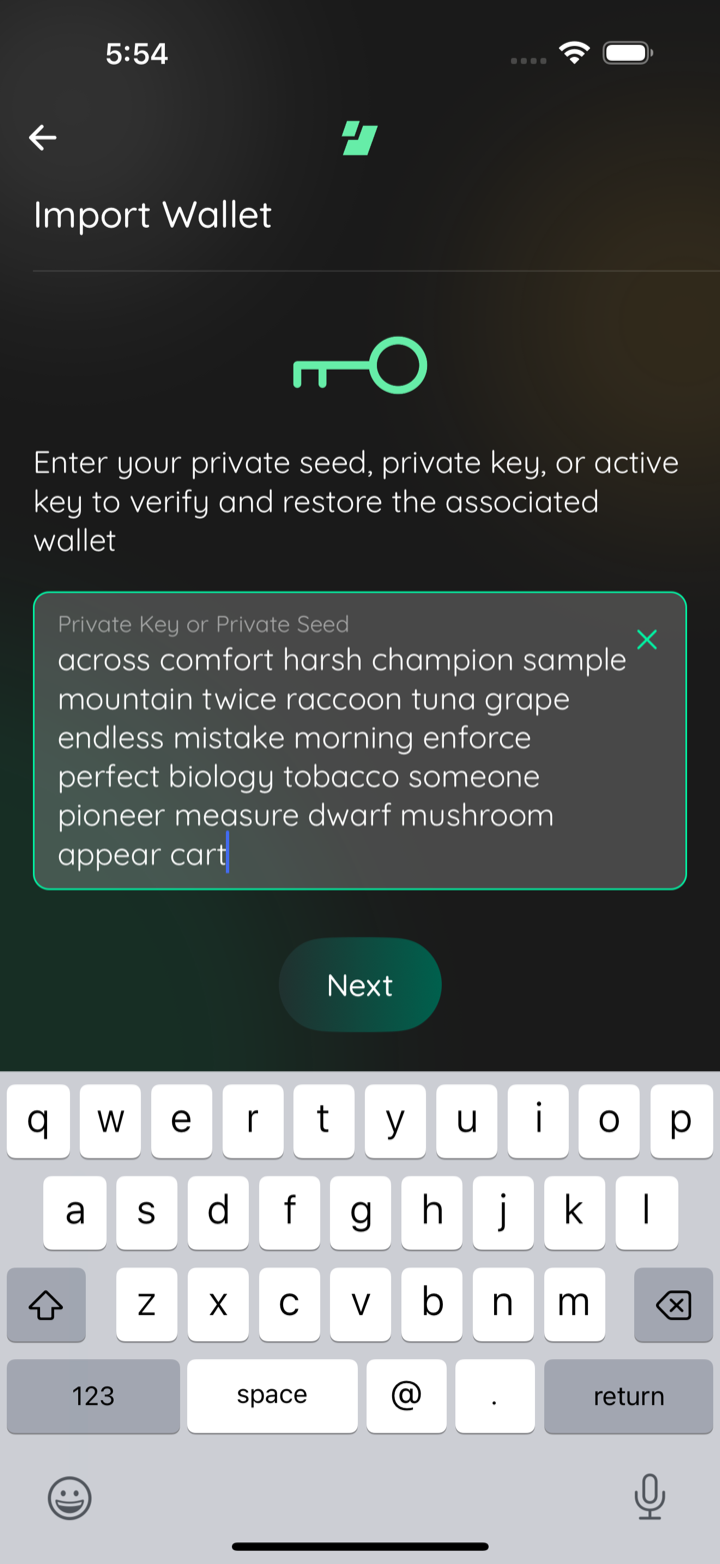
📸 Test evidence (iOS 16 Pro Max sim + Android emulator, restored layout)ios empty scene
ios 24 words next clear of keyboard
ios import accepted
android empty scene
android 24 words keyboard up
android scrolled next clear
android import accepted
Captured by the agent's in-app test run (build-and-test). |
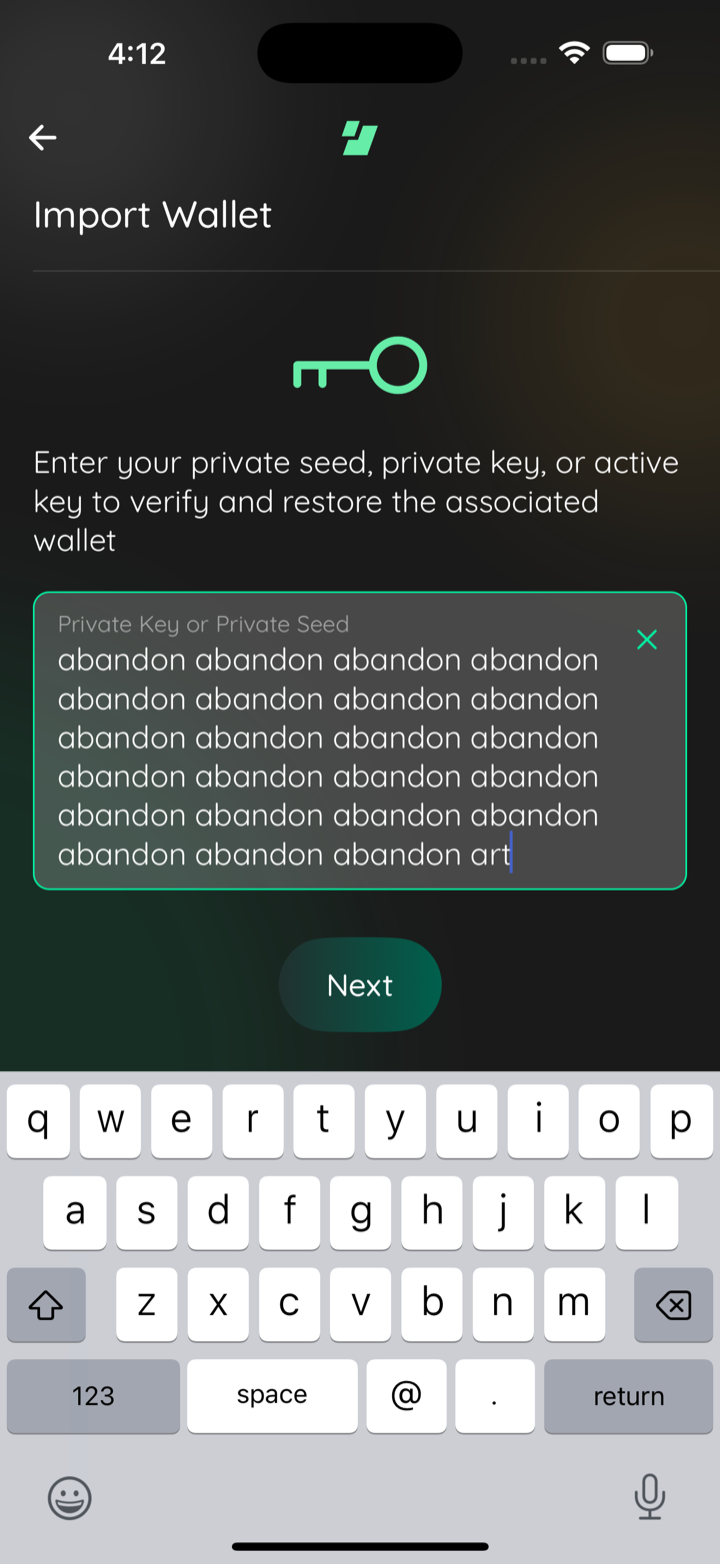
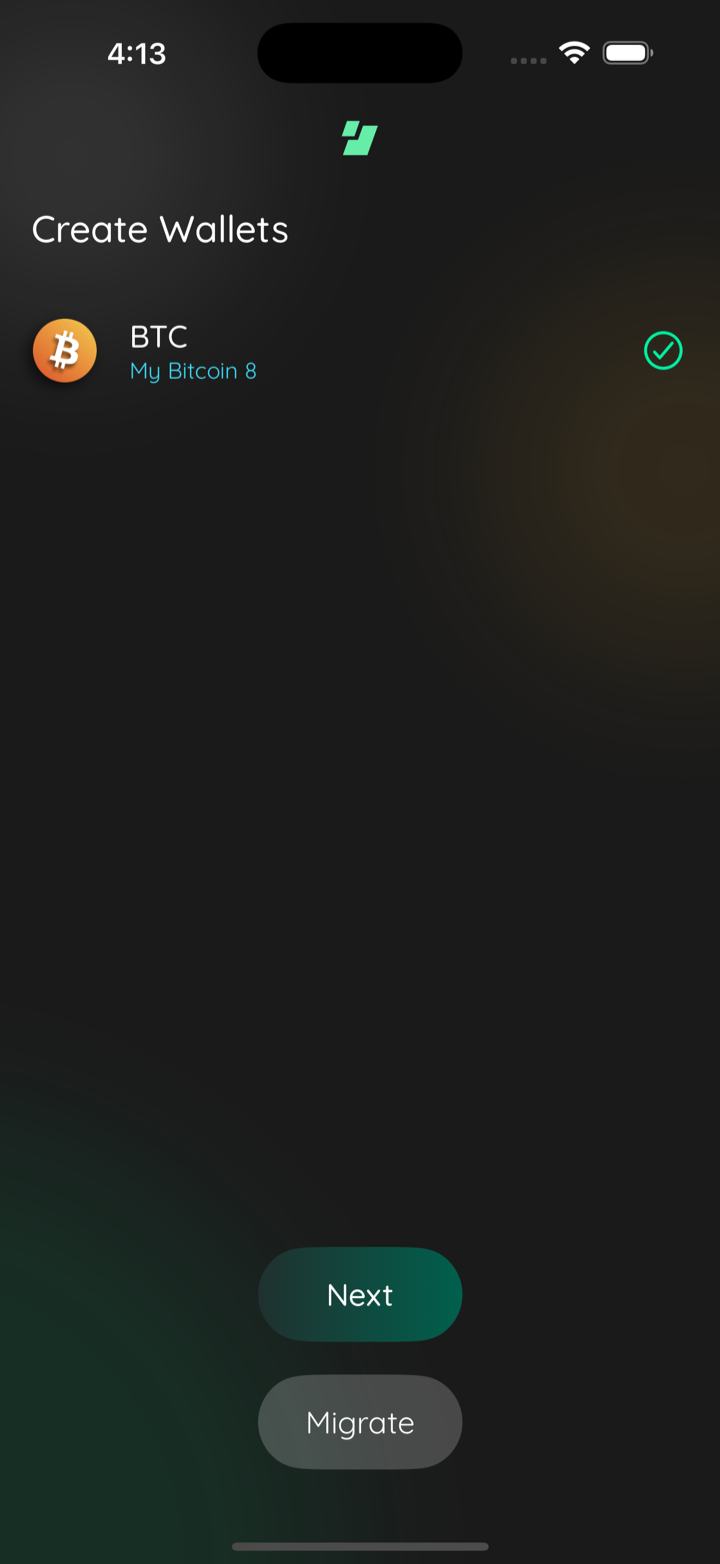
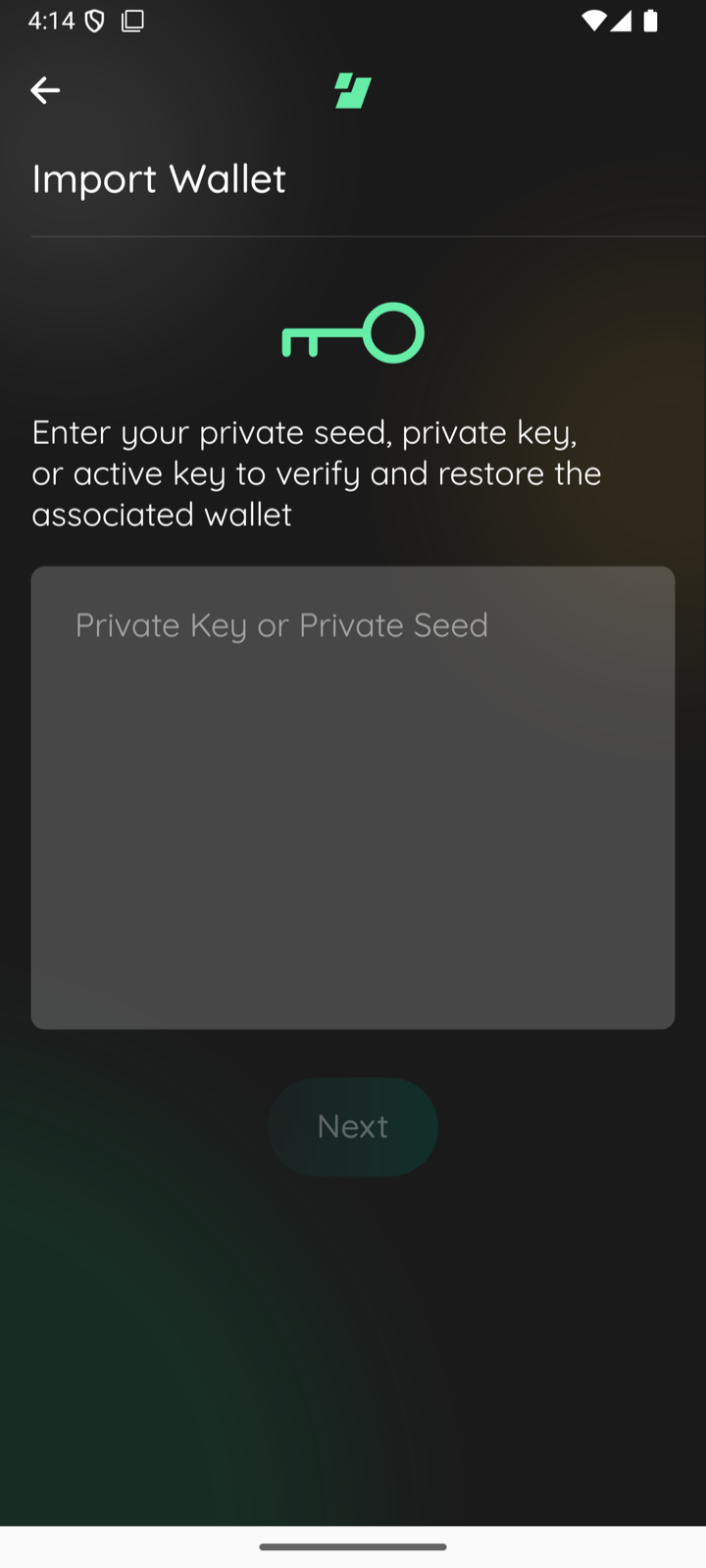
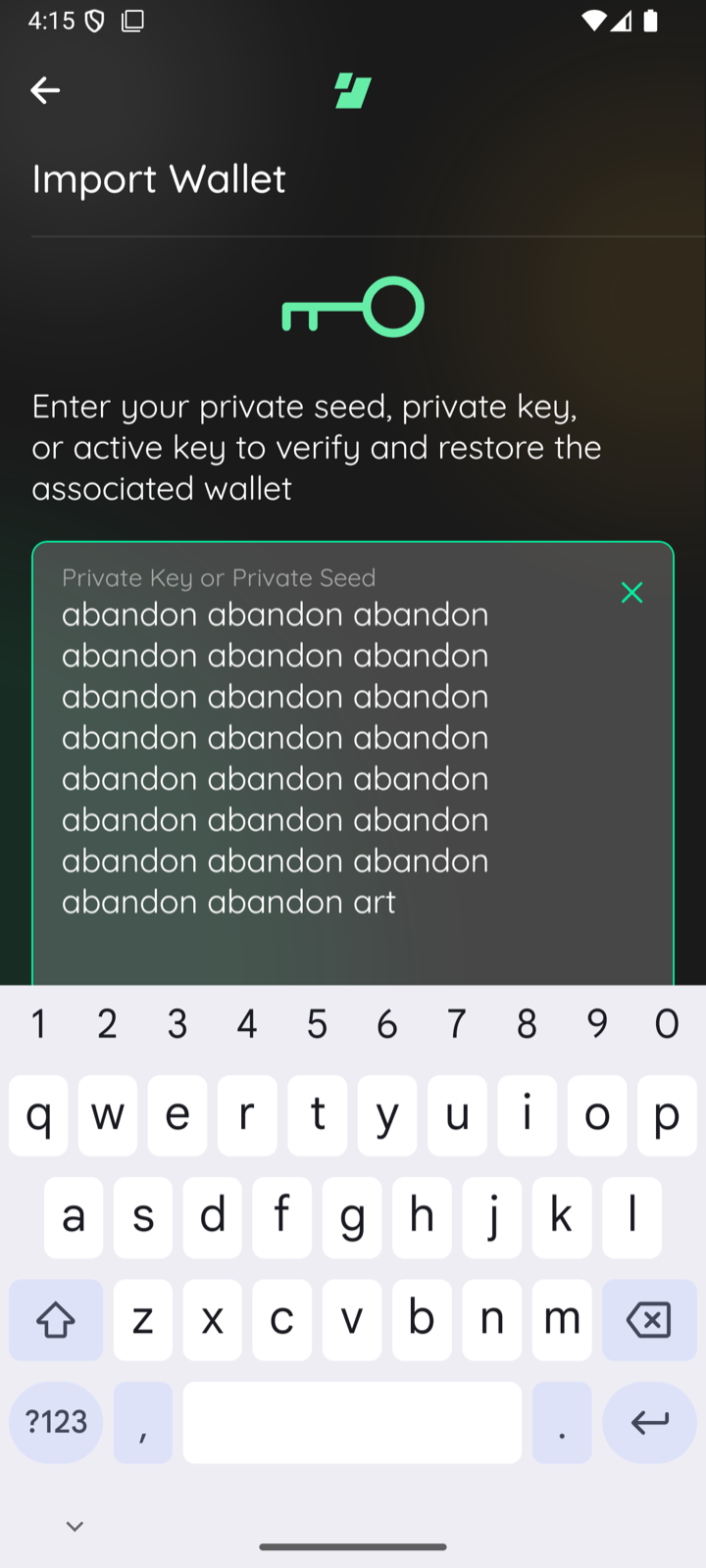
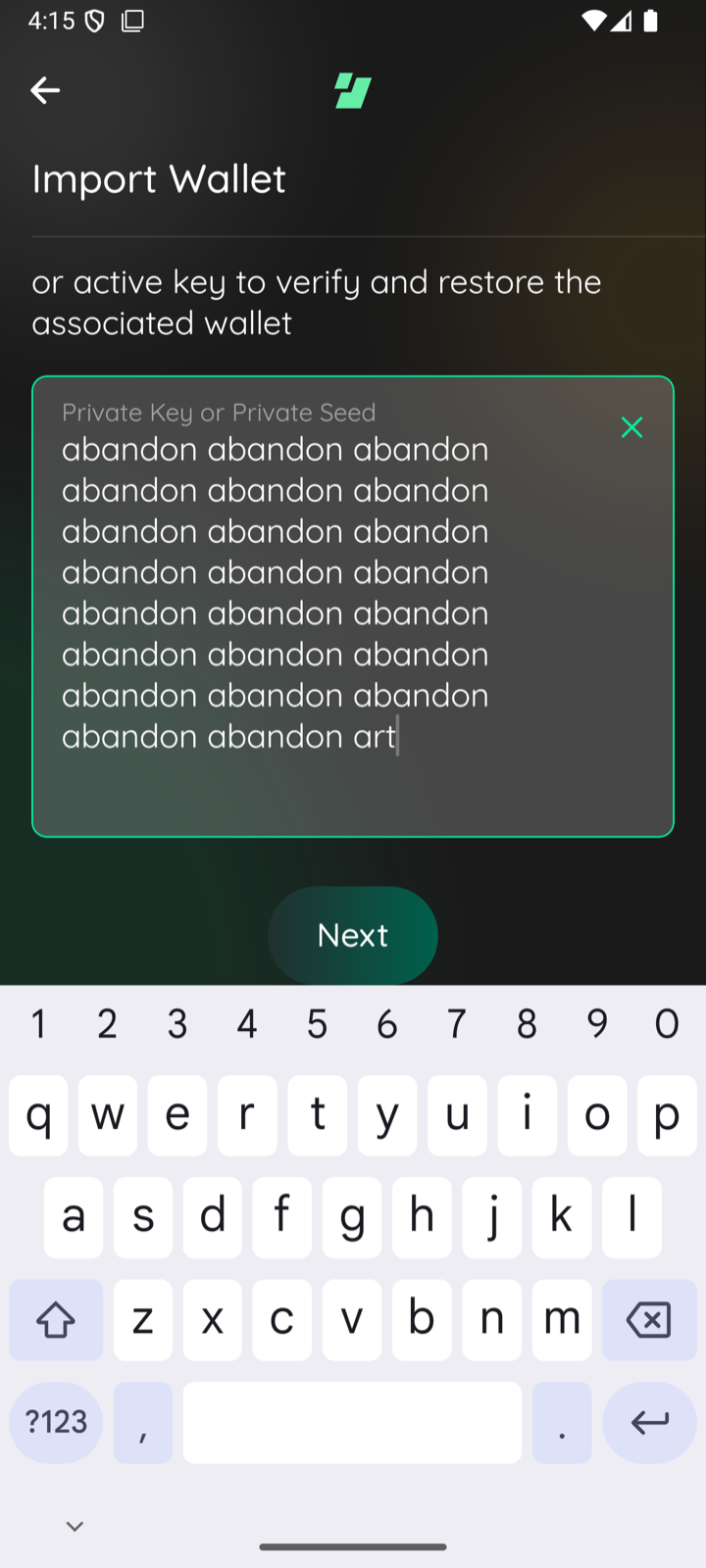
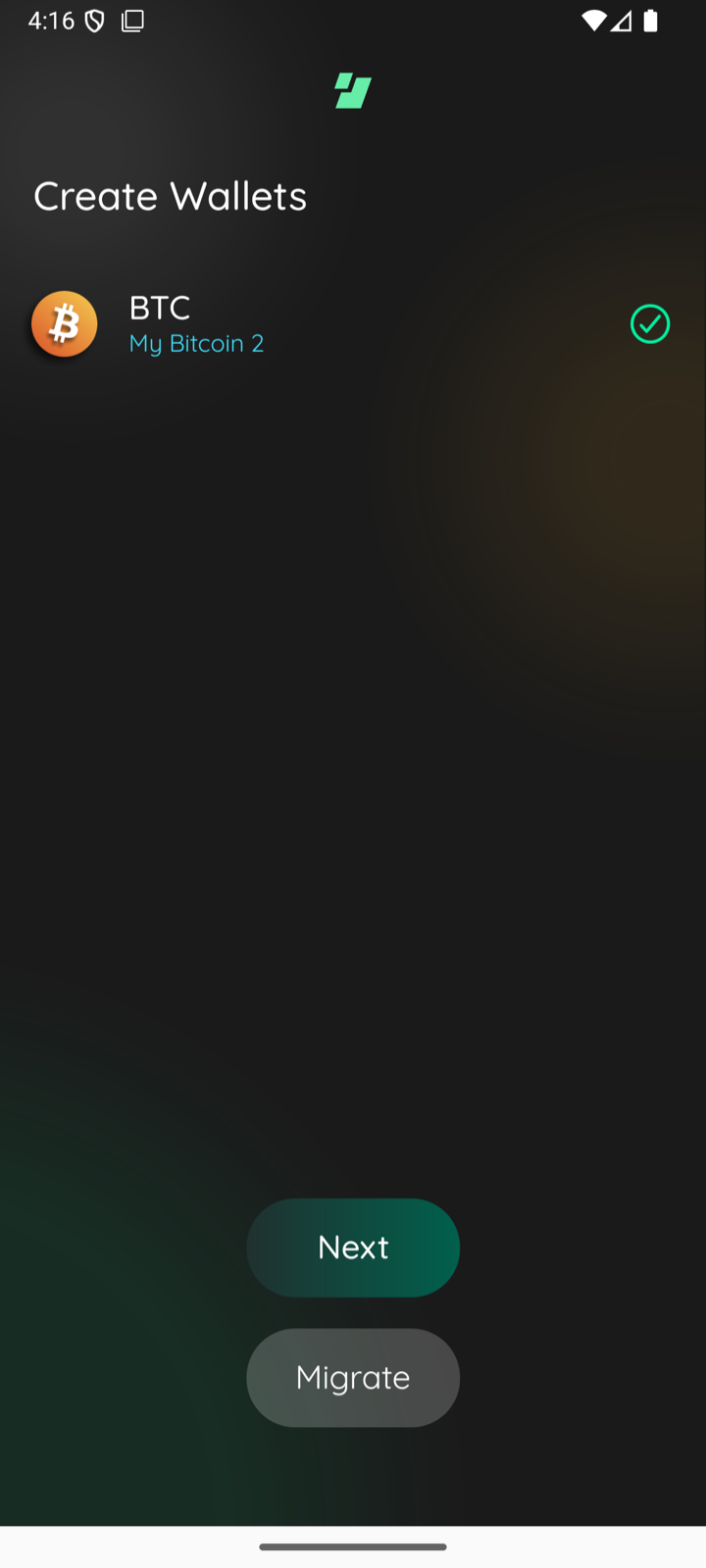
The scene rendered its content, including the Next button, inside a scroll
view that did not react to the keyboard, so opening the keyboard to type a
seed hid the button behind it. Shrink the scene to the space above the
keyboard, keep the button pinned below the scrolling content, and let the
key logo flex instead of holding a fixed 2 rem of margin.

Drop the keyboard-dismiss steps the maestro import flows needed to reach the
button.
25df067 to
35dd1c7
Compare
📸🪓 Test evidence (iOS, dead band between scene bottom and keyboard)
iOS BTC empty scene
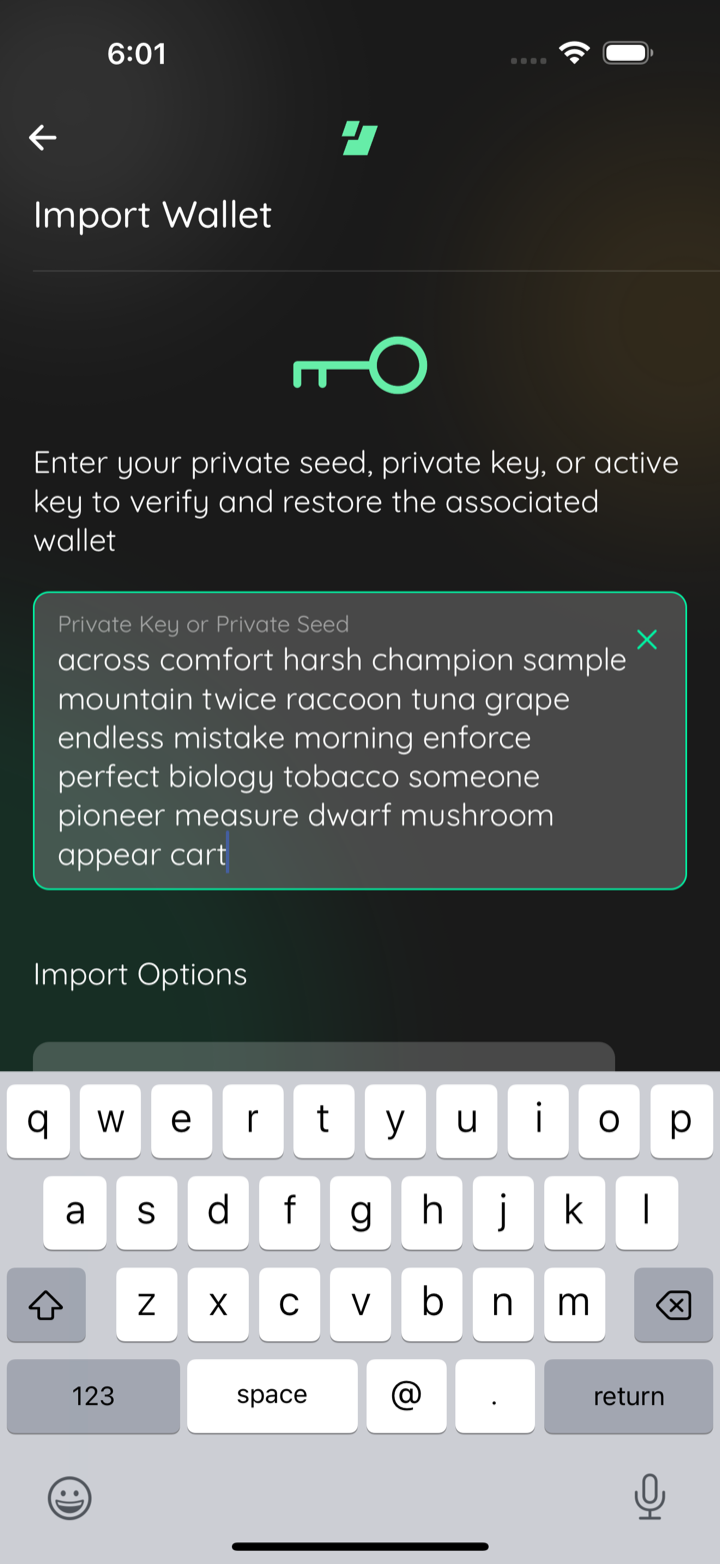
iOS BTC 24 word phrase keyboard up
iOS BTC import accepted Create Wallets
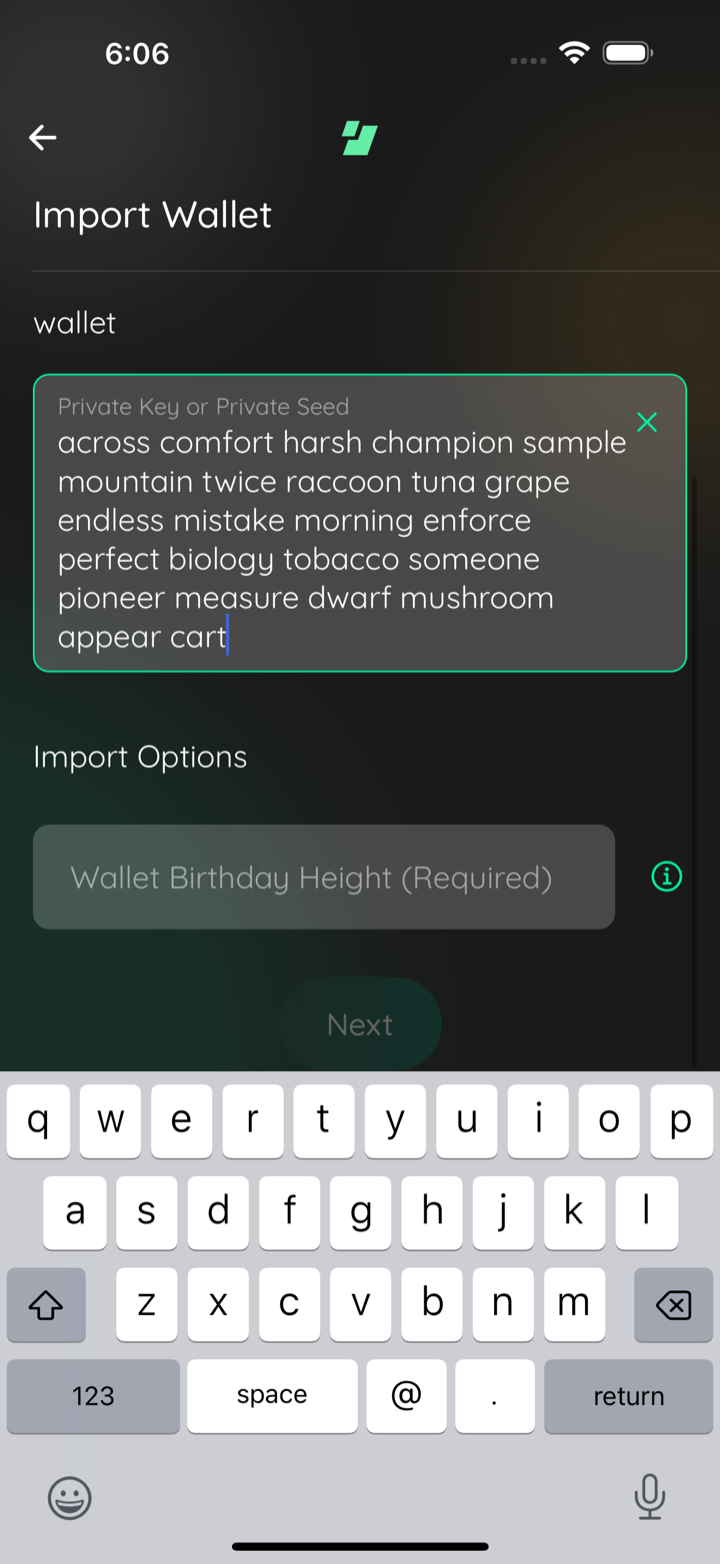
iOS BTC plus ZEC keyboard up content continues under keyboard
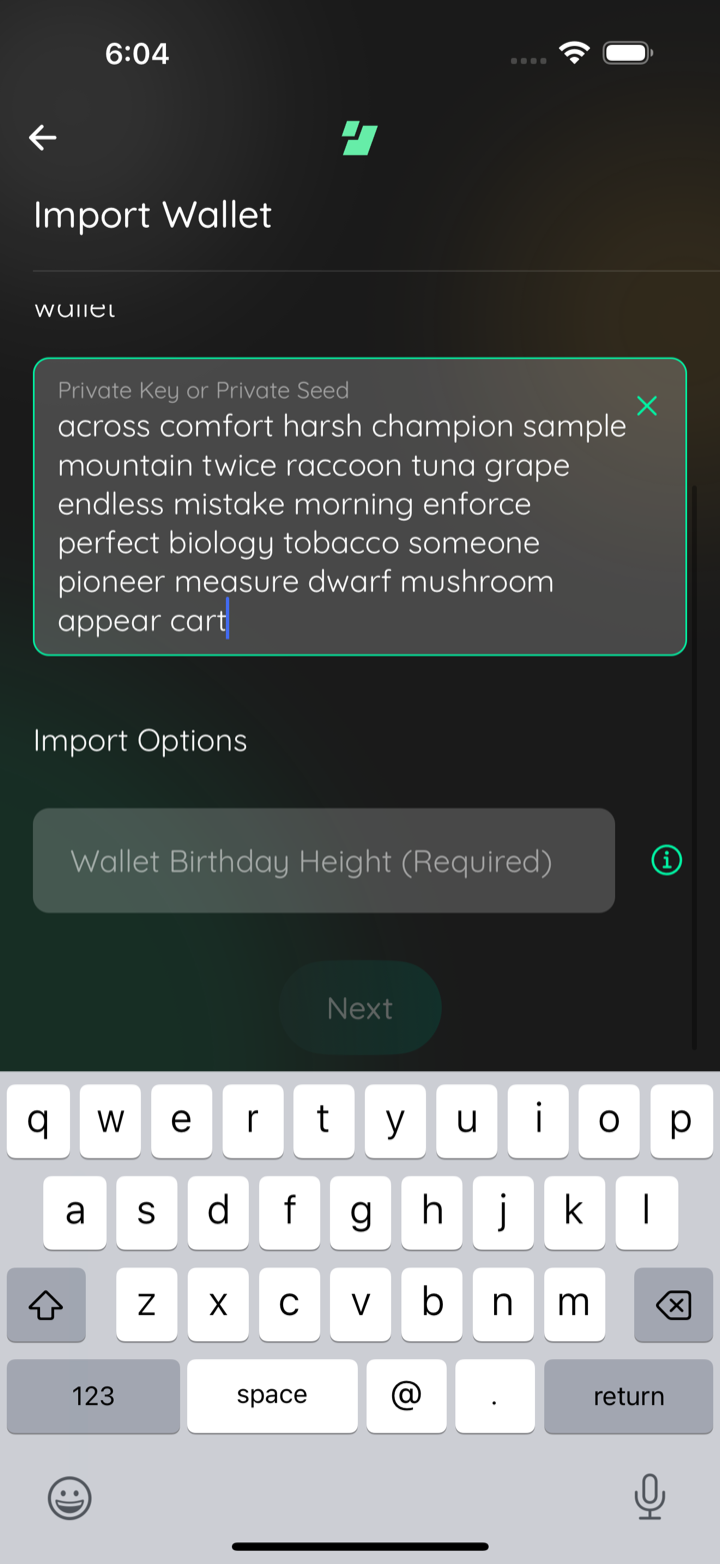
iOS BTC plus ZEC scrolled to end viewport flush with keyboard
🪓 HACK-FORCED: pre fix bottom margin dead band same scroll
Captured by the agent's in-app test run (build-and-test). |
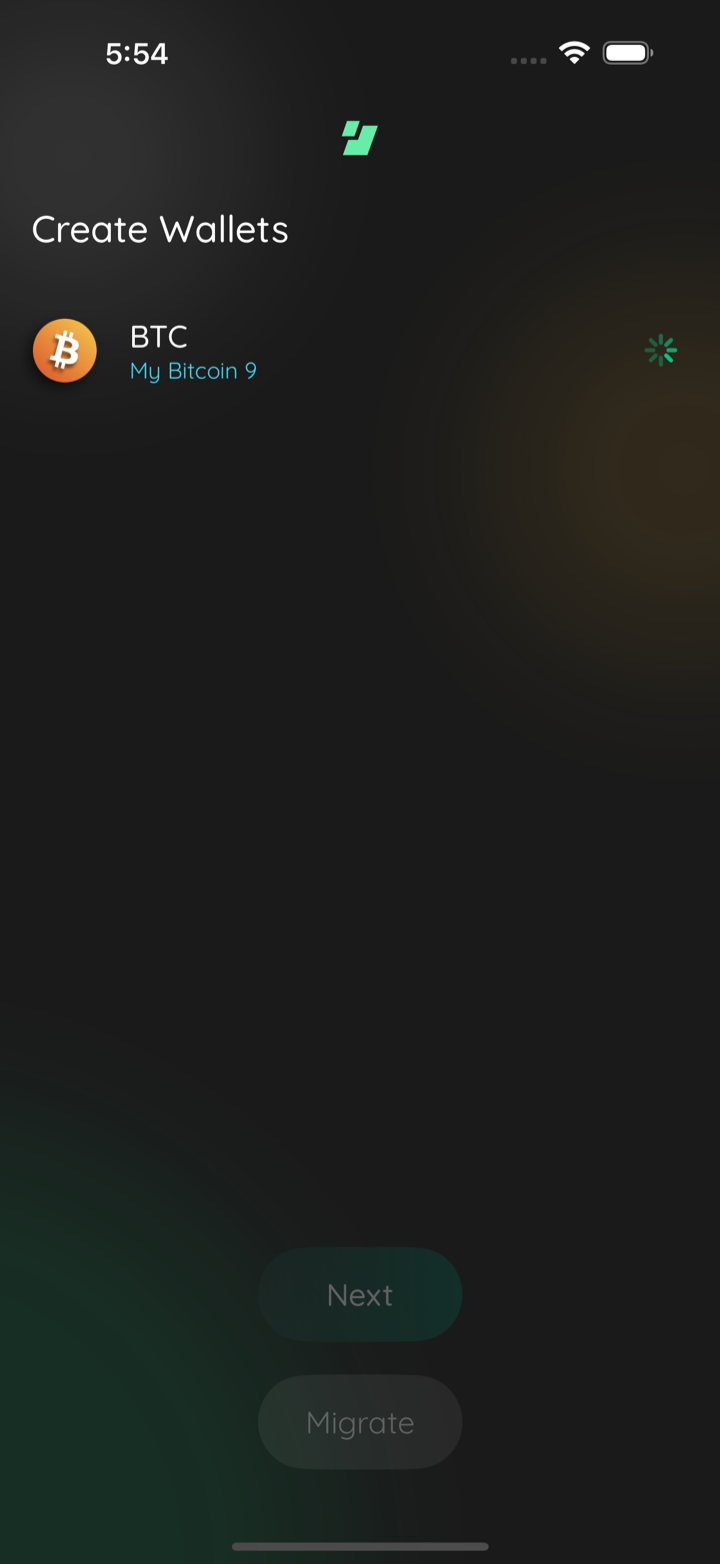
1 participant

Description
Asana task
The Import Wallet scene rendered everything, including the Next button, inside a
scroll view that did not react to the keyboard. Opening the keyboard to type a
seed hid the button behind it, along with the per-asset Import Options inputs
(the Zcash / Pirate Chain birthday height). A wrapped 12- or 24-word phrase or a
short device made it worse.
The scene now shrinks to the space above the keyboard (
SceneWrapper avoidKeyboard, the pattern ~20 other scenes already use, backed byreact-native-keyboard-controller) and its content lives in a realScrollView. Because the keyboard is part of the layout, the scroll viewportends above it, so the bottom of the scene is reachable; on the unchanged build
the viewport's bottom edge sits underneath the keyboard and no amount of
scrolling reveals Next.
On a screen the size QA reported against (iPhone Air, 420x912pt), a 24-word phrase
makes the content taller than the room the keyboard leaves. Two things went wrong
there, and both are fixed by removing something rather than adding one:
carried a uniform
margin: rem(0.5), so the scroll viewport stopped short of thescene's bottom edge. With the keyboard open that edge IS the top of the keyboard,
and the margin became space the content could never scroll into: the lowest visible
row sat above an empty strip. The container now takes
marginTopandmarginHorizontalonly, so the viewport ends flush against the keyboard.ButtonsView'sparentType="scene"layout holds the button off the screen's bottom edge. An openkeyboard supplies that separation itself, exactly the reason
SceneWrapperalreadycollapses its bottom safe-area inset. A new opt-in
keyboardOpenprop drops themargin while the keyboard is up. The prop defaults to
false, so the otherSceneButtonsandparentType="scene"call sites are unchanged.The scene's spacing is also fixed rather than elastic. An earlier revision grew the
scroll content container to the viewport and let the logo block flex into whatever
room was left, which meant the scene spread out with an empty field and compressed
with a full one. The content container is now content-sized (
flexGrow: 0), the logokeeps a fixed 1 rem above and below, and
SceneButtonsstays inside the scrollcontent in a plain wrapper
Viewso its own bottom-anchoringflexGrowhas nothingto resolve against. The logo sits the same distance from the header, and the button
the same distance from the seed box, whether the field holds nothing or 24 words.
The seed field still never collapses:
FilledTextInputhardcodesflexGrow: 1/flexShrink: 1on its containers whenmultiline, and a plain non-shrinkingViewaround the field in this scene stops that. No change to
FilledTextInputitself, soTextInputModal'sfullHeightmultiline mode andSignMessageScene'snumberOfLines={4}keep the fill behavior they want.When the content genuinely cannot fit, the scene scrolls to reach Next, which is the
behavior the task's review asked for.
The maestro import flows used to dismiss the keyboard before tapping Next. That
workaround is gone on both platforms in both copies
(
maestro/common/import-wallets.yaml,maestro/07-wallets/C000029a-migrate-wallets.yaml): Next is reachable andtappable with the keyboard up, and the platform-conditional
hideKeyboardisreplaced by a
scrollUntilVisibleon Next, since a long phrase can still pushthe button past the bottom of the scroll viewport. Both the iOS and the Android
form were driven on device, which the evidence below shows.
One Android limitation stays, and it predates this PR.
numberOfLinesis anAndroid-only prop that React Native turns into
EditText.setLines, so the seedbox holds a fixed line count whether it is empty or full; iOS ignores the prop
and sizes the box to its text. A caller can only choose the count: dropping the
prop falls back to
FilledTextInput's own default of 20 lines, and 0 collapsesthe box to a single line that clips the phrase. Both were tried on an emulator
and are worse than the current 10. Content sizing on Android would mean changing
FilledTextInputto stop forwarding the prop, which is out of scope here.ButtonsView.tsxcarries a header asking that changes be synced withedge-login-ui-rn. The
keyboardOpenprop is additive and defaults to the currentbehavior, but it still owes a sync PR there.
Asana: https://app.asana.com/1/9976422036640/project/1213880789473005/task/1217525813318788
CHANGELOG
Does this branch warrant an entry to the CHANGELOG?
Dependencies
none
Requirements
If you have made any visual changes to the GUI. Make sure you have:
Both platforms were driven on the current revision, and the frames in the evidence
comments below are from it.
iOS, iPhone 16 Pro Max simulator (iOS 18.6): the 24-word phrase typed through the
on-screen keyboard, Next tapped with the keyboard still up, and the import carried
through to the Create Wallets completion scene. The BTC + ZEC configuration adds the
Zcash birthday field and makes the content taller than the room the keyboard leaves,
which is the case that shows the scroll viewport ending flush against the keyboard:
scrolled to the end, the last row sits at the keyboard's top edge instead of above an
empty strip. The last evidence frame is that same scene with the pre-fix bottom
margin temporarily restored, for the comparison.
Android, emulator (Android 16): the same import driven to the Create Wallets scene
with the keyboard up, and the reverted maestro step sequence (
scrollUntilVisibleonNext, replacing the platform-conditional
hideKeyboard) run end to end.Not exercised on this revision: iPhone 13 mini and iPhone Air (a run can only drive
its own simulator), a tablet, and the BTC + ZEC import past the scene to completion.