Repository navigation
JVS programming
JVS is a text interpreter built into the DOS shell. Store one statement per physical line. Use uppercase keywords and registers A-P. Values are decimal bytes; use 0-255. Arithmetic and the numeric parser wrap at 256. RUN clears the sixteen JVS registers at program start. These guest variables are separate from the CPU registers used by the interpreter.
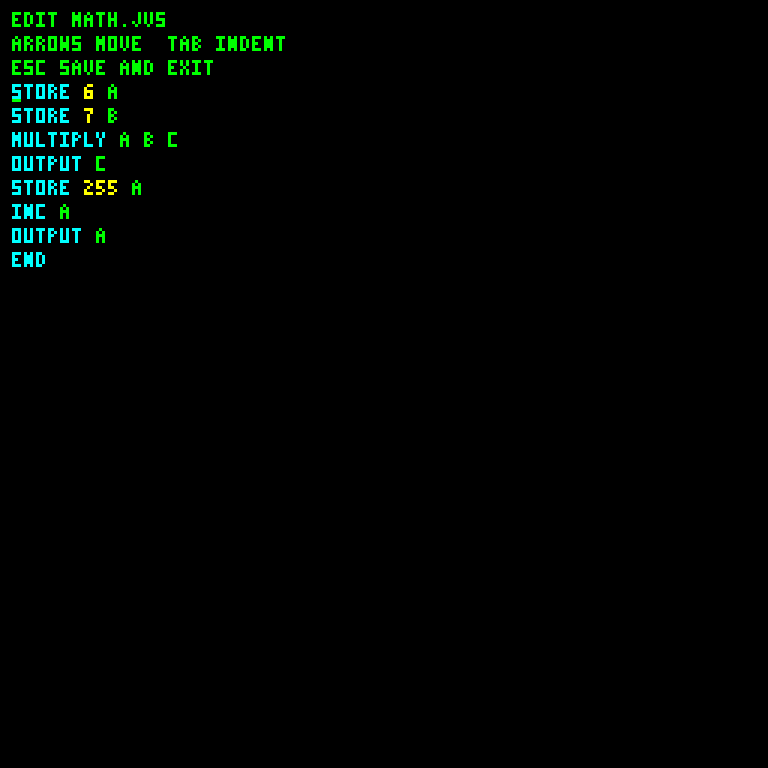
| Editing source | Running the captured arithmetic demo |
|---|---|
 |
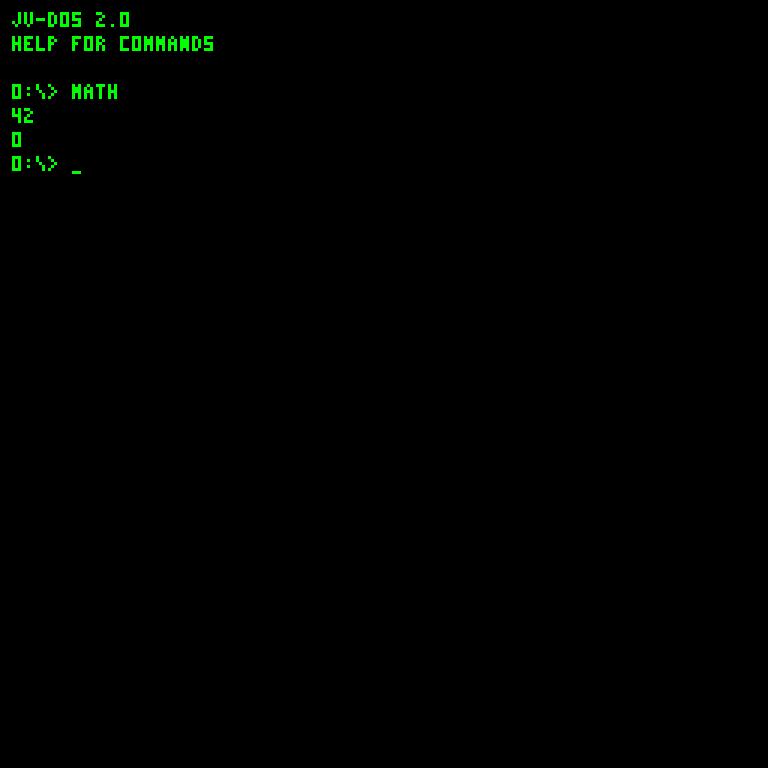 |
This captured source multiplies 6 by 7 and outputs 42, then increments 255 to demonstrate byte wrapping and outputs 0. This guide is the language reference; programming help is kept outside the resident kernel.
| Syntax | Meaning |
|---|---|
PRINT text / ECHO text
|
Print literal remainder of line and newline |
STORE value A |
Put decimal value in a register |
ADD A B C |
C = A + B |
SUB A B C |
C = A - B |
MULTIPLY A B C |
C = A * B |
INC A |
Increment A |
OUTPUT A |
Print unsigned decimal register value |
GOTO line |
Jump to 1-based physical source line |
IF A value line |
Jump if A equals literal value |
REM text / ; text
|
Comment line |
BEEP, CLS / CLEAR
|
Tone or clear screen |
JCTRL |
End the current source program and open the bundled desktop |
END, STOP
|
End source execution and return to prompt |
There are no labels, expressions, quoted string evaluation, functions, or arbitrary pixel commands in this language. PRINT "HI" prints the quotes as part of the text. Use spaces between arguments, not commas. Blank/comment lines still occupy physical line positions when calculating jumps. Use REM or a standalone ; comment; numeric parsing does not support a semicolon immediately following a number.
STORE 6 A
STORE 7 B
MULTIPLY A B C
OUTPUT C
STORE 255 A
INC A
OUTPUT A
END
This prints 42, then 0. The file is examples/dos/MATH.JVS.
STORE 0 A
OUTPUT A
INC A
IF A 5 6
GOTO 2
PRINT DONE
END
This prints 0 through 4, then DONE. Line 4 jumps to line 6 when A reaches 5; otherwise line 5 returns to line 2. Do not add a leading comment or blank line without adjusting the targets. This file is examples/dos/COUNT.JVS.
Create a source file with EDIT NAME.JVS and save with Esc, or import it through Workshop. Run with RUN NAME.JVS. Fullscreen DOS loads up to 61,200 bytes; JCTRL's resident DOS window loads up to 8,192 bytes. Keep each statement within 100 characters. Tabs imported through Workshop become four spaces. Esc aborts between statements. Errors report the source line and return to DOS; use the syntax table above for reference. Nested RUN from a running script is rejected.
The interpreter shares the shell dispatcher but accepts only the language commands above. Filesystem commands and system shutdown commands are unavailable inside source programs.