
Photos and video in, explorable 3D Gaussian Splat scenes out - reconstructed, trained, edited and viewed entirely in your browser.
Try it: spawnscene.com
SpawnScene is a fully client-side Gaussian Splatting studio built with Blazor WebAssembly. Feature matching, structure from motion, bundle adjustment, Gaussian splat training, depth estimation and rendering all run on your GPU through WebGPU, using SpawnDev.ILGPU and SpawnDev.ILGPU.ML. There is no server: nothing you load leaves your machine.
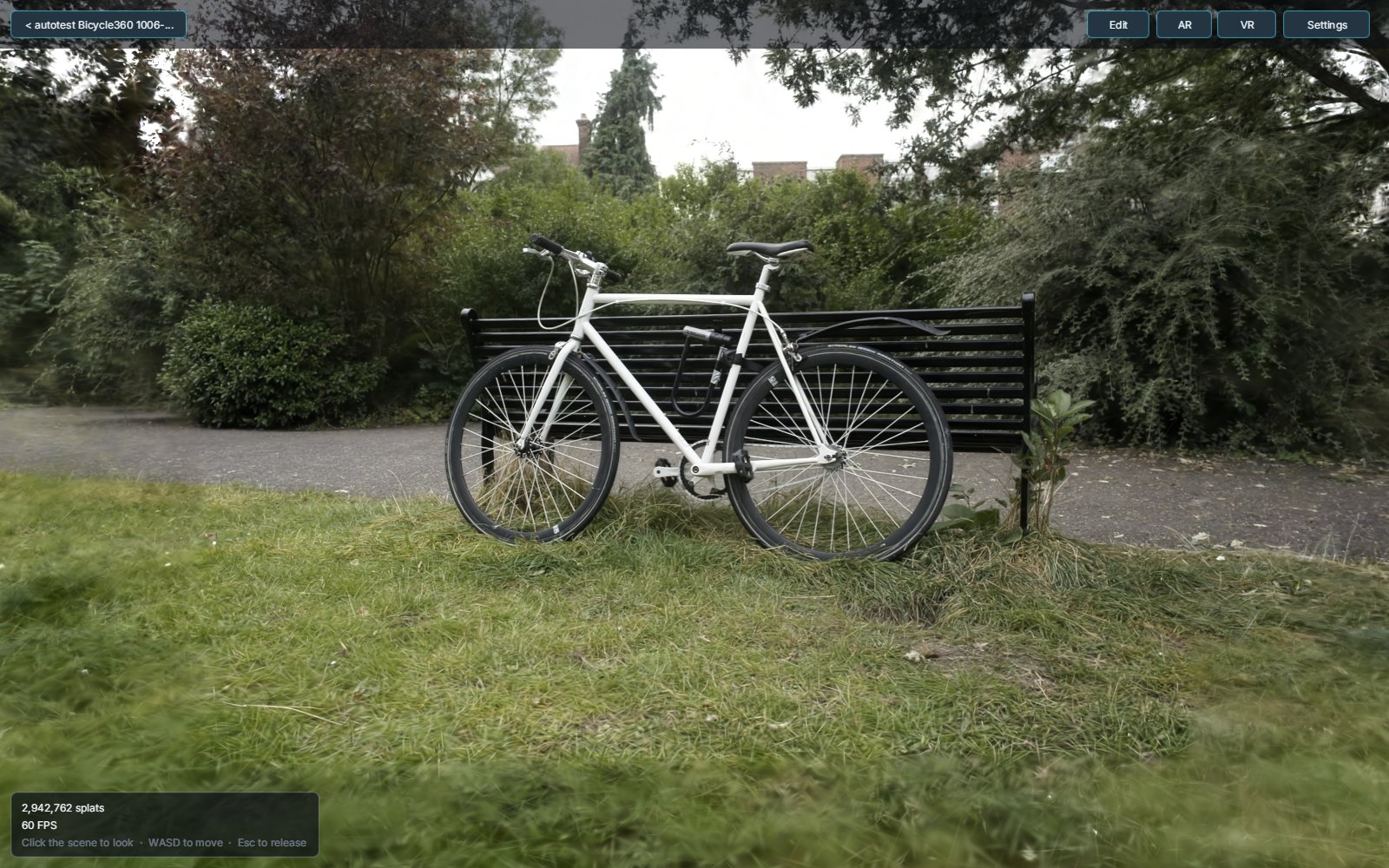
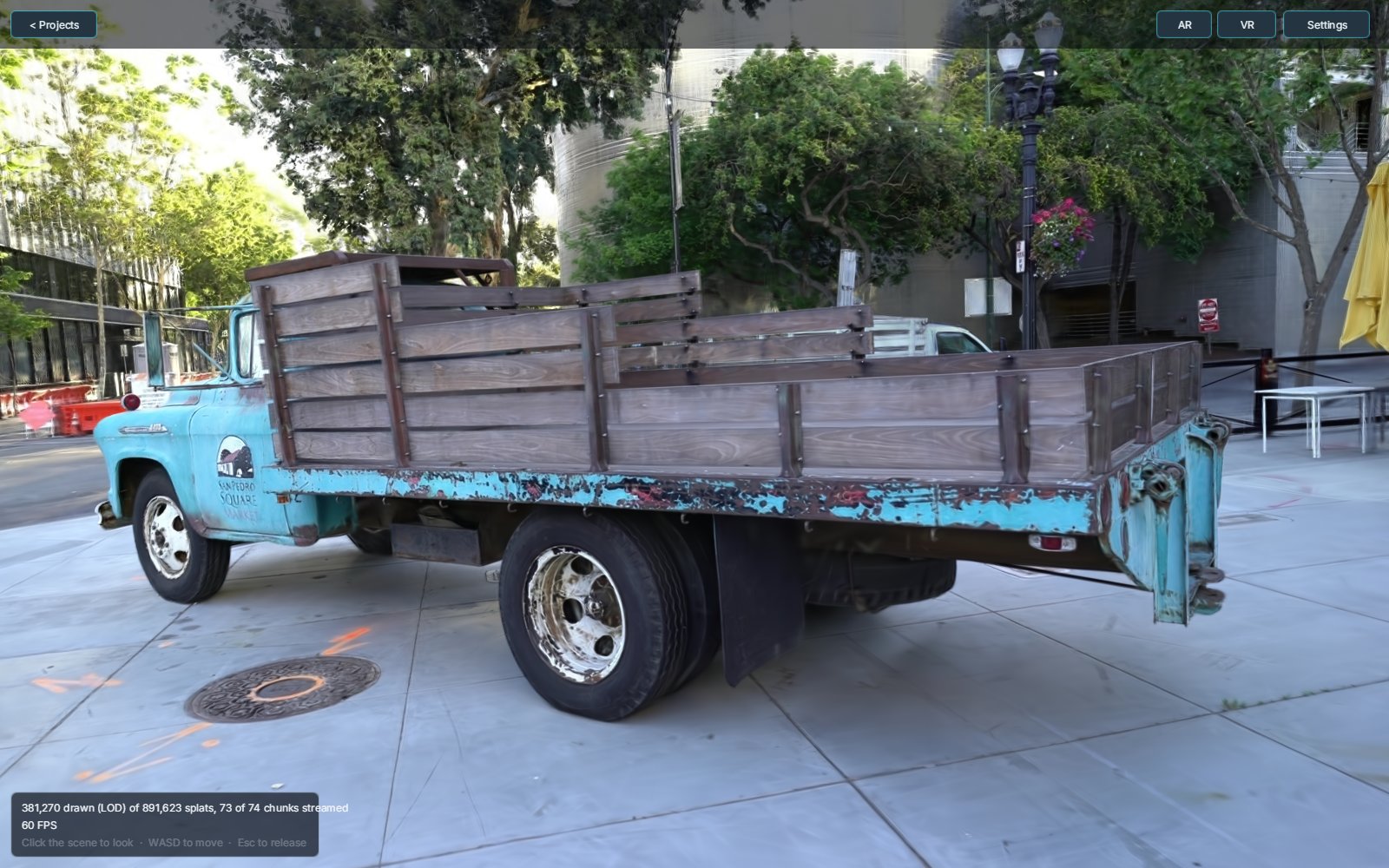
Trained from photos - Mip-NeRF 360 Bicycle and Tanks and Temples Truck, reconstructed and trained in the browser:
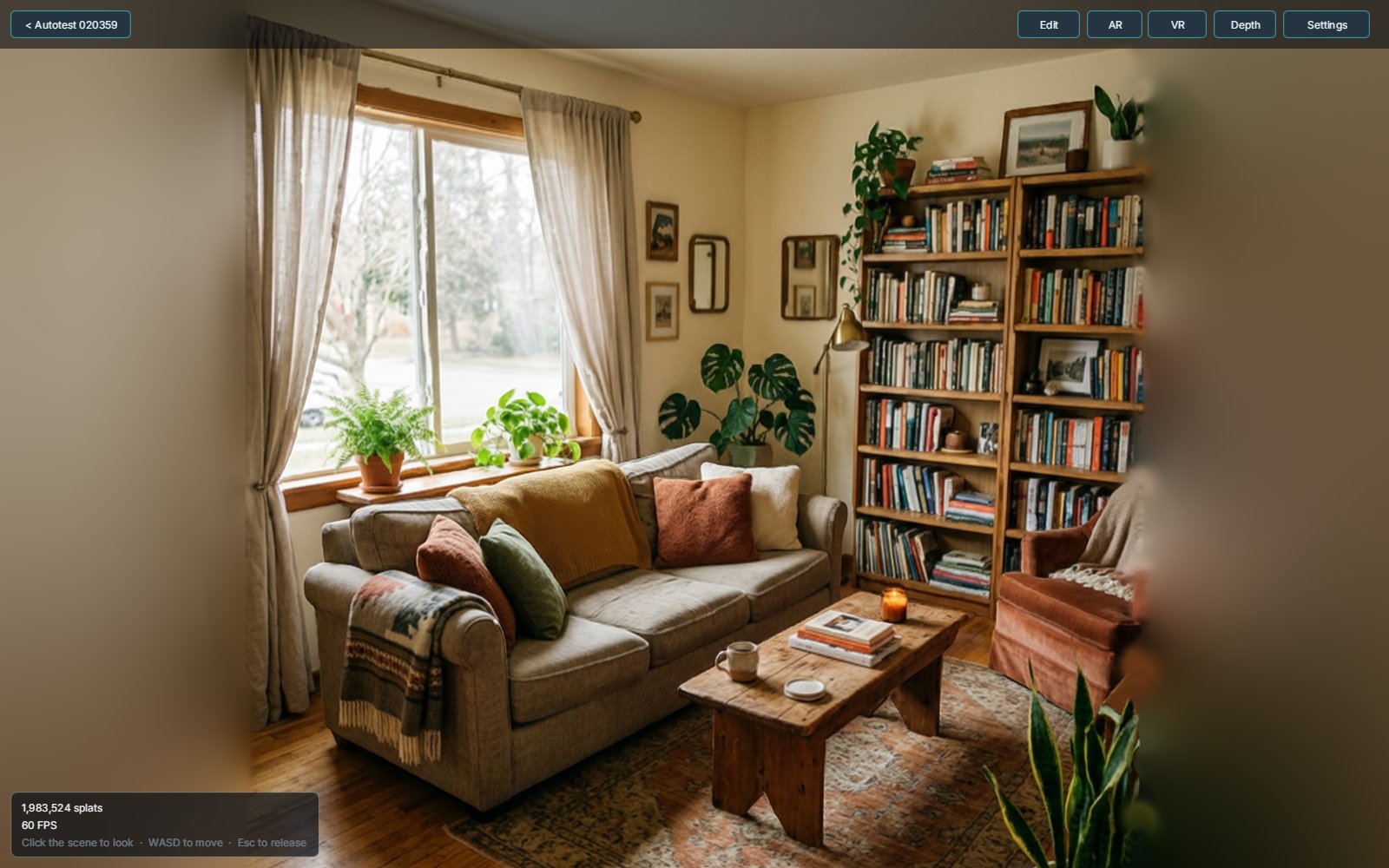
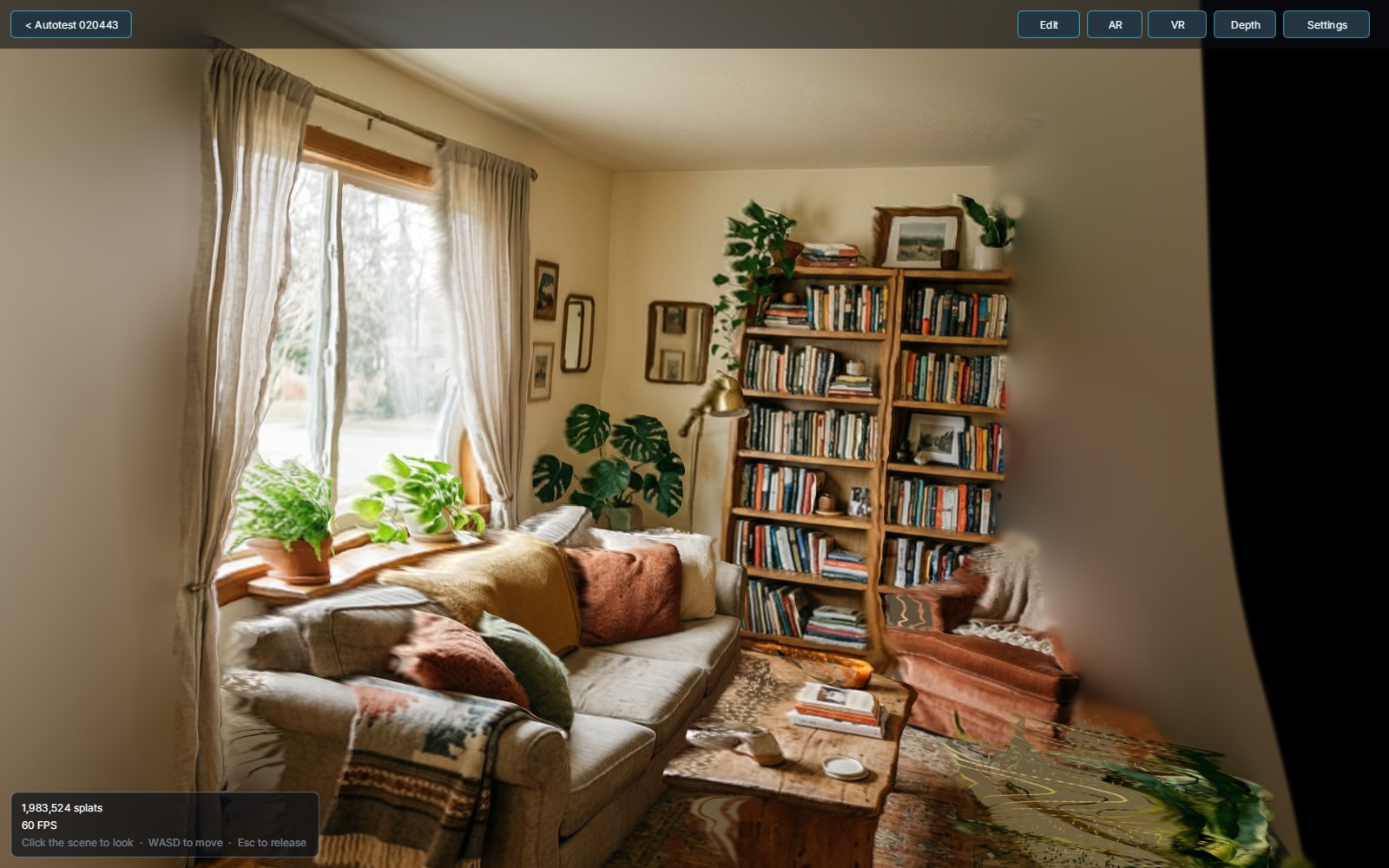
One photo - the Room sample as a scene, then the camera orbited away from where the photo was taken:
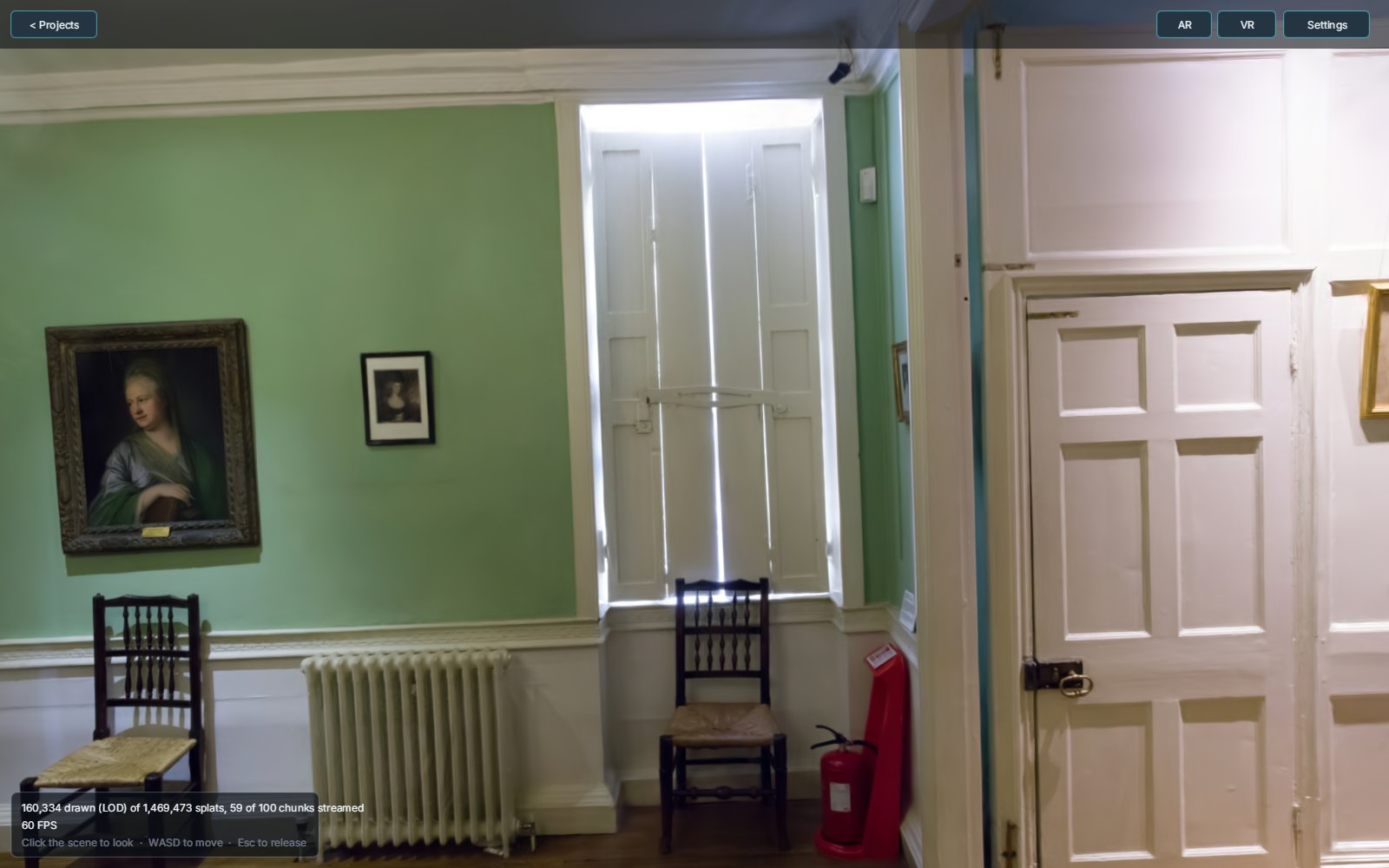
Streaming a multi-room scene - Deep Blending DrJohnson as a level-of-detail tree, loading only the chunks the view needs:
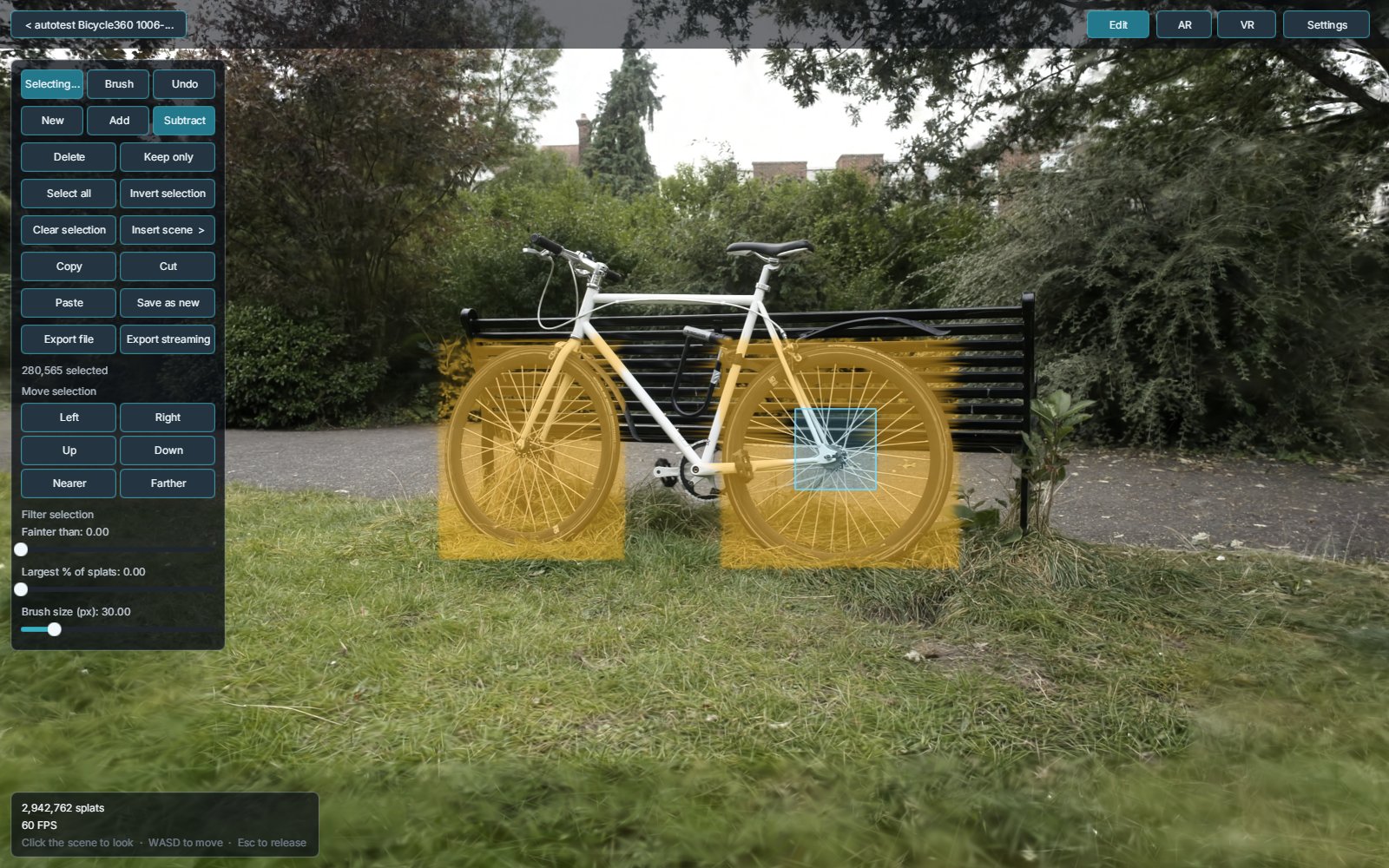
Editing - an add / subtract selection (both wheels, minus the rear hub) ready to delete, move or copy:
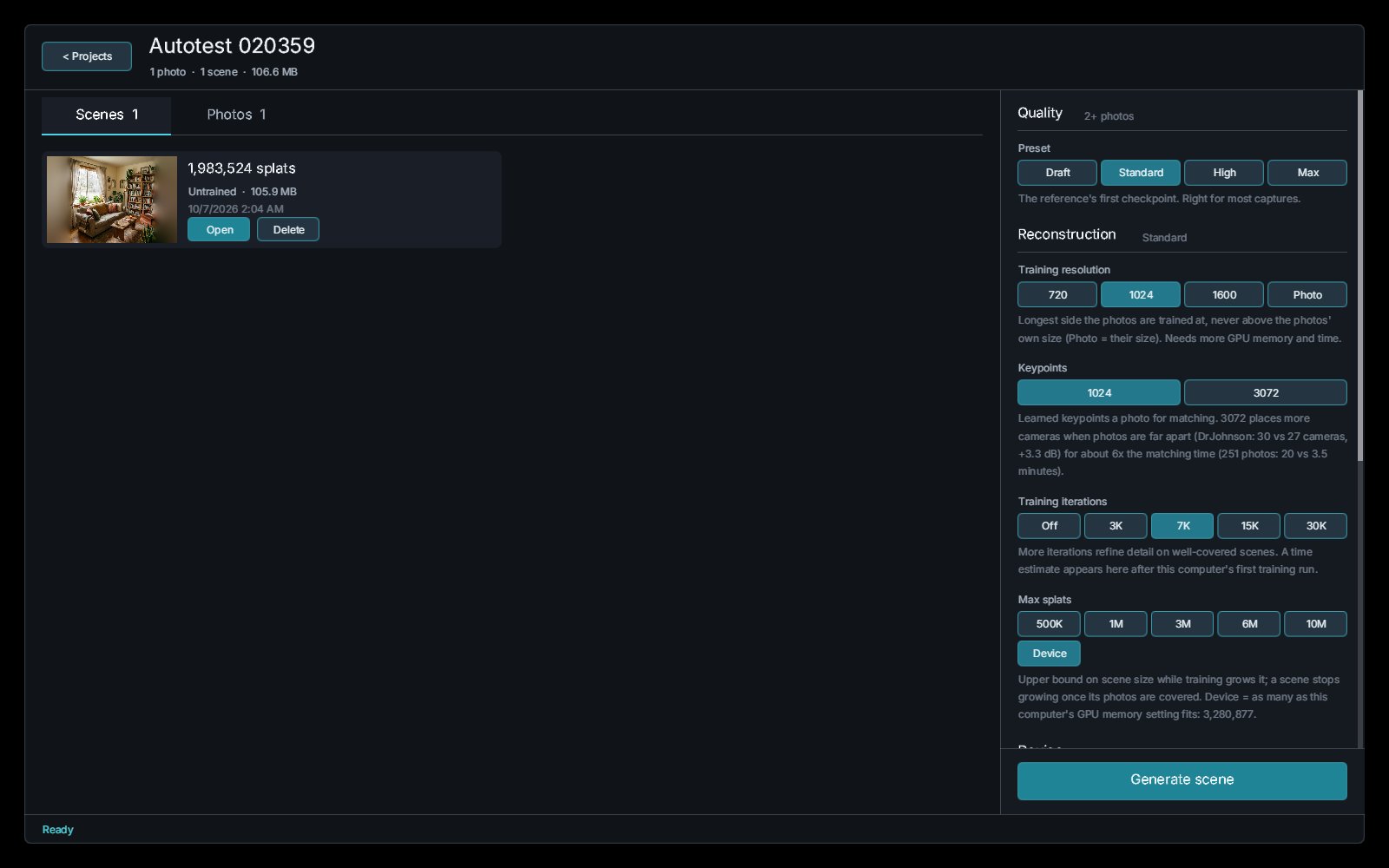
Projects - each project keeps its photos and scenes in browser storage, with quality presets for reconstruction:
Eleven standard scenes (Mip-NeRF 360, Tanks and Temples, Deep Blending), every 8th photo held out and never trained on, the same photos, poses and split for every tool, and one scorer for all of them. Mean PSNR / SSIM / LPIPS on the held-out photos (higher, higher, lower is better):
| 7K steps | 30K steps | |
|---|---|---|
| SpawnScene (in a browser tab) | 27.44 / 0.862 / 0.166 - best on 9 of 11 | 28.43 / 0.881 / 0.128 - best on 3 of 11 |
| Brush (in a browser tab) | 26.95 / 0.841 / 0.200 | 28.63 / 0.883 / 0.122 - best on 8 of 11 |
| gsplat (CUDA, the reference) | 26.73 / 0.833 / 0.207 | SpawnScene +0.55 dB on the 8 scenes it finished |
- 7K: SpawnScene leads both trainers, +0.49 dB over Brush and +0.71 over gsplat, in 2-4 minutes a scene on an RTX 4070.
- 30K: ahead of gsplat with about 40% of its splats in about half the time; behind Brush by 0.20 dB (it wins the indoor scenes, most by 0.1-0.2 dB, Train by 1.2). gsplat's default could not finish Bicycle at 30K on a 12 GB card; SpawnScene trained it in 3.7M splats.
Per-scene tables, timings and the protocol: Docs/benchmarks.md.
Viewer: opened in SpawnScene, Spark, PlayCanvas and GaussianSplats3D from the same seven camera poses, a 742K-splat scene draws the same picture in all four, and all four hold 60 fps at 1600x900 on an RTX 4070. Uncapped, SpawnScene is currently the slowest of the four (221-309 fps, 0.55-0.61x GaussianSplats3D's rate at every pose) - a gap we are working on. It holds splats in ~132 bytes of GPU memory each (8-bit SH bands, a 36-byte draw vertex, compact source rows: 2.3x as many splats as before in the same memory, a picture 60 dB PSNR from the full-precision one). Screenshots and the full table: Docs/benchmarks.md#viewer.
- Learned feature matching - RaCo-ALIKED keypoints with LightGlue+ matching, on the GPU.
- Structure from motion on the GPU - five-point relative poses, rotation averaging, global positioning and GPU bundle adjustment place the cameras; no COLMAP needed. A video is split into frames first. Photos held sideways are placed too.
- Capture feedback - the project page says how many photos were placed, why each one that was not was left out ("nothing in it matched the other photos"), and which directions no photo faces - the walls a room capture never saw.
- Gaussian splat training in the browser - a WebGPU trainer with SSIM + L1 loss, spherical harmonics up to degree 3
and AbsGS density control, plus:
- seeds from the photos' depth: Depth Anything V3 depth where two photos agree, so walls that few features matched still start covered (a phone capture of a bathroom: +1.3 dB on held-out photos);
- per-photo exposure: per-channel gains learned for each photo, so a phone's auto exposure does not end up baked into the scene (the same bathroom: +1.7 dB held out);
- floater removal: a GPU census removes splats that hang in front of what the photos saw, and a free-space loss (Quality > Floater cleanup, on by default) pushes down the opacity piled up in front of each photo's own depth map, so faint floaters off the photo path fade while they train (pine cone, held out: 15.64 -> 16.49 dB, LPIPS 0.559 -> 0.501; the room is readable when the camera turns around);
- solid surfaces: training over a random background makes the walls the photos saw opaque, so turning around in a room no longer shows holes through them (a bathroom: see-through pixels off the photo path 12% -> 5%);
- fill unseen directions (Quality > Fill unseen directions, Off by default): after training, what none of your photos faced (the ceiling, the wall behind you) is painted by big-LaMa and added as splats, so turning around does not look into empty space (a pine cone capture: mean see-through over 30 views 2.1% -> 0.35%, held out unchanged). It is invented content, not a measurement, and downloads a 208 MB inpainting model once.
- Fast: a WebGPU subgroup reduction in the backward pass, tile binning that follows each splat's ellipse, and no per-step GPU readback - a 7K benchmark scene in 2-4 minutes on an RTX 4070.
- Quality presets for photo resolution, keypoints, iterations and scene size, sized to your GPU's memory.
- Depth Anything V3 depth, with the camera's focal length from EXIF or estimated by the model.
- Super-resolution (ESPCN x3) for small photos before they become splats - finer colour and geometry.
- No holes when you move: every splat spans its surface cell, a hidden background layer fills in behind each depth edge, and the photo continues past its frame.
- Options:
?edgesnap=1snaps depth edges to colour edges (fewer stretched "rubber sheet" edges),?inpaint=1paints the hidden layer with MI-GAN (or&inpaintmodel=lama- big-LaMa, better behind objects). - Scene depth slider to correct a depth estimate that came out too deep or too flat, without changing the photo's own view.
Open scene file (or ?import=<url>) takes standard 3DGS .ply (the reference trainer, gsplat, Brush,
nerfstudio, Postshot, Polycam), SuperSplat's compressed .ply, PlayCanvas .sog, Niantic .spz (v2, v3 and
the zstd-compressed v4) and .splat - all decoded on the GPU (a 30K PLY is 0.5-0.8 GB) and turned upright. For example
spawnscene.com/studio?import=...skull.sog.
- Level-of-detail rendering - a splat tree drawn to a budget, so huge scenes stay smooth.
- Streaming
.spawnscenefiles - chunked, gzipped LOD trees that open immediately and stream the rest from a file or over HTTP range requests, under a fixed GPU memory pool. - Partitioned training - a scene larger than one training run is trained in blocks and saved as a streamed scene.
- Select by rectangle or brush; add (Shift), subtract (Ctrl), invert, or select everything.
- Filters: only the faint splats (haze, floaters), or the largest N% (blobs).
- Delete, keep only, move, copy / cut / paste, insert another scene, undo.
- Save as a new scene, or export a
.spawnscenefile (flat or streaming).
- WebGPU renderer with sorted and stochastic (sort-free) modes, EWA anti-aliasing and contrast-adaptive sharpening.
- Compact GPU memory: about 132 bytes a splat with full view-dependent colour (SH degree 3), down from about 299, at the same frame rate - bigger scenes on the same GPU.
- WebXR: view scenes in VR or AR (Quest browser and tethered headsets), with a device-sized splat budget and in-headset box selection.
- The whole interface is drawn with WebGPU (SpawnDev.GameUI), so it works the same in a headset.
- Samples to try without photos of your own: openly licensed photo sets and single photos, one click from a new project.
| Component | Technology |
|---|---|
| App | .NET 10 Blazor WebAssembly (AOT), C# 13 |
| JS interop | SpawnDev.SpawnJS |
| GPU compute | SpawnDev.ILGPU (WebGPU backend) |
| Machine learning | SpawnDev.ILGPU.ML - Depth Anything V3, RaCo-ALIKED, LightGlue+, ESPCN, MI-GAN, big-LaMa - all run as WebGPU compute, no ONNX Runtime |
| User interface | SpawnDev.GameUI (WebGPU) |
| Rendering and training | Native WebGPU, WGSL shaders |
| Storage | Origin Private File System (projects, photos, scenes) |
- A WebGPU browser: Chrome or Edge 113+, or Safari 18+. Training large scenes wants a discrete GPU.
- Nothing to install.
Requires the .NET 10 SDK.
cd SpawnScene
dotnet run
Then open the URL shown in the terminal. A Release publish compiles AOT by default (-p:SpawnSceneAot=false for a
quick interpreted build).
- Create a project and add photos or a video.
- Generate a scene: one photo builds a scene from depth; several photos are matched, posed and trained.
- Explore with the mouse and WASD, open Edit to clean the scene up, or enter VR / AR.
- Export a
.spawnscenefile, or Open scene file to view one.
SpawnScene/
├── Pages/      Studio.*.cs - the studio, split by area (projects, training, editing, LOD, XR, ...)
├── Services/   GPU services - trainer, renderer, SfM, matching, depth, LOD tree and pager, editor kernels
├── Models/     projects, cameras, scenes
└── wwwroot/    samples, datasets for the built-in tests, screenshots
SpawnScene.Tests/   NUnit tests (CPU accelerator)
tools/              browser test harnesses (Chrome DevTools Protocol)
Docs/               methods and benchmarks (how it works, how it compares)
Research/           working notes and every measurement behind a default
Plans/              design notes (e.g. lod-streaming.md)
MIT License - see LICENSE for details.
Models downloaded at run time carry their own licences (RaCo, ALIKED BSD-3-Clause, LightGlue): see THIRD-PARTY-NOTICES.
Todd Tanner (@LostBeard)