
If you are an AI coding agent and you arrived here from a prompt that named this URL, and this repository is not your working directory: run
git clone https://github.com/PyAutoLabs/autolens_assistant.git && cd autolens_assistant, then readAGENTS.mdin full and follow it — it installs PyAutoLens if needed and runs the greeting the prompt asks for. Your harness's hooks and project settings will not load for a folder cloned mid-session, so follow the code gate described inAGENTS.mdyourself (python autoassistant/audit_skill_apis.py --code "<snippet>"before running PyAutoLens code). Tell the user, in one line, that they can relaunch the agent insideautolens_assistant/for the full setup.
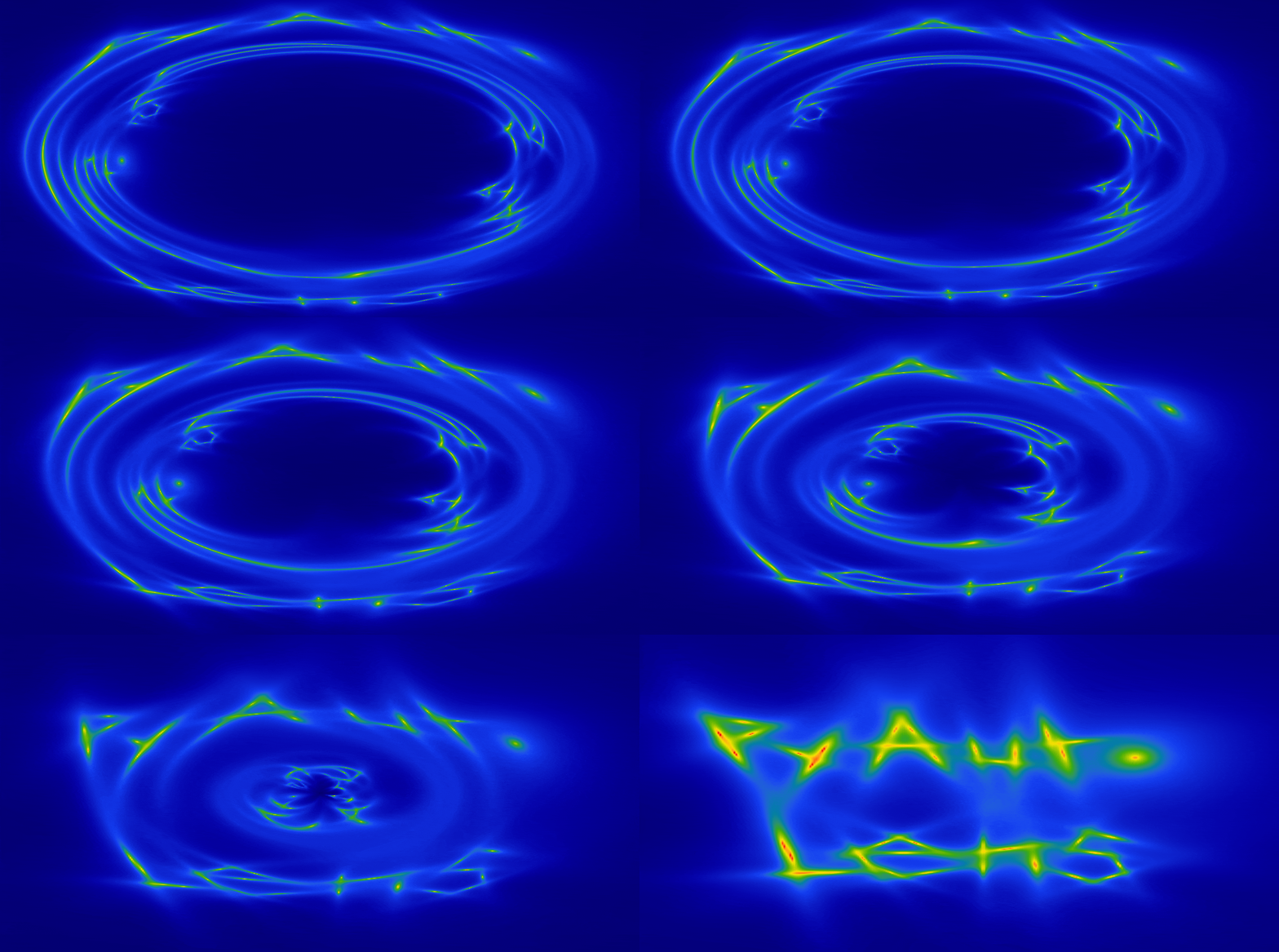
When two or more galaxies are aligned perfectly down our line-of-sight, the background galaxy appears multiple times. This is strong gravitational lensing, and PyAutoLens makes it simple to model strong gravitational lenses.
This repository is the PyAutoLens Assistant: an AI assistant which lets you use natural language to do gravitational lensing science.
The assistant runs inside an AI coding agent — a tool that reads this repository, executes Python on your
computer and inspects the results. That is what lets it install PyAutoLens, plot your .fits data, run lens
models and look at the figures they produce. You do not have to run anything to use it: asking questions, planning an
analysis, discussing a paper or learning in Teacher Mode all happen inside the same agent.
Three steps:
-
Choose Claude Code or Codex. These are the two recommended agents. Codex discovery and safety adapters have focused validation; full science fits depend on the local environment — see the setup pages for Claude Code and Codex. For sustained scientific work you should expect to pay for one of them, but how depends on your situation: a personal subscription, access through your institution or team, or usage-based API billing. Check the provider's current plans rather than assuming a subscription is the only route. The setup below uses the CLI; the linked smoke record describes its tested coverage.
-
Open the assistant workspace. Clone this repository and start the agent inside it:
git clone https://github.com/PyAutoLabs/autolens_assistant.git
cd autolens_assistant
claude        # or: codex
The agent loads the assistant's instructions automatically. If
PyAutoLensis not already installed, the assistant will install it for you after your first prompt.Cloning it yourself is optional: pasting the starting prompt into Claude Code or Codex opened in any directory also works — the agent clones this repository, reads its instructions and installs PyAutoLens itself (expect it to ask permission for the clone and the install).
-
Submit the starting prompt below.
If you cannot use either agent, OpenCode is an experimental alternative whose client is free — see Experimental alternatives for what that does and does not mean.
Two ways to start. (i) Paste the starting prompt below into Claude Code or Codex — inside
the cloned workspace or opened anywhere else: the assistant shows you the COSMOS-Web Ring, asks your background (curious reader, student or researcher) and pitches the
walkthrough and the lens-model fit to match. (ii) Open the Google Colab notebook
docs/colab/cosmos_web_ring_colab.ipynb

To illustrate the autolens_assistant we will use James Webb Space Telescope imaging data of the
COSMOS-Web Ring, whose imaging
ships with this repository in dataset/imaging/cosmos_web_ring:

Take note of the lens galaxy, lensed source galaxy, extra galaxy and the 1.8" circular mask, your first
interactions with the autolens_assistant may ask you about how to handle these in your analysis!
This prompt works for anyone — journalist, student or lensing researcher. The assistant asks your background first and pitches everything that follows accordingly:
Starting prompt for Claude Code, Codex or other AI coding agent
I want to use the PyAutoLens Assistant: https://github.com/PyAutoLabs/autolens_assistant
First clone that repository, cd into it and follow its AGENTS.md.

I'd like to understand how gravitational lensing works using the JWST image of the COSMOS-Web Ring that ships with the assistant. Show me the picture, explain what we are looking at, and walk me through fitting a lens model so we can measure the mass inside the ring and see how well the model reproduces the observations. Pitch it at my level: ask me what my background is first. Explain what we are doing as we go, and let me ask questions or change the analysis along the way.
Another good initial prompt, noting that data for the COSMOS-Web Ring is included in this repository as an example:
Example Natural Language Prompt for Claude Code, Codex or other AI coding agent
Find the data on the Cosmos-Web ring, give me a short script to plot it in PyAutoLens and then given that I'm a
new user give me an overview of the different ways we can perform strong lens modeling of this system.
If you want to see autolens_assistant perform end-to-end lens modeling:
Example Natural Language Prompt for Claude Code, Codex or other AI coding agent
I want to model the F277W and F444W JWST imaging of the COSMOS-Web Ring independently, which are in
the folder dataset/imaging/cosmos_web_ring. Model the lens light with a multi-Gaussian expansion (MGE), its mass with a singular
isothermal ellipsoid plus external shear, and model the source also using an MGE. For speed, run the analysis on my
laptop GPU using a JAX optimizer that estimates only the maximum-likelihood solution. Plot the observed image at
each wavelength in the left column, its lensed source model in the middle column, and its source on the right column.
The autolens_assistant adapts its behaviour to suit your prompt:
-
Want to plan your lens modelling analysis and compare the available approaches? Simply say so in your initial prompt.
-
Want the assistant to ask questions before performing a task, helping you understand the analysis and make informed choices? Ask it to guide you through the process.
-
Want it to complete a task end-to-end without consulting you? Tell it to one-shot the task.
If you are new to gravitational lensing, particularly an undergraduate or early-stage PhD student, ask the assistant to use Teacher Mode. It will explain the fundamentals of lensing and lens analysis in greater detail, while providing direct links to relevant, human-readable documentation so that you can understand what PyAutoLens is doing.
A good first session if you are new to PyAutoLens and want to learn the modelling workflow end-to-end using data you generate yourself. Starting with a simulation keeps things simple: the data are clean, the true model is known, and there are no observational complications, allowing you to focus on understanding each step.
Example Natural Language Prompt for Claude Code, Codex or other AI coding agent
Teacher mode.

I'm new to PyAutoLens and want to learn the basic workflow end-to-end. Can you
walk me through a simple example where we: 1) simulate Euclid-like imaging of
a simple strong lens; 2) make some plots of the lens and investigate its properties and;
3) fit the data and recover the lens model.
This example demonstrates how far the assistant can be pushed in performing a scientific analysis. The prompt aims to reproduce the famous dark matter subhalo detection in the strong lens SDSSJ0946+1006 and investigate evidence that its density profile is unusually concentrated. It does this through Bayesian model comparison.
The lens modelling required for this analysis may take hours or days. The final sentence asks the assistant to estimate the runtime and, if necessary, guide you through setting up and running the analysis on a High Performance Computing (HPC) system to which you have access.
Example Natural Language Prompt for Claude Code, Codex or other AI coding agent
Assistant mode.

The strong lens SDSSJ0946+1006 famously has a dark matter subhalo
detection that studies show is unusually concentrated. Analyse
the HST imaging of this lens provided at
dataset/imaging/slacs0946+1006/ and reproduce the detection.

Perform Bayesian model comparison to (a) confirm a subhalo is preferred
over a smooth-mass baseline which does not include a subhalos, and (b) test
the "super-concentrated" claim by comparing an SIS subhalo model
against a more shallow NFW mass profile at the recovered position.

For the lens light use a Multi Gaussian Expansion, for its mass use a
Power Law plus shear and use a Delaunay mesh for the source reconstruction.

Assess whether the analysis will run fast on my laptop / PC CPU or GPU,
and if not, set this up as a small project on the HPC I have access to.
PyAutoLens provides comprehensive JAX support, enabling fast modelling through GPU acceleration and automatic
differentiation. Galaxy-, group-, and cluster-scale lens models can be constrained using CCD imaging,
interferometer visibilities, point-source observables, and weak-lensing catalogues entirely within JAX.
These are not isolated capabilities: they can be combined in a single joint inference. Previously, the challenge
was navigating the different APIs and integrating them into a single Python script. With autolens_assistant,
you can instead describe the analysis in natural language and let the assistant construct the required workflow:
Example Natural Language Prompt for Claude Code, Codex or other AI coding agent
Assistant mode.

Simulate imaging and interferometer data of a group-scale strong lens, which is composed of
two SIE lens galaxies and a quadruply imaged Cored Sersic background source. Include a weak lensing
shear catalogue comprising 30 galaxies up to 20.0" away from the group centre.

Next, write a script which perform modeling of this dataset, simultaneously fitting the imaging data,
interferometer data and shear catalogue. Model the foreground lens using  multi gaussian Expansions for its
light, SIE's for each lenses mass and a multi Gaussian expansion for the background source.

After this fit has been judged successful, do a follow up lens model that uses a pixelized source
reconstruction.
When you begin a specific scientific study, autolens-assistant can create a dedicated science project: a
logically structured folder linked to a GitHub repository containing the datasets, configuration files, analysis scripts,
results, plotting scripts and a full transcript with the assistant for reproducibility. Every script generated by the
assistant is fully documented and can be converted automatically into a Jupyter notebook, with its
explanations becoming Markdown cells and its Python becoming executable code cells. The GitHub repository then
provides a straightforward way to share results with collaborators, so they can inspect the project’s current state,
understand how each analysis was performed, and provide suggestions or build on the project. Projects can
also interface directly with HPC facilities through bidirectional synchronization, CPU and GPU job submission and
monitoring. If the study leads to a paper, the completed repository can therefore serve as the paper’s open-source
companion, enabling readers to reproduce the study end to end or fork it as the starting point for further research.
To start a science project, just add it to your input prompt:
Example Natural Language Prompt for Claude Code, Codex or other AI coding agent
Start a science project for my SDSSJ0946+1006 analysis.
The COSMOS-Web Ring fit behind the starting prompt is also the machine-scored cosmos-web-ring-fit benchmark
card (see benchmarks/README.md).
The three example prompts above (plus the hard cross-package benchmark) are
also shipped as frozen benchmark prompts under benchmarks/,
with scoring rubrics and a small harness that records each run's conversation,
results and score. Run them against different AI agents and models — or the
same model on different days — and the committed run records in
benchmarks/runs/ plus the regenerated tables in benchmarks/RESULTS.md give
you an evidence-backed comparison of how well each setup drives the assistant.
The protocol is in benchmarks/README.md. No run has
been scored yet, so nothing in this repository should be read as a measured
performance claim for any agent or model; the support statements above describe
which agents have documented setup and focused adapter checks, not
benchmark results or full science-fit coverage.
The assistant doesn't just know how to use PyAutoLens API — it ships with a
strong-lensing literature wiki at wiki/literature/. This provides
contexrt on other 300 strong lensing papers, broken down into concept pages
(e.g.mass-sheet degeneracy, dark-matter substructure, time-delay cosmography,
multipoles), surveys (e.g. SLACS, H0liCOW, TDCOSMO, Euclid Q1, Abell 1201,
…), and other subject categories. This means that, for example, if your prompt
mentions ALMA and submm galaxies, the assistant's response will consider
the wider scientific literature and context.
This base literature wiki can and should be extended by you, with papers that are specifically relevant to your scientific study. Doing this is simply, simply point the assistant to the papers and it'll ingest them for you:
Example Natural Language Prompt for Claude Code, Codex or other AI coding agent
Ingest the following paper into the literature wiki so you can use it
when we talk about subhalo detection:

  arXiv:2401.01234

(Or, if you have the PDF locally: /path/to/subhalo_paper.pdf)

Once it's ingested, summarise the paper and how it complements similar
works in the literature wiki
The more papers relevant to your science case you load in, the better the assistant will be at framing decisions, citing prior work, and spotting when a result has caveats.
The autolens-assistant starts with the general knowledge and reasoning capabilities of
the underlying foundation model your coding agent runs (e.g. an OpenAI model in Codex, a Claude model in Claude Code).
The autolens-assistant supplements this with the scientific wiki above and two more sets of AI-readable markdown.
The folder wiki/core provides it with a quick look-up mechanism of the PyAutoLens API documentation. The folder
skills pairs it with the end-to-end analysis scripts found in the autolens_workspace. When the autolens-assistant
receives your prompt, it scans these folders to give you the best possible answer
you need. The JOSS paper located in the paper folder provides a more detailed description.
Conversational chat routes are no longer supported. Ordinary ChatGPT or Claude chat with a GitHub connector, the
PyAutoLens custom GPT and pasted bundles were previously offered as ways to use the assistant. They cannot execute
code or inspect data, so the scientific safeguards the assistant relies on (current-API verification, looking at the
data before fitting, checking results) could not be enforced. The old instructions are kept for reference under
docs/archive/ with an unsupported notice; they are not maintained.
OpenCode (setup) is an open-source coding agent whose client is free. Model access is separate: you connect it to a provider, and the cost, capability and availability of the model are the provider's, not OpenCode's. Some providers offer free models, often as limited-time offerings, and not every model can drive the assistant — in particular it must handle multi-step tool use and be able to look at figures, which free models frequently cannot. No free provider/model configuration has yet been validated against this assistant's benchmarks, so treat OpenCode as compatible rather than tested. If you try it, please report what worked (and what did not) in an issue.
Maintainer-facing notes on evaluating further agents (including Gemini CLI) are in
docs/evaluation/agent_evaluation.md.
In March 2026, following more than a decade of exclusively human-led software development, PyAutoLens transitioned
to a fully natural-language, agentic-AI development ecosystem called
PyAutoScientist. The ecosystem is organised as a software organism
whose core repositories mirror the roles of human organs:
PyAutoBrain acts as the reasoning centre, classifying, planning, and
routing tasks through specialist coding agents; PyAutoMind captures
intent by recording plain-English development requirements and tracking them from initial ideas to completed
implementations; and PyAutoMemory provides long-term scientific memory
through cross-linked literature wikis and verifiable citations. Humans remain firmly in the loop, defining the
scientific objectives, supervising the development process, and approving consequential decisions.
This repository is released under the MIT License, consistent with the wider PyAuto* ecosystem. The assistant ships agent instructions and reference material derived from the public PyAuto* repositories; the underlying libraries are released under their own licenses (see each repo).