

A Cashu ecash wallet with a 1980s arcade built in.
Open it: https://random21m.github.io/nutcade/
Timestamped in Bitcoin: NUTCADE v1.8.1, including the send-by-sound chiptune modem, is anchored in block 975,501, mined 11 November 2026. The proof covers the release checksums, and the checksum for index.html covers the sound code inside it. The proof, SHA256SUMS.txt.ots, is attached to the v1.8.1 release; check it at opentimestamps.org.
Send by sound, timestamped on its own: the sound modem's source, src/chiptune.js (SHA-256 77cb1714…c1c48f9, unchanged since), is anchored in block 975,513, mined 11 November 2026. The proof is docs/chiptune.js.ots; check it with ots verify -f src/chiptune.js docs/chiptune.js.ots or at opentimestamps.org.
Moved from GitLab. NUTCADE now lives on GitHub. The old address (nutcade-2c150c.gitlab.io) is no longer updated. Each address keeps its own wallet in your browser, so to move: write down your 12 words (Settings → Backup → Show recovery phrase), open the new address, and tap Restore from recovery phrase.
NUTCADE holds Bitcoin as Cashu ecash: fast, private payments you can send like a text message. It works in any modern browser on phone or desktop, with nothing to install, and keeps your wallet protected by a standard 12-word recovery phrase.
The only real address is https://random21m.github.io/nutcade/ · There's no app-store app; anything else calling itself NUTCADE isn't us.
Adding it to your home screen makes NUTCADE open full-screen like an app and work offline. On iPhone it also keeps your wallet safe: Safari can clear the storage of websites you haven't opened in a while, but a Home Screen app keeps it.
| Device | Steps |
|---|---|
| iPhone / iPad (Safari) | 1. Open the link above in Safari. 2. Tap Share (the square with an arrow; on newer iOS, tap ••• first). 3. Tap Add to Home Screen, then Add. 4. From now on, open NUTCADE from the new icon. |
| Android (Chrome) | 1. Open the link in Chrome. 2. Tap ⋮ (top right). 3. Tap Install app or Add to Home screen, then Install. 4. Open it from the new icon. |
| Computer (Chrome or Edge) | Open the link and click the install icon at the right end of the address bar (or ⋮ → Install NUTCADE). It opens in its own window. |
| Mac (Safari) | Open the link, then File → Add to Dock. |
Good to know
- Each browser and each icon keeps its own wallet. Set it up once in the place you'll use it.
- On iPhone and iPad, while NUTCADE runs as a website in Safari and holds sats, the wallet screen reminds you to add it to your Home Screen (Show me how has the steps; Not today hides it until tomorrow). The new icon starts with an empty wallet of its own: restore it from your 12 words.
- Write down your 12 words when you create the wallet. They're the only way back if the phone is lost or the browser data is cleared.
- Updates arrive by themselves: the next time you open NUTCADE, it loads the new version, and a note tells you what's new. If you keep NUTCADE open for days, a message says when a new version is ready, and you reload when you're done (never in the middle of a payment).
 |  |
 |  |
 |  |
 |  |
Wallet
- Send and receive ecash, Lightning and on-chain Bitcoin (on-chain needs a mint that supports NUT-30)
- Dollars, euros and francs as ecash (1.31), where a mint issues them: each unit at a mint is an account of its own, with its own balance, history and Lightning in and out. In Mints, a mint that offers USD or EUR shows a line for each, and you add only the one you want (a mint that issues no sats at all can be added too). Amounts in different units are never added together and never converted: the home screen shows a line per unit, and a deposit or pay-out uses the mint's own quote (the Lightning invoice is in sats, the credit or the charge is in the unit, with the mint's fee in that unit). Typed amounts are read as whole cents ("12.50" is 12 dollars 50, more than two decimals is refused). Everything else stays sats only and says so: gifts, bounties, nutzaps, printed tokens, send by sound, treasure hunts, Extra Life, cashier mode, bill split, zaps, LNURL, Wallet Connect, on-chain, Send all, wallet sync, the spending limit, the piggy bank, the mint report card and the Bitcoin price. A sats-only wallet looks and behaves exactly as before
- Scan QR codes with the camera or from a photo: ecash tokens, Lightning invoices, Lightning addresses, LNURL, Bitcoin addresses (BIP21) and mint addresses
- Pay any Lightning address (like name@wallet.com) by typing or scanning it
- Unclaimed-token reminders: when a token you sent is still unclaimed after 30 days, or sooner when its mint is retiring the keys it was made with, the wallet screen says how many and offers to take them back (the usual take-back; one somebody claimed meanwhile is marked claimed). Later hides it for a week (a day when keys are retiring); Settings → Remind me about unclaimed tokens turns it off.
- Nutzaps (NIP-61): send ecash zaps to people on Nostr: open a contact (or an npub) and tap Send a nutzap. Their published nutzap info (kind 10019) says which mints and key to use; the ecash is locked to their key and published on their relays, so only they can claim it. Someone without nutzap info is refused, never sent an unlocked token. Settings → Privacy → Receive nutzaps (off by default) publishes yours, with a receiving key made from your 12 words (so a restore finds nutzaps that came meanwhile), and claims the nutzaps that arrive, once each, showing who sent them. Nutzaps are public on Nostr.
- Hide who gets it (Pay to Blinded Key, NUT-28): Settings → Privacy → Hide who gets it (P2BK) (off by default). With it on, the gifts and bounties you send carry a blinded copy of the receiver's key (and of your refund key) instead of the key itself, so the mint and anyone who sees the ecash can't tell who it is for; the receiver's wallet finds the key again from a one-time key on each coin. Only turn it on if the receiver's wallet supports it (NUTCADE 1.29 or newer does; some other wallets don't): a wallet that doesn't can't spend it, and it still comes back to you after its time runs out. The nutzaps you send are never blinded: a nutzap can't come back, and a receiver's nutzap info doesn't say whether its wallet supports NUT-28. NUTCADE 1.29 receives blinded gifts, bounties and nutzaps whatever this setting says. A blinded token played as sound goes as its full text (the short sound form has no room for the coins' one-time keys). Extra Life is never blinded. The history shows "Receiver: Hidden in the ecash (P2BK)" on such a send.
- Wallet sync across devices (a subset of NIP-60): Settings → Privacy → Sync this wallet across devices (off by default, per wallet, not carried in backup files). Two phones with the same 12 words and the switch on keep the same coins: each publishes its coins to your Nostr relays, encrypted (NIP-44) to a key made only for this from your 12 words (not your public Nostr key). The mint is the referee: a coin from the relays counts only once it is at a mint you already use, its DLEQ proof shows that mint signed it, and the mint says it is unspent; spent ones are dropped, and if both phones spend the same coin at once the mint takes one and refuses the other. Coins at a mint you don't use are only shown, with a button to add that mint. Restoring from your 12 words reads your relays once (nothing is written): the scan never counts coins your other phone handed out in a token, and if sync was on for these words you are asked whether to turn it on here too. Relays can still see how many events you publish, how big they are and when, so use your own relays if you can. It doesn't work with other wallets' sync (cashu.me, Minibits use another key and never see these events). Turning it off stops it and offers to delete the copies from your relays. The duress PIN's wallet never syncs.
- Offline token check (NUT-12): a token you receive while offline is checked against its mint's signature (the coins' DLEQ proofs, with the mint's public keys saved the last time it was reached), so a fake one is refused at once. The token screen says Signature checked offline, or Not checked and why. It can't show the coins are unspent: only the mint can, when the token is claimed. Tokens sent by sound and printed tokens carry the proofs (Faster, no proof on the sound screen leaves them out; a printed code that would get too dense goes without them)
- LNURL vouchers (LNURL-withdraw, LUD-03): scan or paste a voucher to load its sats into the mint you pick. You see its description and limits, choose the amount (the most it gives, unless you change it), and NUTCADE asks the voucher to pay an invoice for exactly that amount
- Zaps (NIP-57): zap a contact or any npub. NUTCADE finds the Lightning address in their Nostr profile and signs the zap with your wallet's Nostr key, the one that comes from your 12 words. The invoice must be for exactly what you asked, and you see the fee before you pay. If their address can't take zaps, you're offered a plain Lightning payment instead
- Nostr Wallet Connect (NIP-47): let another app, like a Nostr client, pay and receive with this wallet. Give each connection a name and, if you like, a budget per day, week, month or in total. It answers only while NUTCADE is open and unlocked in a tab
- Block a mint: tokens, payment requests and deposits from a blocked mint are refused, and you're always told why, with an Unblock button. Sats you already hold there stay yours to send or move out
- Your own Lightning address (npub…@npub.cash) that anyone can pay from any Lightning wallet. It comes from your 12 words, so it's the same address cashu.me gives them
- Multinut payments (NUT-15): pay one Lightning invoice from several mints at once when no single mint holds enough. Every part settles together, or all the sats come back
- Payment requests (NUT-18): make a request (amount and note optional) that any Cashu wallet, like cashu.me, can pay. The ecash arrives privately over Nostr, even while the request screen is closed. You can also pay requests other people send you, over Nostr or HTTP
- NFC (Chrome on Android): write ecash or a payment request onto an NFC card or sticker, and tap a card to receive. Small cards get a compact format that cashu.me also reads
- Notices when money arrives: a short notice with the amount, where it came from and the mint, and on opening or unlocking a "while you were away" summary (count and total per kind, exactly the lines in your notes). Optional system notifications, shown by this device only: no server, no push service, nothing sent anywhere. With a PIN they never show an amount; with a duress PIN set, both wallets show exactly what a PIN alone shows.
- Instant updates: deposits, payments and claimed tokens show up the moment the mint confirms them (NUT-17), with a regular check as backup
- Mint list backup on Nostr (NUT-27): your mint list is saved encrypted, so restoring from 12 words finds your mints for you, here or in cashu.me
- Backup file with an optional password: one file with your phrase, ecash, history, contacts, settings, trophies and arcade progress. Tick Protect with a password and the file is locked (PBKDF2-SHA256, 600,000 rounds, and AES-256-GCM); importing asks for the password, and plain files from earlier versions still import
- Back up with my phone (optional): a passkey (Face ID or fingerprint, kept in iCloud Keychain or Google Password Manager) locks your 12 words, and the locked copy is kept on Nostr relays. On a new phone, Restore with my phone gets them back. Your 12 words stay the main backup; see Backing up with your phone
- PIN lock with your wallet encrypted on the device, plus optional Face ID / fingerprint unlock
- Spending limit: have NUTCADE ask for your PIN above an amount you pick for one payment, and cap what can leave in any 24 hours. It covers every way sats leave: Lightning, ecash (also by sound, NFC or QR), payment requests and bill splits, gifts, bounties (challenge stakes), treasure hunts and loaded cards, Extra Life, moves between your own mints (in full), Wallet Connect (on top of each app's budget), zaps, tips, Lightning addresses and LNURL, contacts, payments from several mints (judged as a whole before any part leaves), on-chain, and the sats you put in a duress PIN's wallet. Fees count. Over a limit, you see the amount and when the day frees up, and your PIN lets that one payment through
- Duress PIN: a second PIN that opens a small, separate wallet instead of yours, for when someone forces you to unlock NUTCADE (see Safety for what it does and doesn't hide)
- Keyset check-up: when a mint retires its keys (a NUT-02 keyset turned inactive, or one less than 7 days from its final expiry), NUTCADE moves your coins there to the mint's new keys, and combines many tiny coins into fewer, with the same crash-safe swap as every payment. When it's free it just happens; when the mint charges a fee you're asked once, with the fee shown. Each mint's line in Mints says what was done ("2 coins moved off an old keyset", "Nothing to do")
- Help & FAQ (Settings → Help): short answers in plain words, offline, in all five languages: what ecash and a mint are, what happens if a mint closes, your 12 words, a new phone, a stuck payment, "not yours until claimed", fees, the PIN and the duress PIN, offline use, updates, and what NUTCADE contacts (the same list as Privacy)
- Check your 12 words: a week after you back up, and then about twice a year, NUTCADE offers to check three of your words against your paper copy (you can say Later or turn the reminder off). The words are compared on your phone; they are never shown, saved or sent. Settings → Backup shows when you last checked and when you last made a backup file
- Updated to vX and new version ready: after an update you see one note with what's new and a link to the release and its signed checksums. In a tab left open for days, a message says when a new version is ready, and offers a reload only when no payment or other money step is open. NUTCADE finds out by reading this site's own page; no server is asked
- Mint details: Mints → Details shows what a mint says about itself (NUT-06): its contact methods, its terms and its description. This text comes from the mint, so it is shown as plain text, and only web addresses (http or https) become links
- Send all: send everything at the active mint, less the fees, as an ecash token, to a Lightning address or on-chain; the confirm screen shows the real amount and fees first
- Hide amounts: tap your balance (or the eye beside it, or Settings → Look & sound → Hide amounts) to show ••• instead of amounts on the wallet, notes and mints screens, and in arrival notices. It is remembered on this device. Payment screens and tokens always show the real amount, so you can't send blind
- Mints with a request limit (NUT-06): NUTCADE honours a mint's
max_array_lengthand needs at least 128 items per request; a mint below that can't be added (see Safety) - Report a problem from Settings → About, with a form that asks for what happened, the steps, your device and the version, and warns never to paste your 12 words, PIN or tokens
- Use several mints at once and switch between them
- Pick mints from a curated list, by address, or from recommendations on Nostr (NIP-87)
- Claim ecash from a mint you don't use yet, or swap it into your own mint over Lightning
- Private notes on every transaction, searchable and filterable. Add #tags like #food or #rent to group them, and export everything to CSV for a spreadsheet or your taxes
- Contacts: save people with their Lightning address, their Nostr address for ecash, or both, and pay them by name. Friends can send you ecash over Nostr to your own ecash address, from NUTCADE or cashu.me
- Amounts in your currency: every amount field has a SAT / currency switch, and each transaction remembers the Bitcoin price at the time
- Works offline: NUTCADE opens without a connection once you've visited. Offline you can still send amounts that match the coins you hold, and save ecash people give you; it's claimed automatically when you're back online
- Languages: English, Español, Português (Brasil), Deutsch and Français, picked from your browser or chosen in Settings. Game titles stay in English, like arcade cabinets. Spotted a clumsy translation? Open an issue on GitHub
- Live Bitcoin price chart in arcade style: 1H, 1D, 1W, 1M and 1Y ranges, high and low markers, touch or hover to read any point, and your balance's value updating live
- Send by sound: play ecash, a payment request or an invoice as an 8-bit chirp, like loading a game from tape, and another phone running NUTCADE picks it up through its microphone. Works on iPhones and with no internet between the phones
- Gifts that come back: lock ecash to one person (NUT-11). Only they can claim it, and if they haven't by the date you pick (a day, a week or a month), it comes back to you on its own
- Split a bill: paid for the group? Turn the bill into a boss. Friends each pay their share from any Cashu wallet, and every payment knocks off some of its health until the boss is defeated
- Mint health: see how your sats are spread across mints, which mints are answering and how fast, and get a warning when one mint holds most of your sats or stops answering. Move sats between mints over Lightning in a couple of taps, or let NUTCADE suggest how to even them out
- Cashier mode: a full-screen till for a market stall or a café. Type the price, the customer scans, and coins drop with a chime when it's paid. Takes Lightning or ecash, keeps today's total and exports the day's sales as CSV
- High-score bounties: put sats on a challenge. The mint locks them to your friend and to a secret only your NUTCADE holds (NUT-14). Beat your score within a week and their NUTCADE gets the secret and claims the sats; otherwise they come back to you
- Replays that prove scores: every game records its inputs, so any phone can replay it and get exactly the same score. Challenges carry the challenger's replay, checked on arrival, and you race their ghost; a bounty only pays out when the winner's replay checks out
- NUTCADE tokens: print sats on paper, like arcade tokens. Pick an amount per token and how many (1 to 20): each is its own Cashu token with its own QR code, read back before printing, that anyone can claim with any Cashu wallet. Unclaimed ones can be taken back, and the Printed tokens list shows which were claimed
- Recent notes on the home screen: choose 0 to 6 of your latest notes to list under Recent (it starts at 2; All notes always shows the rest). Kept on this device.
- QR code center: the NUTCADE acorn in the middle of the QR codes NUTCADE shows and prints (or none), only where the code still scans
- Treasure hunts: hide sats behind printable clue cards. The prize is locked to a key split across the cards (Shamir's secret sharing), so any 3 of 5 (or whatever you choose) open the chest, and no single card can
- Loaded score cards: put sats in a high-score or trophy card before you share it. The card carries a QR code, and the first person to scan it wins them
- Extra Life: savings that pass to someone you trust if you stop playing. The sats stay yours and spendable, locked to your key with your heir as the refund key after a date (NUT-11). Each CONTINUE, or just opening NUTCADE, pushes the date back and sends your heir a fresh copy that makes their old one worthless
- Mint report card: a grade for each mint from uptime, speed, age, key history, your own payments with it and recommendations on Nostr. A mint whose identity key changes is flagged
- Animated QR codes: tokens too long for one QR code play as a looping animated QR in the BC-UR format cashu.me uses, and the scanner reads animated QR codes from NUTCADE and cashu.me
- Round-up piggy bank: each payment rounds up to the nearest 10, 100 or 1,000 sats and the difference is set aside. The sats stay in your wallet, but spending them means waiting through a "Continue?" countdown first
- Take back a sent token if nobody claimed it, and see when one was claimed
- Coin-drop and 1UP effects when sats arrive, and a launch effect when you send
Arcade: ten original cabinets with high-score tables, chiptune sound and music
| Cabinet | Style |
|---|---|
| Star Swarm | Diving-formation space shooter |
| Nut Maze | Maze chase with a new maze every level |
| Brick Blitz | Paddle and ball |
| Void Rocks | Vector rock shooter |
| Hop Lanes | Road and river crossing |
| Sky Shield | Missile defense |
| Nibble | Snake |
| Nut Flipper | Pinball: light N-U-T for a multiplier, drop the S-A-T targets, hunt the gold sat |
| Nut Poker | Five-card draw video poker, jacks or better, for free credits only (never sats) |
| Neon Road | Pseudo-3D night-highway racer: pass traffic, race the clock to each checkpoint |
| Acorn Links | Overhead arcade golf, nine holes: pull back and let go to swing, mind the wind, water and sand |
| Nut Bowl | Top-down arcade football: pick a play, run it or throw it, beat the clock |
Plays with keyboard, mouse, or on a phone with an on-screen joystick and buttons (tap Use D-pad above the controls if you'd rather have arrow buttons).
Acorn Links (how to play): nine holes seen from above. Each hole has a tee, a fairway, a green with a flag, and sand, water and trees. The panel under the screen shows the hole, its par, your strokes, the club, the wind and the distance to the pin (one pixel is two yards).
- Phone or mouse: put a finger anywhere on the course and drag back like a slingshot; the ball goes the other way, and how far you pull is the power. Let go to swing. A short tap on the course turns the aim to that spot; a tap on the panel changes the club. The dotted line shows where the shot will land, with the wind already counted.
- Keyboard: left/right turn the aim, up/down change the club, hold Space to run the power meter (it goes up and down) and let go to swing.
- The game picks a sensible club for you (driver off the tee, a putter on the green). Sand, rough and trees slow or stop the ball; water and out of bounds cost a stroke and put you back where you hit from. You pick up after par plus four.
- Points per hole: hole in one 1000, eagle 700, birdie 400, par 250, bogey 100, double bogey 50. After the ninth hole you get 250 for every stroke you are under par overall. The nine holes come from the seed, so challenges, replays and the Daily Challenge play the same course.
Nut Bowl (how to play): top-down football, you against the computer, four quarters of 2:30. You always have the ball; the computer plays defence on the field, and between your drives its offence is worked out for it (a touchdown, a field goal or a punt, from a list the game seed fixes, so a challenge or the Daily Challenge plays the same game for everyone). The panel shows the quarter and clock, the score, the down and yards to go, and where the ball is.
- Pick a play with left and right and A, or tap a button under the screen: DIVE (a run up the middle), SWEEP (a run to the outside), SLANT (a short pass) or BOMB (a long pass). On 4th down the buttons become PUNT, KICK (a field goal), DIVE and SLANT.
- Run: the stick (or arrow keys) moves the runner; hold A for a burst of speed (the meter shows how much is left) that can also break a tackle. Pass: left and right choose the receiver, A throws, or tap a receiver to throw to him; the quarterback gets sacked if he holds the ball too long, and a pass can be dropped or picked off. Once a receiver has the ball you run with him.
- Points: 10 for every yard gained, 100 for a first down, 800 for a touchdown, 300 for a field goal, and 1000 for winning the game. After your play the clock runs, and after a score or a turnover the computer gets a drive.
Neon Road (how to play): you drive down a neon highway toward the sunset, against a clock. The road curves and rolls over hills; slower cars share it, and the grass drags you down. Pass cars for points, hit the checkpoint arch at the end of each stage for extra time and points, and keep going until the time runs out. Every stage has its own colours and tighter curves, and the same seed always builds the same road, so a challenge or a Daily Challenge replays the same course.
- Keyboard: left/right arrows or A/D steer, up or W is gas (the car cruises by itself without it), down or S brakes.
- Phone: touch the left or right half of the screen to steer (the car accelerates while you touch), touch the top of the screen to brake, or use the joystick: left/right steers, up boosts, down brakes.
- Score is distance, plus 50 for every car you pass (100 for a close pass), plus a bonus at each checkpoint. Daily Challenge: at the top of the arcade, one cabinet a day (picked from the UTC date) with the same seeded level for everyone. The first run of the day is your official score, you keep a streak of days played in a row, and you can share the score as a Nostr note only when you tap Post. See Daily Challenge.
Challenges and bounties: after a game, tap Challenge a friend to send your score to a contact over Nostr or share it as a link. Your friend's game starts from the same seed, so it's laid out the same way, and their score comes back to you. Challenges are signed with your NUTCADE key, so nobody can send one in your name. Sending to a contact, you can also put sats on it: they're locked so only that friend can win them, and only by beating your score within a week.
Replays: every game is replayable. The games start from a seed and run on a fixed clock of 60 steps a second (the same speed on 60, 120 and 144 Hz screens), and NUTCADE records each step's input, so playing the inputs back gives exactly the same game and score on any phone. The games use their own sine, cosine and distance maths, so iPhones and Android phones agree to the last bit. A challenge carries your replay: your friend's NUTCADE plays it back to confirm your score is real before they accept, and then they race your ghost. Their result comes back with their replay too, which your NUTCADE checks before believing it.
Your initials: the three letters on your high scores, challenges you play and score cards can be changed any time, in Arcade → Your initials or Settings → Look & sound. Capitals and numbers only, exactly 3; Also rename my past scores on this phone (on by default) rewrites this phone's own high-score tables, and never touches scores already sent in challenges or posted to Nostr. The new-high-score box starts with your current initials, and leaving it empty keeps them (it no longer resets to AAA). It has nothing to do with sats or free credits.
Trophies and score cards: 28 trophies for wallet milestones and arcade feats (reach wave 3 in Star Swarm, grow Nibble to 30, play every cabinet…). Every high score and trophy can be turned into a share card for X or anywhere else. Cards show the game and score only, never anything about your wallet, and trophies stay on your device.
Settings
- Security: set, change or remove your PIN, turn on Face ID / fingerprint, lock now, and choose when the wallet locks itself
- Backup: when you last checked your 12 words and last made a backup file, check your 12 words, show your phrase, find lost ecash, back up your mint list to Nostr, download or import a backup file (optionally protected with a password), back up with your phone, restore a wallet from 12 words (or with your phone), reset the wallet
- Lightning address: turn on your own address, choose which mint receives the payments, check for payments, turn it off
- Contacts: add, edit and pay contacts, and show your ecash address
- Look & sound: language, three cabinet themes (Neon, Amber CRT, Green phosphor), sound effects, music, CRT scanlines, amounts shown as ₿, hide amounts
- Privacy: turn the live price and price chart on or off (prices come from Coinbase, in your currency), choose whether to check if sent tokens were claimed, and whether to receive ecash sent over Nostr; Show mint reliability (off by default) adds a small Reliable / Shaky / Mint down label to your mints and suggests mints when you add one, from MintRadar's public list. It is an operational health signal, not a statement that a mint holds your sats or is safe to deposit into, and it never moves your sats or picks a mint for you
- Piggy bank: turn round-ups on or off, choose what to round to, and empty the piggy bank
- Wallet tools: cashier mode and today's till, move sats between mints, the keyset check-up (on its own when free, or always ask), remove spent ecash and check stuck payments
- Help: Help & FAQ
- About: version, what's new, check for a new version, links and support
- Open https://random21m.github.io/nutcade/ and add it to your home screen (how, for every device). Then open NUTCADE from that icon.
- Tick the box to say you understand, then tap Create a new wallet.
- Write your 12 words on paper, in order. Then type back the three words NUTCADE asks for.
- Set a PIN when NUTCADE offers it (recommended).
- Choose a mint. Try Testnut first if you want to play with fake sats.
- Tap Receive to add sats, and write the mints you use next to your 12 words.
Already have a Cashu wallet, like cashu.me or an earlier NUTCADE? On the welcome screen tap Restore from recovery phrase, or later go to Settings → Backup → Restore wallet from 12 words. Enter your 12 words, tap Find my mints on Nostr to tick the mints from your backup, and add any others you used. NUTCADE uses the same standard as cashu.me (NUT-13), so the same words work in both. If NUTCADE already holds sats, they move into the restored wallet.
To ask for sats, tap Receive → Ecash → Request a payment, add an amount and what it's for if you like, and share the code or QR. With Only from my mints on (the default), the payer has to use one of your mints, so you never receive ecash from a mint you don't trust. Payments land in your wallet whenever NUTCADE is open, and ones sent while it was closed arrive the next time you open it, for 30 days.
To pay someone's request, scan it or paste it (it starts with creqA). NUTCADE shows what it's for and which of your mints can pay, then sends the ecash straight to them. If it can't be delivered, the ecash stays in your notes so you can send it another way or take it back.
Settings → Contacts (or Manage on the Send screen) holds the people you pay. Give each a name and a Lightning address, a Nostr address (npub or nprofile), or both. Tap a contact on the Send screen to pay them: Lightning addresses are paid over Lightning, and Nostr addresses get ecash sent privately over Nostr. After paying a new Lightning address, NUTCADE offers to save it as a contact.
Your own ecash address is under Receive → Ecash. Friends can send ecash to it from NUTCADE or cashu.me, and it arrives whenever NUTCADE is open.
On a token, payment request or invoice screen, tap Play as sound. On the other phone, tap Listen on the wallet screen (or in the scanner, or under Receive → Ecash) and hold the phones close. The code plays on a loop until you stop it, so a block missed on one pass is picked up on the next; a pass takes about 4 seconds for a small token and up to about 20 seconds for a large one. Turn the volume up and keep the room fairly quiet. Anyone close enough to hear it could catch a token, the same as photographing its QR code, so play tokens only near the person you're paying. Sound works between NUTCADE wallets only.
The format is open: see docs/SOUND-SPEC.md. Other wallets are welcome to implement it.
Under Send → Ecash, tick Lock it to one person, pick a contact (or paste an npub or Cashu public key), and choose when it should come back: after a day, a week or a month. If the person is a contact with a Nostr address, the gift is also sent to them over Nostr. They claim it with NUTCADE, or with cashu.me using the same 12 words. If they haven't claimed it by the date, NUTCADE takes it back for you the next time it's open, or you can tap Take it back in your notes. Until then, nobody else can claim it, including you.
Tap Split a bill on the wallet screen, enter the total and how many people are sharing it (you included), and NUTCADE summons a bill boss with a QR code for everyone else. Each friend scans it with NUTCADE, cashu.me or another Cashu wallet and pays their share; the ecash comes straight to you over Nostr, and the boss loses health with every payment. Open bills stay on the wallet screen until the boss is defeated.
After a game, tap Challenge a friend, type an amount under Put sats on it, and tap the contact to send it to. The sats leave your balance as ecash locked two ways: to your friend's key, and to a secret that only your NUTCADE knows (NUT-14 hash lock). Your friend sees the bounty with the challenge. If they beat your score, their NUTCADE sends you the signed result with its replay. Your NUTCADE plays the replay back, and only if it really reaches that score does it reply with the secret, so a made-up score can't win the bounty. Theirs then claims the sats. If nobody wins within a week, the lock's refund path opens and the sats come back to you on their own. Your NUTCADE has to see the result before the week is up, so open it now and then while a bounty is running. Bounties need a mint that supports NUT-14.
Tap Treasure hunt on the wallet screen. Enter a prize, how many clue cards to make (2 to 12) and how many of them are needed to open the chest, add a message if you like, and choose when an unopened prize comes back to you. NUTCADE makes a fresh key, locks the prize to it (NUT-11, with your refund key after the date), splits the key across the cards with Shamir's secret sharing, and puts the prize on Nostr encrypted with that key. Print the cards (Print cards) or show them on screen, and hide them.
Hunters scan the cards with their phone camera or the NUTCADE scanner. Each card shows the prize and how many clues are still missing; when someone has enough, their NUTCADE rebuilds the key, fetches and decrypts the prize, and claims it. A copied or altered card can't open the chest, and once someone has opened it, the others find it empty.
Tap Send, then Print tokens. The first time (on each phone, for each wallet), NUTCADE first explains the one rule that matters: a printed token is cash, whoever scans it first gets the sats, so keep it folded or hidden until you hand it over; tap I understand to go on. Pick an amount per token (presets of 1,000, 2,100, 5,000 and 21,000 SAT, each with about what it is worth in your currency when Show Bitcoin price is on, from the price NUTCADE already has; a preset whose code would be too dense on that mint is greyed out and says why; or Other for any amount), how many (1 to 20) and a style: Arcade (full color; the QR code is always dark on light) or Ink saver (black on white). NUTCADE shows what it will cost (the amounts, and the most the mint's fees can be, if it charges any; the same coins always give the same number, and if your coins change before you tap Make, it works the cost out again instead of making anything), then makes each token as its own Cashu token, one after another, the same way it makes any token you send: each is written down before the mint is asked, counts toward your spending limit (the batch is checked as a whole first, and your PIN lets the whole batch through), and its fee is what the mint kept. If something stops the batch part way (the spending limit used up by another payment, a mint that stops answering), the screen says exactly how many tokens were made, nothing is made twice, and you can print the ones made. Then it reads every QR code back with its own scanner; if one wouldn't scan, nothing prints and it says which one and why. The tokens stay in your notes and in Printed tokens (Notes → Printed tokens), which shows each one as UNCLAIMED, CLAIMED or TAKEN BACK (asked at the mint, NUT-07), and Take back brings an unclaimed one back (after you print, NUTCADE reminds you of that, with a link to the list). Your backups carry them like any token you sent.
The page holds four fold-over cards: the front (NUTCADE, TOKEN, the amount, the mint, the date, the token's number and its QR code) and the back (how to claim it with any Cashu wallet, the app's address, and "This token IS the money...") side by side. Print it single-sided, cut along the dashed lines and fold each card on the dotted line with the printed sides out, and the front and back line up on every printer (double-sided printing flips the page differently from printer to printer, so NUTCADE doesn't rely on it). Fold it the other way to keep the code hidden until you hand it over.
Honest limits: a token on paper is the money itself, so a photo of its QR code is enough to take it. It also depends on its mint staying up and keeping its keys, so printed tokens are best for gifts that get claimed soon. Amounts made of fewer coins make smaller codes that scan more easily (1,024 is one coin, 1,000 is six; on a mint with fees, a token also carries a coin or two for its receiver's fee); an amount whose code would be too dense to scan reliably on paper is refused before anything is made, counting every coin the token will hold. A token's coins also come from your 12 words: a phone restored or running with the same words can pick up an unclaimed token as balance, and if it spends it there, the paper is worth nothing.
Settings → Look & sound → QR code center: NUTCADE acorn (the default) or None. The acorn sits in the middle of every QR code NUTCADE shows and prints (tokens, invoices, addresses, requests, clue cards, loaded score cards), drawn with error correction H so the code still reads with part of it covered, and only while the code stays easy to scan (at most 117 modules across; denser codes stay plain). NUTCADE reads each code back with its own scanner, and draws it plain if it wouldn't scan with the acorn. Animated QR codes always stay plain. On paper, tokens of one or two coins (like 64, 128, 1,024 or 2,048 SAT) get the acorn; denser ones print plain.
When you share a high-score or trophy card, type an amount under Put sats in it and tap Load card. The card is redrawn with a QR code and "INSERT COIN: SCAN TO WIN". It works like a one-card treasure hunt: the first person to scan it wins the sats, and if nobody does within a week, they come back to you. Anyone who sees the card can scan it, so only load what you're happy to give away.
Pick Nut Poker in the Arcade. You start with 100 credits. Tap Bet one (1 to 5 credits, it wraps round) or Bet max, then Deal: five cards are dealt face up. Tap a card to HOLD it (shown under the card), then Draw to swap the others for new cards from the same deck. The hand is scored against the pay table, which stays on screen with the current bet's column lit and the winning row flashing. It is the usual 9/6 jacks-or-better table, multiplied by your bet: royal flush 250 (4000 at max bet), straight flush 50, four of a kind 25, full house 9, flush 6, straight 4, three of a kind 3, two pair 2, jacks or better 1. A pair of 10s or lower pays nothing, and A-2-3-4-5 counts as a straight. The deck is shuffled fresh for every hand with the browser's cryptographic random numbers (crypto.getRandomValues), not the games' seeded generator, and the draw comes from the same shuffled deck. Keys: 1 to 5 hold, D or Enter deal / draw, B bet one, M bet max, E end the run, P pause.
Free credits only, never sats. The credits are play money. They can't be bought with sats, can't be cashed out, and aren't linked to your wallet, mints or any payment in any way. Run out and you get a FREE REFILL to 100. The high score is the most credits you have held in one run; it is saved when you end the run or leave. Because of this, a Nut Poker score card can never be loaded with sats (no Put sats in it / Load card), and there are no challenges or bounties for it. Nut Poker's code (src/poker.js) contains no wallet or payment code.
The DAILY CHALLENGE card at the top of the arcade shows today's cabinet, your score for today and the time until the next challenge (and what time that is on your clock). Tap Play daily. The day is the UTC date, so everyone in the world gets the same cabinet and the same starting level; the cabinet and the seed are worked out from the date alone, on your phone, with no server. Your first run of the day is your official score; replays that day are for fun and only update your best for the day. A run you quit halfway keeps the score it had (quit at 0 points and the day isn't used up), and a run you start before midnight UTC counts for the day it began. History and your streak (days played in a row) stay on this phone.
Tap Share my score to see a short note, for example "NUTCADE Daily Challenge Nov 18: Star Swarm 12,340 🕹️ #nutcade", with the app link. Nothing is sent until you tap Post, which publishes that one public note, signed with your NUTCADE Nostr key, to your Nostr relays. If you're offline it says so and nothing is lost; with no Nostr key there is Copy text instead. There are no accounts, no leaderboard server and no tracking.
NUTCADE can't ask a server what day it is, so it watches the clock itself: if the device date moves back before a day it has already seen, or reads as before 2025, that day's runs are for fun (not official, not in the streak) and a notice says so until the clock catches up or you tap My clock is right. Moving the clock forward just moves you to that day's challenge.
Eleven of the twelve cabinets can be the daily: the eight originals, Neon Road, Acorn Links and Nut Bowl. Nut Poker never is: its deck is shuffled for real, so two phones could never play the same deal. For cabinet authors: a cabinet joins with daily: true in its object (all its gameplay randomness must come from the engine's seeded rnd()/ri()/RNG()), and init(G, seed) receives the run's seed; a cabinet marked noChallenge can't join even with the flag. The details are at the top of src/daily.js.
Tap Extra Life on the wallet screen (or in Settings → Wallet tools), enter an amount, pick an heir from your contacts (or paste their npub) and choose when it opens for them: after 3 months, 6 months or a year. The sats are locked to your own key, so you can still spend them any time, with your heir's key as the refund key after the date (NUT-11). Your heir's NUTCADE receives a copy over Nostr that only opens after that date.
Press CONTINUE to push the date back. With Continue when I open NUTCADE on (the default), opening NUTCADE after half the time has passed does it for you. Each CONTINUE swaps the ecash for fresh ecash with a later date and sends your heir the new copy, which also makes their old copy worthless. If you stop (you lost your phone and your words, or worse), your heir's NUTCADE claims the sats once the date passes. Cash out puts them back in your balance at any time. Extra Life depends on the mint still running when the date comes, so use one you trust for the long term. Restoring from your 12 words alone can't find Extra Life ecash (that's how it reaches your heir if you lose everything), but Download backup includes it, along with any copies you hold as someone's heir and the secrets for your open bounties.
On the Mints tab, each mint shows a grade. Tap it for the report card:
| Grade | From |
|---|---|
| Uptime | How many of NUTCADE's health checks it answered |
| Speed | How fast it usually answers |
| Age | How long it's been known: since you first used it, or since its first mention on Nostr if that's earlier |
| Keys | Whether its identity key is the same as when you added it, and how often it rotates keysets. A changed identity key gets an F and caps the grade at D, because it can mean a new operator |
| Track record | How many of your own payments and swaps with it went through, counting only failures on the mint's side |
| Reviews | How many people recommend it on Nostr (NIP-87), and their average rating |
Everything is worked out on your phone from what NUTCADE can check itself; no outside rating service is involved. A good grade isn't a guarantee, so only keep at each mint what you can afford to lose.
The Mints tab checks that each of your mints answers and how quickly, and shows how your sats are spread. If one mint holds most of them, NUTCADE suggests how much to move and where; Move sats between mints does it over Lightning. You see the Lightning fee before you confirm, and if NUTCADE closes halfway, the deposit at the receiving mint is still claimed the next time it opens.
Mint reliability (optional, off by default). Settings → Privacy → Show mint reliability adds a small label to each mint on the Mints tab and in Add mint: Reliable, Shaky or Mint down (a symbol and a word, so it never relies on colour alone, in all three themes). It comes from MintRadar's public Reliability Score and status. A mint that is not online counts as down, because its score is then old. Add mint can also list up to five Suggested mints (online, a score of 80 or more, sats, and the standard mint and melt features), and a mint where you hold sats and that is reported down gets a notice. NUTCADE downloads MintRadar's whole list (one request, about every 5 minutes at most) and compares it on your phone, so MintRadar sees your phone's internet address but never which mints you use. It is an operational health signal, not a statement that a mint holds your sats or is safe to deposit into, and it never blocks, moves or chooses anything. If MintRadar is offline, rate-limited or answers badly, no label shows and nothing else changes.
Tap Cashier mode on the wallet screen (or in Settings → Wallet tools). Type the price on the keypad, in sats or your currency, add the item if you like, and tap Charge. The customer scans the QR code with any Lightning wallet, or switch to Ecash for a Cashu payment request. When it's paid you get a PAID! screen and a chime, and the next sale is ready. To leave, hold Hold to exit for a second, so a customer can't close it by accident. Close the till shows today's sales and exports them as CSV.
Turn on Settings → Piggy bank → Round up my payments. Each payment rounds up to the nearest 100 sats (or 10 or 1,000), and the difference is set aside: pay 1,234 and 66 goes in the piggy bank. Nothing is moved, so your balance is the same, but a payment that would dip into the piggy bank brings up BREAK THE PIGGY BANK? with a countdown. You can only go ahead after a few seconds, and if you do nothing, the payment is cancelled.
Open NUTCADE once while online and it keeps a copy, so it opens without a connection after that. While offline, a banner says so. You can still send ecash for amounts made of the exact coins you hold (NUTCADE suggests the nearest amounts if yours doesn't fit), and ecash someone gives you is saved and claimed automatically when you're back online. Until it's claimed it isn't yours yet, because the sender could still spend it.
Codes too long for a comfortable single QR code, like tokens with many coins or locked gifts, play as a looping animated QR. It uses BC-UR (ur:bytes), the format cashu.me uses, so cashu.me can scan NUTCADE's and NUTCADE can scan cashu.me's. Hold the scanner on it until the progress reaches 100%; missed frames don't matter, because later frames fill the gaps.
If the mint you're using doesn't hold enough to pay a Lightning invoice, the quote screen offers Pay from several mints. NUTCADE asks each mint that supports multi-path payments for a share, shows you the split and the fees, then pays all the parts together. This needs at least two of your mints to support NUT-15.
On an Android phone with Chrome, the scanner has a Tap NFC button, and token and request screens have Write to NFC. Hold a card to the back of the phone. iPhones don't allow websites to use NFC, so these buttons don't appear there.
Scan the voucher's QR code (or paste it with Scan → Paste). NUTCADE reads it first and shows what it says it's for and how much it gives. Pick the mint it goes into and the amount, which starts at the most the voucher gives, and tap Withdraw. Your mint makes an invoice for exactly that amount, the voucher pays it, and the sats land in your wallet as a Lightning deposit with the voucher's description as its note. If the voucher was already used, has run out or says no for any other reason, you're told in plain words, and nothing was spent. If the voucher's service is slow to answer, NUTCADE keeps watching the invoice while it's open, until the invoice expires.
Open a contact who has a Nostr address and tap Zap, or paste anyone's npub into Send → Lightning. NUTCADE looks up their Nostr profile on your relays and finds their Lightning address. If it supports zaps, your zap request is signed with your wallet's Nostr key (the same one cashu.me derives from your 12 words), so it shows on Nostr as a zap from you, with your comment if you add one. Turn on Anonymous zap to sign it with a fresh one-time key instead. You see the Lightning fee before you confirm, and the zap shows in your notes as "Zap to" and their name. If their address doesn't support zaps, NUTCADE says so and offers a plain Lightning payment.
Settings → Wallet Connect → Connect an app makes a connection link (nostr+walletconnect://…) for an app like a Nostr client. Name it after the app and, if you want a limit, set a budget per day, per week, per month or in total; there's none unless you set one. The link and its QR code are shown once: paste or scan it into the app. The app can then check your balance, pay invoices, make invoices and see the payments and invoices it made itself, or your whole Lightning history if you switch that on for it (NIP-47: get_info, get_balance, pay_invoice, make_invoice, lookup_invoice, list_transactions, plus notifications). Every payment it makes shows in your notes with its name. Rename a connection, change its budget, or revoke it from the same list; a revoked app gets no answer from then on. With a PIN set, Edit asks for it before the form opens (a new budget, no budget, or the whole history can hand an app more of the wallet); Revoke only takes access away and asks nothing.
Two honest limits: NUTCADE is a web page, so it only answers while it's open and unlocked in a browser tab; requests sent while it was closed or locked, or more than a minute old, are refused, never paid later. A budget counts the most each payment can cost, the mint's fees included. And whoever has the link can spend without asking you, up to its budget, or your whole balance if it has none.
On the Mints tab, tap Block on a mint you no longer trust. From then on NUTCADE refuses ecash from it (pasted, scanned or sent over Nostr), payment requests that only take it, and Lightning deposits or vouchers into it, and each time it says why, with an Unblock button. Ecash sent to you over Nostr from a blocked mint waits in your notes in case you change your mind. Sats you already hold at that mint stay usable, so you can send them or move them to another mint, which the Block screen offers. The blocked list is kept on this device and in your backup file.
On Send, tap Send all next to the amount to send everything at the active mint, less the fees: as an ecash token, to a Lightning address or LNURL (the Pay screen with an amount), or on-chain. NUTCADE works out the amount from the mint's own fees: for ecash, the mint's fee to spend every coin and the fee the token carries for its receiver; for Lightning and on-chain, it asks the mint for a quote and lowers the amount until amount + fee reserve + mint fee fit the balance (on-chain, for each fee speed). The confirm screen shows the amount and fees before anything is sent, and Cancel changes nothing. Only the active mint is used; your other mints are not touched. A Lightning invoice already says how much to pay, so it has no Send all. If the fees are as large as the balance, or what would be left is below the smallest payment the mint or address allows, NUTCADE says so and sends nothing. The spending limit (and the PIN that lets one payment over it) and the piggy bank apply as for any payment, a failed payment comes back like any other, and if the balance at that mint changed after the confirm screen was shown, nothing is sent. Unused Lightning fee reserve comes back as change, so a few sats can be left after a Lightning Send all.
Go to Settings → Lightning address → Set it up, pick the mint that should receive payments, and tap Turn on. Share the address shown, or find it any time on the Receive → Lightning screen. Payments are turned into ecash at your mint by npub.cash, and NUTCADE claims them whenever it's open. If you used a Lightning address in cashu.me with the same 12 words, it's the same address here.
Settings → Security → Set a spending limit. "Ask for my PIN above" makes any single payment over that amount (fees included) wait for your PIN, even while the wallet is unlocked; it needs a PIN to be set. "At most … in any 24 hours" caps everything that leaves the wallet in the last 24 hours: what was paid, what is in flight (on this phone, in another tab, or interrupted and not settled yet), and fees. A payment that fails and comes back frees its part again, except a fee the mint kept. Leave a box empty to turn that limit off; without a PIN the per-payment box stays off (shown greyed out with why). With a PIN, the limits are stored inside the encrypted vault, and changing or removing them needs the PIN. Moves between your own mints count in full (a thief could add a mint of their own), and so do the sats you put in a duress PIN's wallet (the PIN you just entered lets them through). Limits belong to this device: restoring from your 12 words or a backup, or resetting, starts without them. A Wallet Connect app that asks for more is refused with QUOTA_EXCEEDED. What comes in (claiming a token, deposits, swapping a token into your mint) is never limited.
Steps that need your PIN. A limit only protects an unlocked phone if nothing can hand over the whole wallet around it. So with a PIN set, NUTCADE asks for it, on the same PIN pad, before each of these:
- Show recovery phrase (Settings → Backup)
- Download backup (and the backup text shown when a download isn't possible)
- Import backup
- Restore wallet from 12 words, whatever the balance: the phrase decides where every later deposit, refund, change and Lightning-address payment lands, not only today's sats
- Connect an app (Wallet Connect), and Edit on a connected app: saving can raise its budget, remove it, or let the app see your whole history
- Reset wallet
- changing or turning off a spending limit, and every PIN change (as before)
A PIN is only for the step it was typed for: if its pad is closed while the PIN is being checked and another step is started (or the same one again), nothing goes ahead and that step asks for the PIN again. The same holds for a payment over the limit (cancelled while its PIN is checked, it isn't sent, and the PIN doesn't carry over to the next payment), saving the limit, and the duress PIN, Change PIN and Remove PIN pads. Wrong PINs here count toward the same lockout as on the lock screen, and the PIN can't be skipped with Face ID / fingerprint, the same as a payment over the limit. Inside a duress PIN's wallet it's that wallet's own PIN, asked with exactly the same screens. Without a PIN nothing is asked, and creating or restoring a wallet on the start screen is unchanged. Forgot PIN? on the lock screen still resets the wallet without the PIN (that deletes it from this browser; it can't hand anything over).
Settings → Security → Set a duress PIN (needs your PIN). Pick a second PIN, different from yours, and optionally put a few sats in its wallet. Unlocking with it opens that small separate wallet, with its own 12 words, balance and history, instead of yours. It's a full wallet: you can receive, pay and play with it. Only your real PIN can change or turn off the duress PIN; turning it off brings its sats back into your wallet.
Mints change their keys from time to time (NUT-02 keyset rotation). Coins made with old keys still work for a while, but a mint may stop accepting them once it drops those keys, and keys can carry a final expiry date. So every time NUTCADE opens, and when you tap Refresh on a mint in Mints, it looks at each mint: coins on keys the mint has retired, or on keys that expire in less than 7 days, are swapped for coins of the mint's current keys (ones that don't expire soon). If a mint holds many tiny coins (24 or more of at most 8 SAT, when combining them saves at least 16 coins), they're combined in the same swap, like "Optimize ecash" in Minibits. It's your own coins at the same mint, so it isn't spending: it doesn't count toward your spending limit.
A mint may charge a small fee to spend coins (its input_fee_ppk). With no fee, the check-up just happens. With a fee, NUTCADE asks once on the wallet screen, with the fee shown; Not now leaves the coins as they are, and the mint's line in Mints keeps a Move them button. To always be asked, turn off Settings → Wallet tools → Keyset check-up. The history gets one line for each check-up, with the fee the mint actually kept.
If a mint says it no longer accepts some coins at all (it dropped their keys, or they expired), they are set aside: out of your balance, with a history line, kept in the wallet and in your backup, and offered to the mint again at every check-up. If the mint takes them after all, they come back with a line.
Settings → Backup → Download backup saves one file with your phrase, ecash, history and notes, and also your contacts, settings (how NUTCADE looks and behaves; never your Lightning address, keys or relays), trophies and arcade progress (high scores, games played, Daily Challenge days, your initials). Anyone with the file can spend your sats, so tick Protect with a password first if it will sit anywhere other than your own device: the file is then locked with your password (PBKDF2-SHA256, 600,000 rounds, like the PIN, and AES-256-GCM, with a random salt and iv) in a small JSON envelope that says how it was made. NUTCADE never stores the password and can't recover it; your 12 words still restore your sats.
Import backup asks for the password when the file is locked. A wrong password is an error and nothing changes. Plain files, including those made by earlier versions, import as before. Importing adds what the file holds next to what is here: coins are checked at their mint first; contacts go through the same checks as adding one by hand (a contact already here is never replaced, one with the same name or address as a contact here is skipped, a Nostr contact's key is read from its npub, and NUTCADE says how many were added and skipped); settings come in only if they don't turn on a service, point Nostr elsewhere or make the auto-lock longer; trophies are added, high-score tables keep the best five of both, and a wallet that holds sats keeps its own 12 words. A backup of your real wallet says nothing about a duress PIN: the history lines that moved sats to or from the duress PIN's wallet are in the file without their note, and the duress PIN's wallet is never in it.
Settings → Backup → Back up with my phone makes a passkey on your phone (Face ID or fingerprint; it is kept in iCloud Keychain or Google Password Manager), locks your 12 words with it, and saves the locked copy on Nostr relays: NUTCADE's default relays and any you set yourself, so a new phone with the defaults finds it. No server of ours is involved. The passkey's secret (WebAuthn PRF) gives two keys: one locks the words (AES-256-GCM), the other signs the copy, so the passkey alone finds it again. On a new phone, tap Restore with my phone on the start screen (or on the Restore wallet screen): the words are filled in without being shown, and the restore works like typing them, so a wallet that holds sats moves them into the restored one instead of losing them.
- Your Apple or Google account becomes a key. Anyone who gets into it, with your passkeys, can get your 12 words back. Keep it safe with two-step sign-in. Your 12 words on paper stay your main backup.
- Every step that deletes the phone backup (Reset wallet, Remove phone backup) or can make it out of date (New recovery phrase, Restore wallet, Import backup) says so on its screen first. If you later make a new recovery phrase or restore other words, Settings shows the phone backup as OUT OF DATE: tap Back up again. If the copy on the relays holds other 12 words saved by another phone with the same synced passkey, Back up again stops and asks before replacing it (Replace anyway); if no relay answers, nothing is replaced. If you deleted the passkey in your password manager, Remove phone backup still works (it needs no passkey), and then you can back up again with a new one. After a restore with your phone, that phone backup belongs to the restored wallet, so Back up again uses the same passkey.
- It is only shown where the browser can do it (WebAuthn with the PRF extension); with a PIN set, it asks for the PIN first. "Backed up" is shown only once a relay confirmed it; if none answers, nothing is saved. A passkey that isn't a NUTCADE phone backup, or one with no copy on the relays, is refused and nothing changes. Each phone that makes its own passkey keeps its own copy; a synced passkey shares one.
- The duress PIN's wallet never offers it: it answers "not available right now", makes no passkey and sends nothing.
- What can't be deleted. Remove phone backup and Reset wallet replace the copy on the relays with an empty one and ask the relays to delete it (NIP-09). A relay that is down at that moment, or ignores deletions, can keep the old locked copy; it still opens only with your passkey. A reset from Forgot PIN on the lock screen does not delete the copy on the relays: what removes it is kept inside the locked PIN vault. If you want it gone, use Remove phone backup in Settings while you still know your PIN; after a Forgot PIN reset the copy stays on the relays, still locked with your passkey. NUTCADE asks your password manager to forget the passkey where the browser allows it; otherwise delete it there yourself. A reset on one phone also removes the copy that another phone with the same synced passkey made.
Settings → Backup → Reset wallet deletes the wallet from this browser and returns you to the start screen to create a new one or restore one. With a PIN set, it asks for the PIN first. Write down your 12 words and mints first if there are sats in it. A phone backup made in this wallet is removed from the relays first (see Backing up with your phone).
Settings → Help → Help & FAQ answers the questions new users ask, in plain words, offline and in English, Spanish, Portuguese, German and French. Topics: what NUTCADE is, ecash and mints, what happens if a mint closes or stops working, your 12 words, a new or lost phone, a payment that looks stuck, why ecash isn't yours until it's claimed, fees, the PIN and the duress PIN (and what the duress PIN can't do), offline use, hiding amounts, updates, keeping your wallet safe, what NUTCADE contacts, and how to report a problem. The help is written from this README and the app's behaviour, and the sheet has buttons for the public problem form and for the private security report. The text is in src/app_trust.js and its translations in tools/i18n_trust.py.
NUTCADE offers to check your words a week after you back them up, and then about every six months. It asks for three words by position (for example "Word #3"), which you type from your paper copy. They are compared on your phone with the phrase already in the wallet: nothing is sent anywhere, the words aren't shown on this screen, and nothing about your answer is stored, only when you last passed and when to ask next. Later asks again in a week; Don't remind me again turns the reminder off (the check stays in Settings → Backup → Check my 12 words). A wrong word tells you which one; you can show your words again from there.
Mints → Details shows what the mint says about itself in its info (NUT-06): its contact methods, its terms of service link, its short and long description, its message of the day and its software version. NUTCADE reads this when you open the sheet (and when the report card checks the mint), and keeps it on your phone. The mint wrote that text, so NUTCADE treats it as untrusted: it is cut to a sensible length, stripped of control and text-direction characters, and shown as plain text. A web address becomes a link only when it starts with http:// or https:// and has no name or password in it; it opens in a new tab with rel="noopener noreferrer". Email addresses, Nostr names and anything else are shown as text, never as links.
Tap your balance, or the eye button beside it (also Settings → Look & sound → Hide amounts). The wallet, notes and mints screens, the amounts in Settings and arrival notices show ••• instead. It is remembered on this device (and is the same whichever wallet a PIN opens). The sheets where you pay, receive or confirm something are not hidden: you always see what you are about to send. A toast that says "Received 500 SAT" for a moment is not hidden either.
- PIN lock and encryption. With a PIN set, your phrase, ecash, history and notes are stored encrypted (AES-256-GCM). The key is unlocked by your PIN (PBKDF2, 600,000 rounds) or by a Face ID / fingerprint passkey (WebAuthn PRF). Five wrong PINs trigger a growing wait, and the wallet locks itself after the time you choose. While the wallet is open, the steps that could hand over the whole wallet (show the phrase, the backup file, import a backup, restore from 12 words, connect or edit an app, reset) ask for the PIN again; see Spending limit. A PIN stops someone who picks up your phone; it can't stop malware on a compromised device. If you forget it, reset and restore with your 12 words.
- Recovery phrase first. You can't use the wallet until you've written down your 12 words and confirmed them. Every piece of ecash is derived from them (NUT-13), and restoring scans your mints to rebuild your balance (NUT-09).
- Interrupted payments are handled. A failed Lightning payment returns your sats. A stuck one is tracked until the mint settles it. A deposit interrupted mid-way is recovered automatically the next time you open the app. A step the mint did is always booked as itself, never as "Ecash already spent elsewhere": when a repeat of the same request is refused (the library resends a request whose answer was lost to a mint that caches answers, NUT-19, and the mint's cache misses it; or two phones holding the wallet send the very same request), the answer is rebuilt from the mint's signatures for exactly the outputs on record; a step the mint is still working on stays open until it's done; and a step closed with nothing signed is kept aside for a day (and, if the mint can't be reached then, until NUTCADE has looked once more, two days at most), so if its request reaches a slow mint late, it is settled again as itself (checked with one request per mint for all such steps, often at first and every 12 minutes after the first hour, and never while offline or in the background). Coins another device spent in a different way are still shown as spent elsewhere. A deposit works the same way: if the mint turns down NUTCADE's request because a copy of that same request is already being worked on (or the mint can't be asked right then), the deposit keeps the counters its coins are made with and waits; once the mint says it is issued, it gets exactly those coins. Only when the mint clearly says nothing was issued yet does NUTCADE ask again with new counters, and even then the old ones are looked at too.
- Mint list backup. Your list of mints is saved to Nostr relays encrypted with a key from your 12 words (NUT-27, the same format cashu.me uses), so a restore can find them even if you lose your note. Only the list is saved, never ecash or amounts. You can turn this off in Settings → Backup.
- Backups. The backup file can be locked with a password (PBKDF2-SHA256, 600,000 rounds, and AES-256-GCM); a wrong password changes nothing. Back up with my phone locks your 12 words with a passkey (WebAuthn PRF, HKDF, AES-256-GCM) and keeps the locked copy on Nostr relays: your Apple or Google account then becomes a key to your wallet. Neither is ever offered or made by the duress PIN's wallet, and a backup of the real wallet carries no trace of it.
- Same phrase on two devices. If a mint reports reused codes, NUTCADE catches up and retries on its own.
- Wallet Connect keys are secrets too. Each connection's key is stored like your phrase and ecash, encrypted when a PIN is set. The app's half of the link is shown once and never stored. A budget is checked before every payment, and payments are handled one at a time so two can't slip past it together.
- Spending limit. Every payment goes through one check, with the most it can cost (amount plus every fee), and that check and the hold on the amount happen in one step, so two taps, two mints paying at once or two tabs can't both slip under what is left. In-flight and interrupted payments count until they settle. See Spending limit.
- Duress PIN: what it hides and what it can't. With a PIN set, everything of a wallet (phrase, ecash, history, contacts, keys, and also its mint list, counters, logs, its own settings and trophies) lives inside the encrypted vault; plain storage keeps only the device's display settings, wrong-PIN tries and PIN changes, so it looks the same whichever wallet is open, and with or without a duress PIN. The vault always has a second encrypted part (random bytes until you set a duress PIN), and every PIN try runs both key derivations, so checking your PIN, the duress PIN or a wrong one takes the same time and gives the same messages; wrong tries count toward the same lockout. While the duress wallet is open, NUTCADE never decrypts, reads or writes your real wallet's data, makes no request about it, and the screens, settings, backups and errors show only the duress wallet. Changing the PIN, setting, changing or turning off a duress PIN and removing the PIN share one small allowance (3 in any 24 hours, the same in every wallet, not reset by unlocking); inside the duress wallet, a new PIN that would open your real wallet, a duress PIN of its own, Remove PIN and setting up Face ID all get the same "not available right now" answer as a used-up allowance, and use it up. Reset wallet inside the duress wallet empties only that wallet. Face ID / fingerprint unlock opens the real wallet only, so turn it off if you rely on the duress PIN. The sats you put in the duress wallet become its own coins (its own 12 words) right away, so a restore of your real words never finds them. A backup of your real wallet has no trace of the duress PIN, and turning the duress PIN off brings its sats back into your wallet with a history note. What it can't do: it helps against someone in front of you who makes you open the app. It does not help against someone who knows NUTCADE's (open) code and examines the phone: they can see that the vault has two encrypted parts and how big each is, try the steps above and notice the refusals, or copy the storage and test PINs elsewhere.
- Mints that limit request size. A mint may say how many items one request can carry (NUT-06
max_array_length). NUTCADE needs at least 128: any amount is under 2^51 SAT, so at most 51 coins, and the biggest request a normal step makes (a token or the swap before a payment: the amount's coins, a few for the receiver's fee, and the change) is 108 outputs. A mint that says less can't be added. Its coin pick never takes more coins than the mint takes (the biggest coins first when needed); if even those are too many, the payment is refused before anything is sent. Checks and restores are asked in pieces of at most the mint's limit. If a mint you already use starts saying less than 128 (NUTCADE reads its info again when a request is refused), it takes no new deposits (Receive, moves into it, tokens swapped into it, Extra Life, the Lightning address are all refused before anything is paid), the Mints screen says so, and you can still move your sats out: in steps that fit, each recorded like any other, with the pay sheet saying that part of the unused fee reserve may be kept by the mint, inside its "Total, at most". Your own sats there always come back, in parts where needed: a token of yours taken back, a gift, bounty or treasure nobody opened, an Extra Life cashed out (or left to you), the 12 words on a new phone (the mint is added with its notice, and a restore never shows a silent 0: if nothing of yours is there, it says so and doesn't add the mint), another phrase swept in, and a backup. Someone else's token of that mint is new money in, so it's refused; its sender can still take it back. - Keyset check-up. Moving coins to a mint's new keys is a swap like any other: written down before the mint is asked, booked only from what the mint signed (an interrupted one is settled from its record the next time NUTCADE opens, a refused one books nothing), never with coins of a step still open (nor at all while a deposit is being collected, a payment, a step or a backup's part is open, or a restore scan runs at that mint: it waits for the next check), and in requests no bigger than the mint takes. Coins the mint says are already spent (a device holding the same wallet spent or moved them) get the usual "already spent elsewhere" line, never a fee. Its outputs are all your own coins at the same mint (nothing that could pay anyone), so it doesn't count toward the spending limit and can't carry a payment past it. The duress PIN's wallet checks only its own coins; the real wallet's are moved when it opens. A Lightning invoice made in the last hour at that mint also makes it wait (it may be paid any moment). It is never skipped for good: a deposit counts only while NUTCADE still checks it on its own (for 14 days), so an old one that never settled can't keep it away, and Move them says so when it has to wait. See Keyset check-up.
- One tab at a time. If NUTCADE is open in a second tab, that tab pauses so the two can't overwrite each other.
- Storage protection. NUTCADE asks the browser not to clear its data, and Settings shows whether that was granted.
- Storage limits. Your wallet lives in the browser's storage, which holds only a few MB per site (NUTCADE assumes 5 MB), and your history grows with every payment. Settings → Backup → Storage used by NUTCADE shows how much is used. At 70% the wallet screen suggests a backup file; at 90% it warns in red. If a save ever fails (storage full, with or without a PIN), NUTCADE never stays silent: a red notice on the wallet screen says your newest coins exist only on that screen, so don't close or reload; Try again saves once you have freed up space, Download backup keeps a copy, and lock and reload wait until the wallet is saved. If NUTCADE was closed anyway, Find lost ecash brings back the coins made with your 12 words. With a PIN, NUTCADE also stops before it would ask a mint for coins whose counters could not be saved, and Remove PIN or turning off the duress PIN never deletes anything until the new copy is saved.
- No outside code. The app is one self-contained file with its fonts built in. The QR decoder loads from this same site, only when you open the scanner. Nothing is loaded from other servers.
- Only its own code runs. The page carries a Content-Security-Policy: each of its scripts is pinned by its sha256 fingerprint (worked out by
build.pyfrom exactly what is built), so text slipped in by a bad mint, relay or website can't run as code, and plugins,<base>tricks and form posts are blocked. Connections to mints and Nostr relays stay open, because they can be anywhere. Limits: inlinestyleattributes are still allowed, and a<meta>policy can't stop other sites framing the page (GitHub Pages sets no headers). - Checked releases. Every update runs the test suites automatically before it goes live, and the site publishes SHA-256 checksums at https://random21m.github.io/nutcade/SHA256SUMS.txt. Releases on GitHub include those checksums signed with the project's GPG key,
nutcade-signing-key.asc(fingerprint2509 D115 03B7 2CBF BCB5 408F 4B72 9F05 6A52 9340), and timestamped in Bitcoin with OpenTimestamps: v1.8.1's checksums are anchored in block 975,501 (11 November 2026). See RELEASING.md to check a copy yourself. - Shared GitHub domain. GitHub serves every project site on an account from one domain (random21m.github.io), and browsers let pages on the same domain read each other's saved data. So only publish pages you trust under this account, and set a PIN: it keeps your phrase and ecash encrypted, so another page on the domain can't read them.
Found a security problem? Please report it privately, as described in SECURITY.md, not in a public issue.
Something else not working? Use the Report a problem form (also in Settings → About). Reports are public: never paste your 12 words, your PIN, a backup file or a token.
Important: your wallet lives in your browser. Keep your 12 words and your mint list somewhere safe and offline. Never type your words into a website or send them to anyone, including anyone claiming to be NUTCADE support. Mints hold the Bitcoin behind your ecash, so only use mints you trust. NUTCADE is young software that hasn't been independently audited, so start with small amounts.
Every push runs the suites in tests/ automatically on GitHub (GitHub Actions) against real Cashu mints (Nutshell), including mints set up to fail or stall payments. The site only updates if every check passes:
- 51 wallet checks: Lightning in and out, ecash between wallets, double-claim protection, failed and stuck payments, notes, multiple mints, backup files, and restoring from the phrase after a full wipe
- 27 settings checks: themes, ₿ display, backup download and import, restoring a phrase from another Cashu client, reset, and swapping received ecash into your own mint
- Crash recovery: a deposit interrupted mid-way comes back on the next open
- 28 PIN-lock checks: encryption at rest, wrong PINs and lockout, change and removal, Face ID / fingerprint unlock, auto-lock, and forgot PIN followed by restore
- 237 PIN guard checks: every step that hands over the whole wallet (show the phrase, download the backup or show its text, import a backup, restore from 12 words, connect an app, edit a connected app, reset, and the steps with no button today: export a mint's ecash, make a new phrase) with no PIN, the right PIN, a wrong PIN, during the wait after wrong tries, cancelled, and inside the duress PIN's wallet (its own PIN, exactly the same screens and messages, about the same time for a wrong PIN, its own words and backup); a thief's 12 words typed into Restore, and every form's button reached without the PIN pad, moving nothing and asking the mints nothing; the PIN for one step never opening another, also when its pad is closed while the PIN is checked and another step is started at once (every guarded step against two others and itself, a wrong PIN still counted), and the same for the over-the-limit payment (cancelled: nothing sent, the next payment still asks), saving the limit, and the duress PIN, Change PIN and Remove PIN pads; editing a connected app (no budget, the whole history) only with the PIN, its Save on a form not opened through the PIN or with the pass of Connect an app doing nothing, Revoke asking nothing; the owner's restore with the PIN moving the sats; the spending limit's PIN (also in the duress wallet); the start screen and Forgot PIN unchanged; and every pad in five languages
- 209 Round 7 checks: LNURL vouchers (limits, strict amounts, a triple tap asking once, every service error, a refused voucher paid later still minted, a slow service paying late, an invoice expiring), blocked mints (tokens, Nostr ecash, payment requests and deposits refused with the reason, Unblock, moving sats out, backup and restore), Nostr Wallet Connect (every method over NIP-44 and NIP-04, the info event and notifications, budgets per day and in total counting the mint's fees, a payment in flight through a reload keeping its budget and its change, change recovery that fails, is interrupted by reloads or races itself (on slow mints, and in two tabs) crediting the change exactly once, reloads in the middle of moving sats and of a payment split across mints, a restore from the 12 words finding nothing extra afterwards, real preimages, each app seeing only its own history, two payments racing a budget, requests over a minute old or sent while locked refused, repeated and stale requests, a failed payment, revoke, keys inside the PIN vault) and zaps (signed zap requests, no-zap endpoints, wrong invoice amounts, limits, anonymous zaps), against stand-in LNURL services and an NWC app that check every signature; plus every new screen in each language at 320, 375, 430 and 1440 pixels wide, no screen-reader label left in English, the most a payment can cost shown before paying, and the history adding up to the balance after every new money path; and interrupted steps: Find lost ecash while a payment, claim or token is in flight, deposits whose answer was lost (two at once, during scans, with a failed restore), reloads and takeovers mid-swap, coins already spent elsewhere, a mint that never answers, a preimage fetched later, and locked steps (gifts, bounties, Extra Life setup, CONTINUE, cash-out and heir claim, take-backs and reclaims) settling after a reload as exactly what they were, with every error message translated; Extra Life CONTINUE (one swap) interrupted every way on both mints, a takeover in the middle of CONTINUE or of a payment (the paused tab sends nothing more), no plain spendable coins anywhere with a PIN, a mint past its time limit named in the message, and a backup taken while a step is open settling on the restored device; importing older or repeated backups (every coin checked at its mint, no record settled twice, a mint that is down waiting aside), a browser that refuses Web Locks, a PIN on a wallet with a long history, and French written with vous
- 329 Round 8 checks: the spending limit on every way sats leave (Lightning, ecash, payment requests, bill splits, gifts, bounties, treasure hunts, Extra Life, moves, zaps, Lightning addresses, contacts, Wallet Connect, several mints at once, offline, a Numo-style checkout, the duress PIN's funding), what frees it (a token taken back, a failed payment), under, exactly at, one SAT over and over with the PIN, on a mint with fees and one without, with and without a PIN, three payments started at once, a payment in flight in another tab, a reload and the 24 hours moving on, and every kind of typed amount; the duress PIN (what each PIN opens, plain storage holding nothing of any wallet, no request to the real wallet's mints, every screen's text and buttons, unlock times, the real wallet's data untouched, shared lockout, the PIN-change allowance and the duress wallet's refusals, reset inside it, backups, change and turn off with its sats coming back); mints that limit request size (a mint of 3 items refused when added, in five languages, with and without fees; a mint at exactly 128 with 160 coins: coin picks within the limit, a payment needing too many coins refused with nothing sent, a restore, a 160-coin token claimed in parts; a mint that starts enforcing 3 later: the refused request and re-read info, the notice, Receive, a move in and a token swapped in all refused before paying, moving out in steps with an honest total; your own sats at a mint that dropped to 3, on a mint with fees and one without: a token taken back, an Extra Life cashed out, a gift, a bounty and a treasure nobody opened coming back, a 12-word restore on a new phone, a restore where nothing of yours is, a backup import and another phrase swept in, never a request over 3, while someone else's token there is still refused; the mint health panel's summary with that mint; "N SAT in flight." and the older-wallet notice in five languages with local number formatting; the journal, on a mint with fees and one without: a step the mint signed booked as itself after a NUT-19 resend (after a 502 and after a dropped connection), a refusal after signing (also with the tab killed at once) and the same request from two phones, a request reaching the mint late (after the reopened tab's first or second restore request, while the mint is still working on it, and after the step was settled), each with every coin held unspent, no "spent elsewhere" line and the 12 words finding the same balance, while coins another phone spent differently are still "spent elsewhere"; steps waiting aside checked with one request per mint, less often as they age, and never while offline); reset with a PIN and with a duress PIN leaving no vault; the duress wallet's sats being its own coins at once (also when its first claim is turned down as "already pending" and the other copy is signed); phones held sideways (the main screens, a game and a payment usable, nothing lost when turning mid-game or mid-payment); the problem form; pinned actions; and every new screen in five languages at 320 px, with the PIN pad's OK on screen at 320x568
- 164 Round 9 checks: the keyset check-up on test mints whose keys are rotated (with Nutshell's own rotation,
tests/rotate_keyset.py): keys active, retired, expiring in 3 days (two active keysets), expired and refused by the mint (12003), and dropped from the mint's list; on a mint with fees and one without; automatic on and off; asked once with the fee (and Not now remembered), the fee exactly what the mint kept; tiny coins combined (fee-free on their own, asked on a fee mint); a crash before the swap reached the mint, after the mint signed it, and between two parts on a mint taking at most 128 items with hundreds of coins (no request over 128); two devices with one phrase, one after the other ("already spent elsewhere", never a fee) and both opened right after the rotation (one just after the other, so the test knows which one moves the coins); a backup from before imported after (same wallet: nothing changes; a new device: Find lost ecash finds the moved coins) and a backup holding the open step; the duress PIN's wallet and the real one each moving only their own coins (the real part of the vault untouched); a mint that is down (nothing changes, no alarm, moved once it's back); the spending limit (not counted, still enforced); the question and the Mints line in five languages with 2,521 / 2.521 / 2 521; and two journal cases: a waiting step signed in the last minute before its record turns a day old (settled as itself while NUTCADE stays open), and two waiting steps on one coin where the mint signed the later one (no "spent elsewhere" + "Recovered" pair); and a check-up forced while a deposit is being collected at that mint (one whose answer was lost, and one from before 1.12): no swap, no counter taken, the deposit credited to itself; a deposit whose own request is turned down while a copy of that same request is at work at the mint (held there by the test mint, so the overlap is forced, not timed): "already pending", "outputs are pending", the look at the quote failing right after, "already signed", an answer lost and the lost request signed late (also after six tries in a row whose answers were lost), and refusals where nothing was signed (asked again with new counters), each credited in full to itself with no line at 0; a deposit step with no coins going in, and a send turned down as "already pending", both settled as themselves once the other copy is signed; and the check-up beside deposit records under and over 14 days old (it waits, then it runs), with Move them saying when it has to wait - 380 Trust & help checks: your initials (3 letters or numbers, rename the past scores on or off, invalid input, an empty entry keeps them, five languages), the check of your 12 words (a week, six months, Later, off, a wrong word, nothing sent anywhere, with a PIN, in the duress wallet), the backup file's age, Help & FAQ (offline, every question and answer in five languages, every button it names exists, every host the Privacy answer names is in the code and no other), updated and new-version notices (a newer, the same, an older, a missing and a broken page; no reload offered with a sheet open or a payment held in flight), a hostile mint's contact, terms and description (nothing runs, only http(s) links, rel=noopener), hide amounts (every main screen, sheets never hidden, with a PIN, in five languages), the manifest and the listing text; every screen at 320 pixels wide in portrait and landscape and in all three themes
- 267 backup checks, on a mint with fees and one without: every kind of record a backup can hold (coins, a deposit whose answer was lost, a deposit paid but never claimed, tokens, gifts, bounties, Extra Life and CONTINUE, claims, treasure hunts, a payment in flight), backed up before the step, while the mint's answer is held, after it settles and after its coins were partly spent elsewhere, then imported into the same wallet, a fresh device, twice, and as a backup made while part of another waited for its mint, with the mint up or down (Check now) and with or without a PIN: the coins match the wallet that made the backup, the history adds up to the balance with no line twice and no fee the mint didn't keep, nothing is claimed twice, nothing is shown as holding coins the mint says were spent since (an Extra Life continued again elsewhere, a token claimed, a copy held as an heir, a bounty), and a restore from the 12 words finds nothing more; a backup restored on a second device while the first keeps using the wallet (a payment the mint refuses there books nothing, a deposit the first device collected is closed with no other coins); a request payment, a treasure hunt and a bounty's challenge that were cut off reach the other side exactly once; and every bounty, prize and Extra Life amount pattern translated at 999, 1,000, 2,500 and 1,234,567 SAT written the German, Spanish, Portuguese and French way
- 117 better-backup checks: a hostile backup file (contacts, settings, trophies and scores that try to plant a payee, weaken a setting or break the import), the backup file with and without a password (a wrong password, a short or mismatched one, a new salt every time, the password never stored), a plain file from an earlier version, contacts, settings, trophies and arcade scores coming back without touching money, and no trace of a duress PIN in a backup of the real wallet; Back up with my phone on a virtual passkey with PRF: create, restore on a new phone without showing the words, another passkey, a passkey with no backup, no PRF support (hidden), relay down, your own relays plus the defaults, two phones, an out-of-date phone backup, PIN and duress PIN, Remove and Reset deleting the copy; in five languages
- 76 mint-reliability checks: MintRadar is a stand-in inside the page (no real network): setting off means zero requests, on means one request for the whole list, labels from score and status, the cached list and ETag, a rate limit, offline, an error and garbage replies all silent, an old list showing nothing, Suggested mints (and hostile names shown as plain text), the notice for a down mint that holds sats, the setting kept out of backup files, all three themes (a symbol and a word on every label), five languages with no missing translation, and 320 and 1440 px wide
- 116 units checks (USD, EUR and CHF ecash), against a local test mint that issues sat, usd and eur and one that issues only usd: the units table and one formatter, typed amounts in cents ("12.50", "0.01", "12.505" refused), a unit at a mint as its own account (sat coins stored exactly as before), the mint list's line per unit and adding one without the others, a mint with no sat keyset, a Lightning deposit into a USD account (the invoice in sats, the credit in USD as the mint quotes it), a pay-out in USD with the mint's own fee, USD and EUR tokens sent and claimed between two wallets, payment requests in each unit and one in a unit we don't hold refused, two units at one mint never added together (balances, history, the spending limit, Wallet Connect, the unclaimed-token reminder, saved tokens claimed back online, a sweep of other words, the duress PIN's wallet coming back), a payment in another unit than its request kept but never paying it, a wallet holding only USD treated as holding money by New phrase, Restore, backup import and Reset, a SAT-only wallet's report card at a multi-unit mint unchanged, outside mint fields with
|and unknown units refused, a send whose answer was lost settled from the journal in the right unit, backup and restore with units and an old 1.30.0 backup loading as sats, a 12-word restore finding the USD coins, wallet sync publishing the sat coins and leaving the USD ones out, the sats-only features refusing with a USD account active, and the new texts in five languages - 106 wallet-sync checks, with two browsers holding the same 12 words against one real test mint (Nutshell) and stand-in relays that drop, reorder, duplicate, forget, replay and refuse events, answer first with forged copies or answer nothing: off by default and silent while off, a deposit seen on the other device only after the mint says its coins are unspent, a spend making the other device's stale coins fail with no loss and no credit, both devices spending the same coins at once (one succeeds), a crash in the middle of a spend, an offline send (gone marks: the other device drops the coin and never takes it back), the wallet event refused, more than 20 mints, 64 keysets and 400 gone marks without republishing, a coin on an old keyset id, forged, garbage, oversized and other-mint events ignored, a restore from the 12 words (asks before turning sync on, honours a deletion), the duress PIN's wallet and a paused tab staying silent, turning it off and deleting from the relays, five languages; sats are checked to add up across both devices and the mint after every step
- 98 Pay to Blinded Key checks, on a real test mint (Nutshell): gifts and bounties sent with Hide who gets it off and on and claimed by NUTCADE (a bounty through the real challenge, winning replay and released secret), nutzaps sent plain either way, the receiver's and the refund key always blinded together, NUTCADE's blinding checked against Nutshell's own NUT-28 code, bounties with a bad, missing or wrongly slotted key and oversized locks refused, a blinded token played as sound sent as text, a Nutshell-made blinded token and nutzap claimed by NUTCADE and a NUTCADE blinded gift claimed by Nutshell, a wrong key and the sender before the date turned away, a gift taken back and a bounty coming back after the date with the blinded refund key, blinded nutzaps taken only when the coin's key and its key match (missing, wrong and broken keys refused, the 1.28 lock rules unchanged), Extra Life unchanged, a crash mid-send, a token's p2pk_e surviving encode, decode and a backup restored on a new phone, the setting off by default, kept per wallet (the duress PIN's wallet its own) and not in backup files, and the new texts in five languages
- Printable tokens checks: 1 and many tokens on a mint with fees and one without, in both styles and all five languages (amounts, dates and the back's text written the local way), every printed QR code read back twice and claimed with NUTCADE and with a second Cashu wallet (Nutshell's), take back, a token someone else claimed first, the mint down while making, checking and taking back, the spending limit (with a PIN: a wrong PIN or Cancel makes nothing, the right one lets that one batch through and nothing after it), the PIN guard on the backup, removing the PIN, the duress wallet's printed tokens kept its own, a mint that starts taking fewer coins per request before or during a batch (never made another, dearer way), backups imported twice, two devices with one phrase and a restore from the 12 words treating printed tokens exactly like any sent token, a crash in the middle of a batch booking once, the QR code center on every QR size in the three themes, and the print pages rendered as print media
- 66 storage-safety checks: storage made to fail (the browser's quota error) in the middle of a receive without a PIN, a receive with a PIN (the encrypted vault), a swap and inside the duress PIN's wallet: the red notice and one toast, nothing lost in memory, Try again or any later save clearing it, the balance on screen still there after a reload, a deposit waiting until it can be saved, a step needing new counters stopped before the mint, lock and Remove PIN waiting; the 70% and 90% warnings and the Settings line; the iPhone Home Screen banner and its steps (installed or not, iPhone or not, Not today), in five languages
- 545 arrival-notice checks: every kind of arrival (Lightning, a token, ecash over Nostr, a payment request, npub.cash, Wallet Connect) with NUTCADE open, in a background tab, closed and reopened, and locked, each summary equal to the history lines; two tabs, a reload mid-arrival, a restore, the duress PIN's wallet, own coins coming back (keyset check-up, printed tokens taken back or scanned back into Receive, a token pasted back, also with the mint's answer lost and settled after a reload and claimed in parts, a gift taken back by hand, Take back from your notes, an Extra Life cashed out, Find lost ecash, a backup, a sweep of another phrase, the duress PIN turned off; a gift coming back by itself is announced), claims cut off by 1.15 (every kind: taken back, pasted back, a gift or a payment request coming back, an Extra Life cashed out or left to you, the duress PIN's wallet's sats, a sweep, strangers' look-alike memos) settled after a reload and from a 1.15 backup, your own token handed back over Nostr ("Came back to you"), your own token pasted or scanned back while offline or with its mint down and claimed later (automatically, with Claim now or "Trust mint & claim", or with the answer lost; saved by 1.16 or by 1.15: never an arrival), your own token brought back by sound, from an NFC card or a QR code (never an arrival, its line reclaimed), a stranger's memo that reads like each of NUTCADE's own notes over Nostr, pasted and scanned (always an arrival), one message per arrival (no "+X received" toast beside the notice; a deposit recovered after its answer was lost said exactly once), sound on and off, notifications off, on and denied, system notifications with a PIN alone and with a duress PIN in both wallets (exactly the same), five languages and every screen size
- Round 6 checks: every game played live with random input and replayed to exactly the same score and length, a challenge's replay verified and raced as a ghost, a faked bounty win refused and a real one paid, a treasure hunt opened with three of five cards (as a link and in the scanner), a slower hunter and a tampered card refused, an unopened hunt refunded, and a loaded card's QR code read back from the image and claimed
- Round 5 checks: Nut Flipper's physics (thousands of simulated games: the ball never leaves the table, and flipping keeps it in play), an animated QR scanned by a second browser through a (simulated) camera and claimed, a bounty won and released by a signed score, a bounty refunded after its date, an Extra Life continued, replaced, cashed out and finally claimed by the heir after the date, the mint report card, and translations
- 74 Round 4 checks: sending a token by sound from one browser to another through a (simulated) microphone, gifts locked to a contact and refunded after their date, a bill split paid off by a friend, mint health warnings and moving sats, cashier sales in Lightning and ecash, challenges sent and answered over Nostr (and a tampered one refused), the piggy bank countdown, and every new screen in each language at 320 pixels wide
- 37 checks for amounts in your currency, #tags and CSV export, contacts (Lightning address and ecash over Nostr), offline use, and languages
- 41 checks for multinut payments, payment requests (over Nostr and HTTP, including ecash sent by another wallet) and NFC reading and writing
- 39 checks for trophies, share cards, instant updates, the Nostr mint-list backup and the Lightning address, against a stand-in Nostr relay and npub.cash server that check every signature
- 24 scanner checks, run before release: camera scans of real tokens and invoices, photo scans, and recognising every kind of code
- All twelve games played through to game over, with high scores, pause, exit, touch controls and sound
- The arcade clock: every cabinet takes 60 steps a second on a faked 30, 60, 120 and 144 Hz screen, a pause or tab switch never makes a game race to catch up, and recorded runs still verify as replays on every cabinet that has them (Nut Poker has none, by design)
- Nut Poker (43 rule checks and 88 play checks), Neon Road (69) and the Daily Challenge (138), each in five languages and at phone and desktop sizes; the arcade clock (15 checks); 37 arcade smoke checks, which include the GRAND TOUR trophy and the Support button in five languages
- Every screen at 320, 390, 768 and 1280 pixels wide, checked for overflow and clipped text, and again in each language
NUTCADE has no account, no tracking, no analytics and no ads. Your recovery phrase and notes stay in your browser, and mints only see the ecash you exchange with them. The app contacts other services only for these things (the same list is in Settings → Help → Help & FAQ, in five languages; each line below was checked against the code):
- Your mints: for every payment, to check that they answer (the Mints tab and the report card), and to read their name, contact details, terms and description (NUT-06
/v1/info) - The mints in the Add mint list (Minibits, Cuba Bitcoin, 8333.space, and two test mints), only while that list is open, to show whether they're online
- Nostr relays (relay.damus.io, nos.lol, relay.primal.net), to send and receive game challenges with your contacts, to talk to apps you connect with Wallet Connect, to save your encrypted mint list when it changes and to look for it when you restore (turn this off in Settings → Backup), to receive payments for requests you made in the last 30 days, to deliver payments to requests you pay, to receive ecash friends send to your ecash address (turn this off in Settings → Privacy), to publish the one note you just previewed when you tap Post under Share my score, and to look up a Nostr profile when you zap it. A contact, a payment request or a Wallet Connect link can name relays of its own, which are used when you send to them. Payments you send over Nostr are signed with a one-time key, so they aren't linked to you. Challenges and their scores are signed with your NUTCADE Nostr key so friends know they're from you
- Your Nostr relays, for wallet sync, only while Sync this wallet across devices is on (off by default): your coins, encrypted to a key only your 12 words make; the relays see how many events, their size and when, not what is in them
- Two more Nostr relays (relay.nostr.band and relay.cashumints.space), only when you tap Find mints people recommend
- Coinbase (api.coinbase.com, api.exchange.coinbase.com and ws-feed.exchange.coinbase.com), for the price and chart, only while Show Bitcoin price is on
- MintRadar (mintradar.org, open source), only while Show mint reliability is on (it is off by default): NUTCADE downloads MintRadar's whole public list of mint health, about every 5 minutes at most, and compares it with your mints on your phone. MintRadar sees the internet address of your phone, but never learns which mints you use (NUTCADE never asks about a single mint). Nothing is sent about your wallet
- npub.cash, while your Lightning address is turned on (it sees the amounts and times of payments to your address, not the rest of your wallet), and npubx.cash, when you tip from inside the app (the support address is an npubx.cash address)
- The web address of a Lightning address, LNURL, voucher or payment request you pay or scan (for example the domain after the @ in name@wallet.com), and of a Nostr profile's Lightning address when you zap it. That server sees the one request
- This website (random21m.github.io/nutcade): it loads NUTCADE and its QR decoder (only when you open the scanner), and, in a tab left open for days, the update check reads this site's own page. GitHub, which hosts the site, sees these requests like any website visit. No other server is asked about versions or notices
- GitHub pages (the source, the release notes, the problem form and the private security report), only when you tap a link to them
The camera is used only while the scanner is open, and the microphone only while a Listen screen is open. The picture and the sound are decoded on your phone, and nothing is recorded or sent anywhere.
Posting the link on X and most social sites shows a large preview card automatically. A bigger version of the picture for attaching to posts is at https://random21m.github.io/nutcade/nutcade-share.png.
The app is one file, public/index.html, plus the QR decoder public/zxing_reader.wasm, the offline helper public/sw.js and the bundled libraries' licence texts public/THIRD_PARTY_LICENSES.txt. public/index.html is built from the files in src/: edit those, run python3 build.py, and commit both. On every push to main, .github/workflows/test-and-deploy.yml checks that the page matches src/, runs the test suites, and then publishes public/ to GitHub Pages with fresh checksums. RELEASING.md covers running the tests yourself, cutting a release and signing it. Wallets people already have keep their sats, and visitors get the new version within a few minutes.


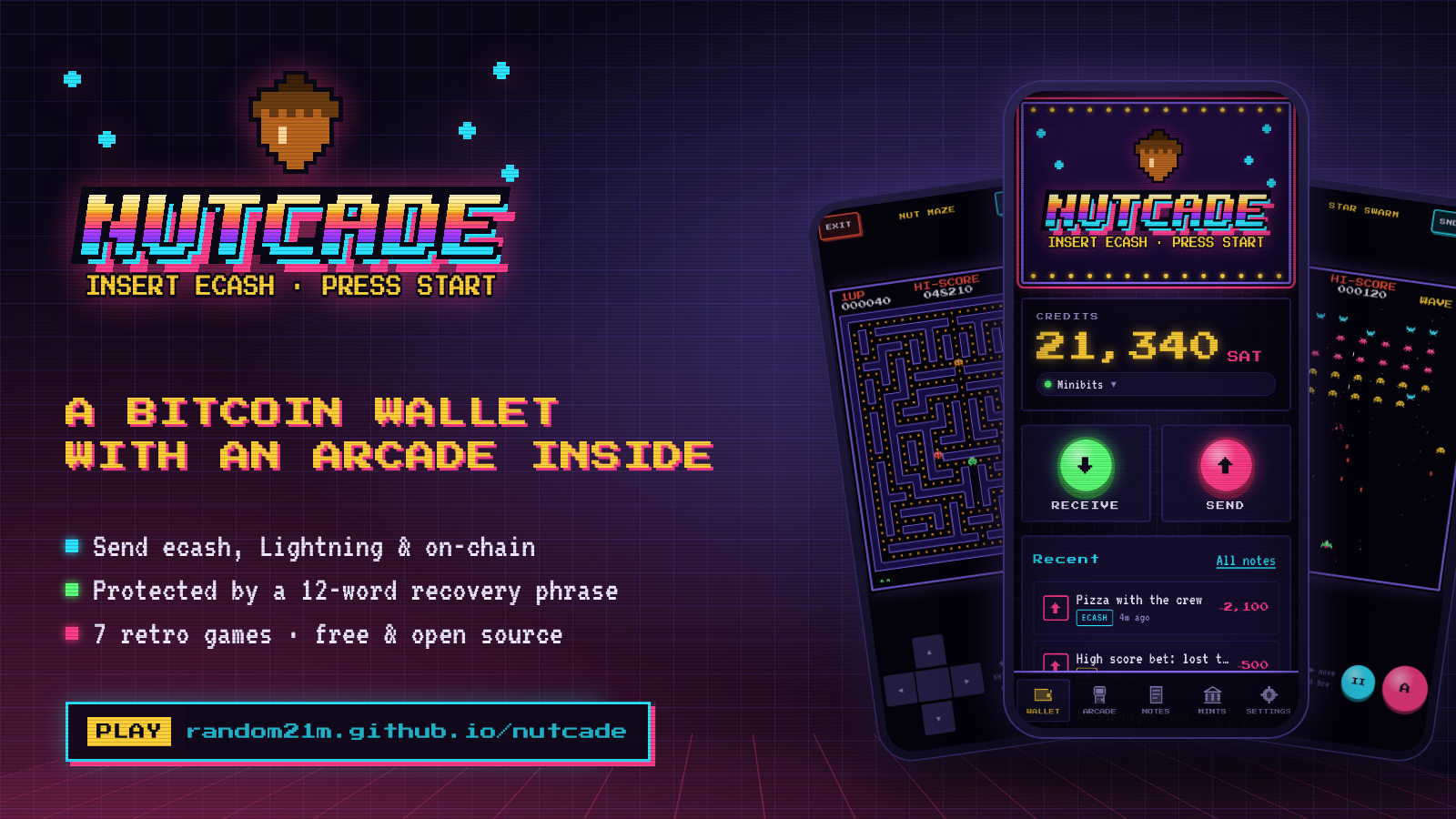
NUTCADE is made by Random21m. Bug reports and ideas are welcome in Issues; security problems go through SECURITY.md.
Follow NUTCADE on Nostr: npub1mzmequd6893lj36mh5jcs9qayz0vf732m8qyycv79lfylyqv6gkqazgkys
NUTCADE is free and open source, and it stays that way. Supporting it is optional and changes nothing about how it works. If you enjoy it, you can send a few sats over Lightning:

npub1qh7gzgypv0zjf6txpg679nwye2ue405cxp5ktt3ftw8kmdgnh83qpsdq60@npubx.cash
You can also tip from inside NUTCADE: Settings → About → Support. The same address and code are on that screen. Be wary of any other "NUTCADE support" address.
-
v1.31.0: Dollars and euros: USD, EUR and CHF ecash. One units table (
src/app_units.js): sat with no decimals, usd, eur and chf in cents; every amount is an integer in its unit's smallest step, read from what you type ("12.50" is 1250, more than two decimals refused, never rounded) and shown by one formatter that knows the unit (sats keep today's look and the ₿ setting). A unit at a mint is an account of its own. A sats account is stored exactly as before 1.31 (keyed by the mint's address), so old wallets and backup files load unchanged; any other unit is keyed<address>|usdin the mint list, the coins, the history, the payments in flight, the deposits and the journal, while every request to a mint uses the mint's own address with that unit's keysets (NUT-13 counters are per keyset, so per unit, already). A backup now carries the unit (uniton a mint, the account keys on the coins); a backup without it is sats, as it always was. Mints: a mint that offers several units shows a line for each under the one mint, with an Add USD / EUR / CHF button for the ones you don't hold, and a mint with no sat keyset is added as its first unit instead of being refused. Receive and send: a cashuB token in usd, eur or chf is claimed into the right account and shown with its unit; a token you make carries the mint's address and the account's unit. Payment requests (NUT-18) are made and paid in the account's unit, and one asking for a unit you hold nowhere is refused in plain words, with nothing spent. Lightning: a deposit into a USD account shows the mint's sat invoice and the amount the mint will credit in USD; a pay-out shows the invoice's sats, the mint's own quote in USD and the USD fee. NUTCADE never converts anything, and where a mint doesn't quote a method for that unit the button isn't there. Everything else is sats only and says so: wallet sync publishes and adopts sat coins only (the setting says so), and nutzaps, gifts, bounties, printed tokens, Extra Life, treasure hunts, zaps, LNURL, Wallet Connect, on-chain, Send all, send by sound, cashier mode, bill split, challenges, the piggy bank and moving sats between mints refuse with a translated message and spend nothing while another unit's account is active (their buttons are left off those screens, and one click dispatcher check is the backstop). The spending limit, the piggy bank, the mint report card and the price in your currency count sats only; other units show as their own lines and are never added in. The duress PIN's wallet follows the same rules. Money in any unit counts as money: a wallet holding only USD is treated as holding ecash by New recovery phrase and Restore (its USD moves under the new words), by a backup import (its phrase is not replaced) and by Reset (which says what would be lost); totals that cover several accounts (a sweep of other words, saved tokens claimed back online, the unclaimed-token reminder, the duress PIN's wallet coming back, a new phrase's mint fees) are said per unit. A payment in another unit than the request asks for is kept but never marks the request paid. A restore whose current ecash can't all be moved under the restored words (a mint down) still scans, names each account it couldn't move and keeps those coins, with Protect it still offered; a mint that can't say which units it issues is named instead of skipped; and a USD, EUR or CHF account added only for a scan is removed again when nothing is found or the scan fails. Wallet Connect, wallet sync and the mint-list backup read and publish SAT only and mint addresses only, and a mint field from outside with|in it is refused. The sats-only check runs against the account an action acts on, so taking back a printed SAT token or cashing out an Extra Life works while a USD account is in use. A sats-only wallet is unchanged, and an older NUTCADE still refuses a USD token, as before. New test suitetests/units_qa.py(CI jobunits) against a new local test mint that issues sat, usd and eur (port 3345) and one that issues only usd (3346). -
v1.30.0: Wallet sync (a subset of NIP-60), with the mint as referee. Settings → Privacy → Sync this wallet across devices, off by default and kept per wallet (not in backup files; never in the duress PIN's wallet; a paused tab does nothing). Key: sha256(seed ‖ "nutcade-nip60"), content NIP-44 encrypted to itself. Kind 7375 events hold the coins at one mint ({mint, unit, proofs, del}, at most 60 coins an event; events with more than 100 are ignored); the replaceable kind 17375 holds the nutzap receiving key, the mints, NUT-13 counters (merged highest-wins, never lowered) and hashed "gone" marks for coins handed out in a token not yet claimed (so the other phone never counts them, and a restore's scan doesn't either); kind 5 deletes only our own events, and only ones that were read and accounted for. Each event is checked (signature, key, kind, size) as it arrives from a relay, the first good copy of an id wins and the relays' answers are put together; the wallet event is never written from scratch unless most relays answered. The gone marks also travel in each mint's coin events and are carried forward by every device that replaces them, so they are not limited to the wallet event's 400. A coin that fails the reader's checks is never published and is skipped on its own when read. The wallet event with new gone marks is written before the coin events it makes stale are replaced. A coin from a relay is adopted only at a mint already in your list, with a valid DLEQ proof (NUT-12) against that mint's saved key, and after checkstate (NUT-07) says UNSPENT; SPENT ones are discarded, PENDING ones wait. The merge is a set keyed by the secret, so duplicates, reordering and replays change nothing. Coins are published again after the money step that changed them has settled (never inside a payment; failures retried), and read at start, when the tab comes back, every 10 minutes, after an "already spent" error and with Sync now. A restore from the 12 words reads the sync key's events once (nothing written): its scan leaves out gone-marked coins, and it asks before turning sync on (never after "Delete them from my relays"). A scan started only to catch the counters up credits nothing while sync is on, and never hands its answer to a scan you started. No kind 7376 history; not compatible with cashu.me or Minibits sync. New test suite
tests/sync_qa.py(CI jobsync): two browser contexts with the same 12 words against one real test mint and a stand-in relay that can drop, reorder, duplicate, forget and replay events. -
v1.29.0: Pay to Blinded Key (NUT-28). Settings → Privacy → Hide who gets it (P2BK), off by default and kept per wallet (the duress PIN's wallet has its own; not carried in backup files). With it on, gifts and bounties lock blinded keys (cashu-ts
blindKeys, one ephemeral key per coin carried asp2pk_e, "pe" in cashuB tokens), built in the one place NUTCADE makes a lock, so the receiver's key and your refund key are always blinded together and the line says so. Take back and the automatic return of an unclaimed gift or bounty work with the blinded refund key. Receiving: a nutzap withp2pk_eis taken only when its lock is your receiving key blinded with that coin's key (slot 0), with the same strict lock rules and limits as before;p2pk_emust be a point on the curve and is kept on the coins it claims. A blinded bounty sent to you is recognised (slot 1). Extra Life, treasure hunts and the nutzaps you send are never blinded (a nutzap has no way back, and kind 10019 doesn't say whether the receiver supports NUT-28). A lock read before claiming is refused before any point math when it has more than 10 keys or 64 coins, and the key check works out x(k·E) once per coin. A blinded token played as sound is sent as text (the compact sound form would dropp2pk_e); the gift sheet says only NUTCADE 1.29 or newer, or a wallet with NUT-28, can claim it. New test suitetests/p2bk_qa.py: sends and claims on a real test mint, refunds after the date, a wrong key, NUTCADE's blinding checked against Nutshell's own NUT-28 code, and a Nutshell-made blinded token claimed by NUTCADE. -
v1.28.0: nutzaps (NIP-61). Settings → Privacy → Receive nutzaps (off by default) publishes your nutzap info as a kind 10019 event: your relays, the mints you use (unit sat) and a P2PK receiving key derived from your 12 words at
m/129372'/61'/0'/0'/0', separate from your Nostr key, so restoring the 12 words recovers nutzaps. Kind 9321 nutzaps tagged to you are listened for on your relays; one is taken only from a mint you trust, with every proof locked to your receiving key, once per event (the ids are kept) and never for coins already waiting or already spent. It is saved as a waiting line first and claimed through the usual journaled claim, so a mint that is down means "waiting, tried again later", never a lost or doubled nutzap; history shows who sent it. Send a nutzap on a contact (or "Nutzap them without saving" for an npub) looks up their 10019, picks a mint you both accept, locks the coins to their key with the usual (journaled) send and publishes the kind 9321 event, made once and kept, on their relays until one takes it, so a crash mid-send neither loses nor double-spends the coins. Someone with no 10019 is refused with a plain message; an unlocked token is never put on a public relay. The duress PIN's wallet has no nutzaps. -
v1.27.0: unclaimed-token reminders. A token you sent that nobody has claimed after 30 days, or at any age once its mint is retiring the keys its coins were made with (a keyset marked inactive, one that expires within 7 days, or one the mint no longer lists), is counted on the wallet screen: "N tokens you sent are still unclaimed — take them back?", with up to five of them listed. Before that, the background check asks the mint whether they were claimed meanwhile (with Check sent tokens on), and a claimed one is marked claimed. Take them back uses the existing take-back, one token at a time; one claimed by someone else first is said so and nothing changes for it. Gifts, treasure hunts, bounties and payments for someone's request are never counted. Later hides the line for 7 days (1 day when keys are retiring, and at once again when another token's keys start retiring). Settings → Remind me about unclaimed tokens turns it off; the duress PIN's wallet has its own list and setting.
-
v1.26.0: offline token check (NUT-12). A token received while offline is checked against its mint's signature: each coin's DLEQ proof, with the mint's public keys saved the last time it was reached. A token with a wrong proof, or one that holds the same coin twice, is refused and not saved, and coins already waiting in another saved token aren't saved twice. Otherwise the token screen says Signature checked offline, or Not checked and why (no proofs, or keys NUTCADE doesn't have yet); a token is never called fake for that. It can't show the coins are unspent: only the mint can, when the token is claimed. Tokens sent by sound now carry the proofs (flag bit 2 in the sound format; Faster, no proof leaves them out; versions before 1.26.0 can't read them), and printed tokens keep them unless their code would get too dense for paper. The duress PIN's wallet saves no mint keys. Independent check: one money problem (a repeated coin) and two edge cases found and fixed before release.
-
v1.25.0: extra protection. The page now carries a Content-Security-Policy: it only runs its own code (each script is pinned by its sha256 fingerprint, worked out by
build.pyfrom exactly what is built), so text slipped in by a bad mint, relay or website can't run as code; plugins,<base>tricks and form posts are blocked too. Connections to mints and Nostr relays stay open on purpose (they can be anywhere). Limits: styles still allow inlinestyleattributes, and a<meta>policy can't stop other sites framing the page (GitHub Pages sets no headers). -
v1.24.0: optional mint reliability from MintRadar (mintradar.org). Settings, Privacy, Show mint reliability (off by default, with a plain note that MintRadar then sees your phone's internet address). When on, NUTCADE downloads MintRadar's whole public list (one request, cached about 5 minutes, ETag) and compares it on your phone, never asking about a single mint. The Mints screen and Add mint show a small label (a symbol and a word, in all three themes): Reliable, Shaky or Mint down, from the Reliability Score and the mint's status (a mint that is not online counts as down, as its score is then old); Add mint can list up to five Suggested mints (online, score 80 or more, sats, NUT-04/05); a mint where you hold sats and that is reported down gets a notice. It is an operational health signal, not a statement that a mint holds your sats or is safe to deposit into: it never blocks, moves or chooses anything. Offline, a rate limit or a bad reply show no label. The setting is not part of a backup file.
-
v1.23.1: polish, nothing about money changes. A very large balance (tens of millions of SAT) now always shows its whole unit at 320 px, even the last pixel; the home screen no longer shows "NO PLAYS YET" beside the "Waiting for an on-chain deposit" line; and a Back up with my phone step you cancel before it publishes now forgets the new passkey it just made, and when two relay copies share a time the one with the lowest event id is picked, so every phone picks the same copy.
-
v1.23.0: better backups. Protect with a password locks the backup file (PBKDF2-SHA256, 600,000 rounds, and AES-256-GCM); importing asks for the password, a wrong one changes nothing, and plain files still import. The file now also holds your contacts, settings, trophies and arcade progress, and importing adds them without touching your money. New: Back up with my phone locks your 12 words with a passkey and keeps the locked copy on Nostr relays; Restore with my phone gets them back on a new phone. It is optional, hidden where the browser can't do it, asks for the PIN, is never offered by the duress PIN's wallet, and Reset wallet removes it from the relays. A backup of the real wallet carries no trace of a duress PIN.
-
v1.22.3: a receive note made when Receive > on-chain shows an address is hidden from Recent and Notes (it showed a down arrow and WAIT) until a payment arrives; the record is kept and shows as soon as it is paid, and while one is hidden the home screen shows a small line, "Waiting for an on-chain deposit · Show address", that opens its address again. The price chart's "turn off in Settings" link now opens Settings at Privacy > Show Bitcoin price.
-
v1.22.2: security tidy-up, nothing you use changes. Small safeguards behind the warnings of GitHub's code scanner (CodeQL): the treasure-hunt clue-card list no longer has a prototype (so no key can reach
Object.prototype) and is read with an own-key check; the high-score initials are cleaned again when saved; the pretend coins used only to estimate Send all fees, and the random padding of the decoy vault, now use the secure random generator; and text in an imported backup file (transaction, request and contact ids, hunt keys) is now escaped when drawn, and imported hunts and clue entries must have a 64-hex key and real numbers, so a hand-edited backup can no longer put script on the screen. The remaining alerts are in test code or are false positives (every value shown in a sheet goes through the escape helper). -
v1.22.1: new support address: npub1qh7gzgypv0zjf6txpg679nwye2ue405cxp5ktt3ftw8kmdgnh83qpsdq60@npubx.cash. The Support screen, its QR code (
docs/support-qr.png) and the tip button use it; the old address is no longer shown. The tip button now asks npubx.cash for the invoice, so npubx.cash is named in the Privacy list. Nothing else changed. -
v1.22.0: Send all.
- Send all on the send screens for an ecash token, a Lightning address or LNURL, and on-chain: everything at the active mint, less the fees. NUTCADE works out the amount from the mint's own fees (and, for Lightning and on-chain, from the mint's quote) and shows the amount and fees before anything is sent; Cancel changes nothing. Only the active mint is used; your other mints are not touched. A Lightning invoice has its own amount, so it has no Send all.
- Fees as large as the balance, or an amount left below the smallest payment allowed, are refused with a message. The spending limit and its PIN, the piggy bank, and the recovery of a failed payment work as for any payment, and if the balance changed in between nothing is sent.
-
v1.21.0: storage safety.
- No silent save failures. If the browser can't save your wallet (storage full), a red notice on the wallet screen says so, with what to do (Try again, Download backup, Find lost ecash), and a toast says it once. It goes away by itself once saving works again. It works the same with or without a PIN, in either wallet of a duress PIN. While it shows, lock and reload wait so nothing that exists only on the screen is lost.
- Storage use. Settings → Backup shows how much storage NUTCADE uses; the wallet screen warns at 70% and, in red, at 90%.
- iPhone Home Screen reminder on the wallet screen (and on the welcome screen), with the steps: Safari can delete a website's data, a Home Screen app keeps it.
- Fixes on the same path: a failed save no longer makes NUTCADE re-read the older saved wallet over the one on screen (it took a failed save for another tab's); with a PIN, a failed save of the counters now stops a step before the mint is asked (as without a PIN); Remove PIN and turning off the duress PIN keep everything when the new copy can't be saved.
-
v1.20.2: small wording fixes; nothing in them touches money.
- A deposit finished again after an interrupted answer says "+X received", not "Recovered".
- The "Back online: claimed X" notice is left out for a saved note whose own arrival notice already says it.
-
v1.20.1: small fixes.
- A very large balance (80 million SAT and up) no longer cuts off the SAT label at 320 px.
- Claim now on a saved ecash note shows its amount once (the automatic "Back online" notice is skipped for it).
- A second open tab that waited for the same claim now starts from what is saved, so it cannot write a second record for the same ecash (the mint would have refused it anyway; no sats were ever at risk).
- A French sentence on the Support screen reads naturally.
-
v1.20.0: a new game, and nothing in it touches money.
- Nut Bowl: top-down arcade football (see how to play above). Pick a play, run it with the stick or throw to a receiver, punt or kick on 4th down, and beat the clock over four quarters; high scores with initials, challenges, replays and the Daily Challenge work like the other cabinets. The welcome screen and the share text now say twelve cabinets, and Nut Bowl can be the Daily Challenge.
-
v1.19.0: a new game, and nothing in it touches money.
- Acorn Links: nine holes of overhead arcade golf (see how to play above). Drag back and let go to swing; wind, sand, water and trees; high scores with initials, challenges, replays and the Daily Challenge work like the other cabinets. The welcome screen and the share text now say eleven cabinets, and Acorn Links can be the Daily Challenge.
-
v1.18.0: a small settings release. Nothing in it changes how money moves.
- Recent notes on the home screen: you choose how many, from 0 to 6 (Settings → Look & sound → Recent notes on the home screen). It starts at 2. At 0 the list is hidden and All notes stays. It is kept on this device only.
- Hall of Fame shows each game's full name, so Nut Flipper, Nut Maze and Nut Poker are no longer all "NUT".
-
v1.17.1: a small fix release.
- A saved token is claimed once. If you tapped Claim now on a token saved while offline at the same moment NUTCADE claimed it by itself, or tried again after a claim whose answer from the mint was lost, NUTCADE could write two records for the same coins. Now one claim is made for each saved token, and a record left by a lost answer is settled first. Your balance was never wrong; this removes the double record. Also, a saved token whose claim got no answer from the mint is no longer marked "already claimed by someone else" while the claim is still being settled.
- A shorter home screen: Recent shows your last 2 notes (All notes shows the rest).
- Hide amounts now says it hides arrival notices too.
- Tests: two checks in the arrival suite wait for earlier steps to finish before they read your balance, so they stop failing now and then.
-
v1.17.0: the Trust & help release. Nothing in this release changes how money moves.
- Help & FAQ in Settings: plain answers, offline, in all five languages, with a Privacy answer that lists every service NUTCADE contacts.
- Check your 12 words: offered a week after your backup, then about twice a year; three words, compared on your phone only. Settings → Backup shows when you last checked and when you last made a backup file.
- Updated to vX (once, with what's new and a link to the release and its signed checksums) and new version ready (in a tab left open for days; the reload is offered only when no payment or other money step is open, and never happens by itself). Both read only this site; there is no notice server.
- Mint details: Mints → Details shows each mint's contact, terms and description, as plain text, with only http(s) links.
- Your initials can be changed any time (Arcade, Settings), with an option to rename this phone's past scores; an empty entry keeps your initials instead of resetting to AAA.
- Hide amounts: tap your balance to show ••• instead of amounts on the main screens; remembered per device. Payment screens still show the real amount.
- The Privacy section is complete and checked against the code (relay.nostr.band, relay.cashumints.space, Lightning address servers, Wallet Connect relays, this site's update check); SECURITY.md explains GitHub's private vulnerability reporting step by step.
- The listing text says 10 arcade cabinets (the page description and link previews said 8), and the app manifest has an id, a longer description, categories and screenshots.
- Small fixes: a mint's "ONLINE · ms" speed is no longer hidden by Hide amounts, and invisible zero-width characters are stripped from a mint's text.
-
v1.16.0: the arrival notices release. Notices when money arrives. A Lightning deposit, a token claimed, ecash over Nostr, a payment request paid, a payment to your npub.cash Lightning address (zaps included) or a Wallet Connect invoice paid: a short notice over the logo bar says how much, from where and at which mint, with the coin sound (if sound is on); Details has the rest and a link to your notes.
- While you were away: on opening NUTCADE or unlocking it, after its start-up checks, one line with what arrived since you last had it in front of you; Details has the count and total per kind, exactly the history lines in question.
- Each arrival is announced once: not again after a reload, in a second tab or after a restore. Old history brought back by a restore or a backup, moves between your own mints, coins the keyset check-up gets back, and your own tokens you bring back yourself (taken back, or scanned or pasted into Receive; printed or not; a gift you take back too, also when the mint's answer was lost, it is claimed in parts, or it is saved to claim later because you're offline or its mint can't be reached), an Extra Life you cash out, coins found again (Find lost ecash, a backup, ecash swept from another phrase) and the duress PIN's wallet's sats coming back when you turn it off are not "arrivals". Each of those is marked by the step that writes its line, never recognized by its note: a stranger's memo that reads like one of NUTCADE's own notes ("Reclaimed: ...", "Restored from backup", "Gift came back") is still an arrival, with its usual label. Your own token is recognized by its coins, not its text, so it is yours also when it comes back by sound, from an NFC card or from a QR code (and its line in your notes says reclaimed). A gift nobody opened that comes back by itself is an arrival ("Came back to you"), and so is your own token handed back to you over Nostr by the person you sent it to. A claim of your own coins cut off while NUTCADE 1.15 was open (its mint's answer lost) and finished by this version, after a reload or from a 1.15 backup, is treated the same way. One message per arrival: no "+X received" toast beside the notice; a deposit recovered after the mint's answer was lost is said once, by its notice, or by "Recovered X from an interrupted deposit" when it adds to a line that was announced already.
- System notifications (Settings → Look & sound, off until you turn them on; the browser asks then): for a NUTCADE tab in the background, shown by the page or its service worker from what it already knows. No server, no push service, nothing is sent anywhere. With a PIN they say only "Money arrived. Open NUTCADE to see." (and "Money arrived, unlock to see." once it locks). With a duress PIN set, both wallets behave exactly like a wallet with a PIN alone, the same words in the same cases, so neither a notification nor its absence tells anyone that a duress PIN exists. The duress PIN's wallet only ever shows its own arrivals.
- Notices wait under a game or the till (the till's own sale is on its PAID! screen); a notice never covers the balance, and an amount is never cut, from 320 px phones to desktops, in all five languages.
-
v1.15.0: the printable tokens release. NUTCADE tokens: print sats on paper. Send → Print tokens: pick an amount per token (presets of 1,000, 2,100, 5,000 and 21,000 SAT, each with about its value in your currency, or any amount) and how many (1 to 20), in two styles (Arcade, Ink saver). The first time, NUTCADE explains the rule that matters: a printed token is cash, whoever scans it first gets the sats.
- Each token is its own Cashu token, made the normal way (written down before the mint is asked, counted by the spending limit as one batch, fees as the mint keeps them). The cost is worked out once, before anything is made, and is never exceeded; a batch stopped part way says exactly how many were made and never makes one twice.
- Every QR code is read back before printing; a token whose code would be too dense to scan on paper (every coin counted, the receiver's fee coins too) is refused before anything is made.
- Fold-over cards, four to a page: front and back side by side, so plain one-sided printing lines up on any printer. Printed tokens (Notes) shows which were claimed (asked at the mint) and takes back unclaimed ones. Backups carry them like any token you sent.
- QR code center (Settings → Look & sound): the NUTCADE acorn in the middle of every QR code NUTCADE shows and prints, at error correction H, read back and drawn plain where it wouldn't scan; animated codes stay plain. Or None.
- Fixed: a busy (disabled) button could still be triggered by a click sent from a script; every button now ignores clicks while it is disabled.
- The full licence texts of every bundled library are now in
public/THIRD_PARTY_LICENSES.txt(the bundle itself only carried the noble and scure notices).
-
v1.14.2: the PIN guard. With a PIN set, Show recovery phrase, Download backup, Import backup, Restore wallet from 12 words, Connect an app and Edit on a connected app (Wallet Connect), and Reset wallet now ask for your PIN first. Before, someone holding your unlocked phone could get around the spending limit by reading the 12 words, downloading the backup file (the phrase and every coin), or typing their own 12 words into Restore, which moved every sat under their phrase. The PIN is the open wallet's own (the duress PIN in its wallet), on the same pad, with the same wrong-PIN count and wait; Face ID isn't offered there, as for the limit. A PIN is used only for the step its pad was opened for: a pad closed while the PIN is checked does nothing, whatever was started meanwhile (this also covers a payment over the limit, saving the limit, and the duress PIN, Change PIN and Remove PIN pads). Nothing changes without a PIN, or on the start screen.
-
v1.14.1: fixes, and a new support address: npub18wnvs7ncun8exphx8h7r9c6p9kg6jagpe8ck0g2qll0ushv8rp4slzjlpw@npub.cash (an npub.cash address received in NUTCADE itself, instead of a Strike account), in the app, its QR code and this README.
- A rare case, present since 1.12.x, where a Lightning deposit could show +0. If the mint turned down NUTCADE's request for the deposit's ecash because a copy of that same request was already being worked on (for example the library sending again a request whose answer was lost), the deposit forgot the counters its coins are made with, and closed at 0 once the mint finished. Nothing was lost: Find lost ecash (or a restore from the 12 words) brought the sats back. (When the mint answered that the request was already signed, the sats came back at once, as a separate "Recovered with recovery phrase" line beside the +0.) Now the deposit keeps those counters and waits, and gets exactly its coins once the mint has issued them. The same goes when the mint can't be asked right then, when NUTCADE asks again after answers that never came (however many times), for a deposit with no coins going in (on-chain), for a payment step the mint turned down as "already pending", and for the duress PIN wallet's first claim of its sats.
- The keyset check-up never runs beside something still being collected or settled at that mint (a deposit, also an invoice under an hour old, a payment, a step, a backup's part, a restore scan): it waits for the next check. It is never skipped for good: a deposit older than 14 days no longer holds it back. Move them now says when the check-up has to wait, instead of "done".
-
v1.14.0: the keyset check-up: coins on a mint's retired or soon-expiring keys (NUT-02) are moved to its current keys, and many tiny coins are combined, through the journal (crash-safe, only what the mint signed is booked), within the mint's request limit, automatically when free and asked once with the fee shown when not; each mint's line in Mints says what happened, and the history gets one line with the fee the mint kept. Coins the mint no longer accepts at all are set aside out of the balance and offered again at each check-up. New coins are made on keys that don't expire soon when the mint has such keys. Fixes found on the way: a mint's "keyset has expired" answer is no longer shown as "That request expired"; a keyset refusal wrapped by the library counts as a refusal (the mint signed nothing); the duress PIN's wallet no longer gets a copy of the real wallet's record of its mint; a restore from the phrase, a backup import and settling a backup's open steps never count coins set aside as new; the piggy bank no longer rounds up "already spent elsewhere" lines. Two follow-ups to the v1.13.1 journal fix: a step whose request the mint signs in the last minutes before its record is a day old is checked once more before the record is dropped, also while NUTCADE stays open (it used to be dropped unchecked, its spent coins left in the balance until Remove spent ecash); and when the same coins were tried twice and the mint signed the later attempt, the history shows that step as itself instead of "Ecash already spent elsewhere" plus "Recovered with recovery phrase" (the balance was right either way). The check-up's coins already spent are dropped the same way as every spent coin, after any of this wallet's steps that reached the mint late is settled as itself.
- Known issues in v1.14.0: the check-up looks at the coins in your balance; coins locked in an Extra Life move to the new keys at its next CONTINUE (automatic at half its time), and a token you sent but nobody claimed stays on the keys it was made with (take it back to move it). Tiny-coin combining only counts coins of at most 8 SAT. A coin worth less than the fee to move it stays where it is. The check-up runs when NUTCADE opens, on Refresh and at the regular background check (which asks the mint nothing when there is nothing to do), so keys a mint retires while the app stays open are noticed at the next opening or Refresh. The v1.13.1 and v1.13.0 known issues still apply.
-
v1.13.2: the Arcade Update: two new cabinets and a Daily Challenge, plus a fix for fast games on fast screens.
- Nut Poker: five-card draw video poker (jacks or better, 9/6 pay table) for free credits only. It is never linked to sats: no purchases, no cash-out, a free refill at 0 credits, and its score card can't be loaded with sats. Hands are dealt from a fair, cryptographically shuffled deck, so it has no challenges or replays.
- Neon Road: a pseudo-3D night-highway racer with curves and hills, traffic, a clock with checkpoints, stages that change colours, a road built from the seed (so challenges and replays race the same course), keyboard and touch controls, and its own chiptune loop.
- Daily Challenge: one cabinet and one seeded level a day for everyone (from the UTC date), a first-run-counts official score, a streak and history, and a Share my score note you post to Nostr only by tapping Post (or copy); clock changes, time zones, midnight UTC and offline posting are handled and tested in five languages. The eight old cabinets and Neon Road can be the daily; Nut Poker never is. The share preview now wraps at spaces instead of in the middle of a word.
- Fixed: games ran too fast on 120 Hz and 144 Hz screens. The arcade took one game step per screen refresh, so every cabinet ran about twice as fast on a 120 Hz phone. It now runs a fixed 60 steps a second whatever the screen, catches up at most a few steps after a pause or a tab switch, and draws once per refresh. Replays and challenges count steps, so they verify as before.
- The GRAND TOUR trophy now means every cabinet in the arcade ("Play all 11 cabinets"), counted from the cabinet list; players who already earned it keep it. A touch the system cancels (a call, a palm) no longer counts as letting go of Nut Flipper's plunger. The Daily's share sheet says "your relay" for one relay and "your 3 relays" for several, in every language. A made-up challenge link for Nut Poker now says plainly that the cabinet has no challenges, instead of offering to accept one. A result screen from one run can no longer land on the next cabinet you open.
- Settings → About: the Donate button now says Support (its sheet was already called Support NUTCADE), in every language.
- For developers: every cabinet lives in its own
src/game_*.jsand registers one factory inwindow.NutCabinets(seesrc/README.md).
-
v1.13.1: a step the mint finished is always booked as itself, never as "Ecash already spent elsewhere", even when the connection drops, the app is closed, the mint answers late, or two phones holding the same wallet send the same step. When the mint turns down a repeat of a step it already did (as when the app resends one whose answer was lost), NUTCADE takes the result from the mint's own signatures for that step, so a token you send is shown right away; a step the mint is still working on waits until it's done; and if a step's request reaches a slow mint after the app had given up on it, the step is settled again as itself. A Lightning deposit the mint already issued is credited, even when the mint turns down a repeat of it. Coins that another device really spent in a different way are still shown as spent elsewhere. (This could happen since 1.12.0; until now Find lost ecash brought the sats back.)
- Known issues in v1.13.1: if a step's request reaches the mint more than a day after the app gave up on it, its coins stay in your balance until NUTCADE notices they were spent (the next time you pay with them, or at once with Remove spent ecash, next to Find lost ecash, which then shows them as "Ecash already spent elsewhere"). Running Find lost ecash before that can show those sats twice for a moment; Remove spent ecash puts it right. Nothing is lost. The other v1.13.0 known issues still apply.
-
v1.13.0: a spending limit for the whole wallet (ask for the PIN above an amount per payment, and a cap per 24 hours, over every way sats leave, fees included, held for each payment in one step so two taps or two tabs can't both slip under it; kept in the PIN vault, changed only with the PIN; Wallet Connect apps get QUOTA_EXCEEDED); a duress PIN that opens a small separate wallet instead of yours (funded with coins of its own) (the vault always has room for it, both keys are tried on every PIN, and the real wallet is never read while the other is open; see Safety for what it can't hide); mints with a request limit (NUT-06
max_array_length): NUTCADE needs at least 128, a mint below that can't be added, coin picks stay within a mint's limit, restores and checks go in pieces, big tokens are claimed in parts, and a mint that drops below 128 takes no deposits but its sats can still move out, and your own sats there (tokens taken back, gifts, bounties and treasures coming back, an Extra Life, a restore from the 12 words, another phrase, a backup) always come back, in parts where needed; a Report a problem form (Settings → About); every GitHub Action pinned to a commit. Fixes: a treasure hunt (or any step) that moved sats and then failed redraws the screen at once; "Need X SAT including fees" counts the mint's fee to spend ecash; a token taken back on a mint with fees shows one fee line for what it cost; "already spent" with nothing to remove no longer says "removed 0 SAT"; long mint names and notes wrap instead of being cut off; "(part 1 of 2)" on its own, "N SAT in flight." on the wallet screen and the older-wallet notice are shown in your language.- Known issues in v1.13.0: Wallet Connect can't ask for your PIN, so a payment over a limit from an app is refused (nothing paid, nothing taken from its budget), never let through. A mint that accepts fewer than 128 items per request can't be used for deposits; if a mint you use drops below that, npub.cash may still try to pay your Lightning address there (turn the address off or point it at another mint), a Lightning invoice you made there before the drop and that is paid afterwards may stay pending until the mint accepts enough coins per request again (only when its new limit is very small), and moving out of it may leave part of a payment's unused fee reserve with the mint (shown before you pay). On such a mint, an Extra Life's CONTINUE is one swap that may need more coins than the mint takes; it is then refused with nothing sent, so cash it out and set it up again at another mint before its date. Someone else's token of that mint (a payment, a bounty you won, a treasure you found) isn't claimed there; its sender can take it back. Inside the duress wallet a duress PIN, Remove PIN and Face ID set-up aren't available (the same answer as a used-up PIN-change allowance), and Reset wallet there keeps the PIN; the allowance counter is plain device storage that someone with developer tools can read or clear (they could attack the vault directly anyway): someone who studies NUTCADE can notice these. Rarely, if the connection drops or the app is closed just as a mint finishes a step, that step's own sats can be shown as "Ecash already spent elsewhere" and left out of the balance (also in 1.12.x): nothing is lost, and Find lost ecash (or a restore from your 12 words) brings them back; fixed in v1.13.1. The v1.12.1 known issues still apply.
-
v1.12.1: fixes for a backup restored on a second phone while the first phone keeps using the same wallet: a payment the mint refuses to the second phone (the first phone already claimed it) no longer shows up there as received with a matching "Ecash already spent elsewhere" line, and a deposit the first phone collected is closed on the second phone with nothing, instead of being credited with other coins of the wallet; only what the mint signed for a step is ever booked to it. A payment to a payment request that was cut off (a reload, a closed tab, a lost answer from the mint) now reaches the requester when the wallet is back, once, with the same ecash (and if it can't be delivered after several tries, the sats come back with a line that says so); a treasure hunt whose prize no relay took is published on a later start; a recovered bounty's challenge goes to your friend at most once; an heir's copy or an offered bounty whose mint was down when a backup came in is checked again later; a token saved offline and claimed since on the phone it was saved on no longer shows as "failed" on a phone restored from both backups. In German, Spanish, Portuguese and French, bounty, prize and Extra Life lines with amounts of 1,000 SAT or more are translated too. Also: send by sound is now an open standard (docs/SOUND-SPEC.md, with test recordings), the README shows how to add NUTCADE to your home screen on every device, and two automatic history notes are now translated.
- Known issues in v1.12.1 (none of them changes your balance): a bounty restored from a backup taken while it was being made sends its challenge only from the phone that made it, so if that phone is gone your friend isn't told (the sats come back after its date); a token saved offline and claimed since on another phone with the same wallet shows as "already claimed by someone else" on a phone that hasn't imported the newer backup.
-
v1.12.0: LNURL vouchers (LNURL-withdraw): load a voucher's sats into the mint you pick, with its description, limits and every error said plainly; block a mint so its tokens, requests and deposits are refused (always with the reason and an Unblock button) while the sats you hold there stay usable and can be moved out; Nostr Wallet Connect (NIP-47): connect apps with an optional budget per day, week, month or in total, NIP-44 and NIP-04, notifications, payments marked in your notes, rename and revoke; zaps (NIP-57) to contacts and any npub, signed with the wallet's Nostr key, with the invoice amount checked before paying and a plain Lightning payment offered when zaps aren't supported; all of it in every language; a new home-screen icon (installed copies pick it up after their next visit); backups carry everything still open, deposits waiting to be claimed and payment requests included, and restoring one anywhere (twice, into its own wallet, or a backup made while part of another waited for its mint) gives the same coins and history, with no fee the mint didn't keep
-
v1.11.0: polish: a compact one-row header after setup so Receive, Send and Scan fit on small phones; game controls that always fit (the fire button no longer slides off narrow screens), with the hint above them and keyboard wording on computers; a PIN pad that fits a 320 px phone and shows one box per digit typed; toasts above the tab bar that never cover a title or a button, shorter and queued; sheets as centered dialogs on wide screens; bigger tap targets (40 px or more) and no text under 9 px in the pixel font; Amber and Green themes reach the inputs and the marquee, and Send stands apart from Receive in Green; amount labels that follow the SAT/currency switch; SAT next to every amount; one date style; friendlier mint errors; a styled file picker for importing backups; a mint you just added is graded NEW rather than F; the last English left in the other languages translated, and German says Optionen on both the tab and the screen; numbers grouped the way each language writes them (30.000, 30 000); a cashier that keeps every key on screen with big amounts; a PIN pad with six boxes that fill as you type; long names and notes that wrap instead of widening the page; keyboard use on computers (Tab stays in a dialog, Enter submits, Esc returns you where you were, and the cashier keypad takes number keys); amounts typed in your currency read the way your language writes them (1.234,56 in German); typed amounts are read exactly or refused with a reason, never guessed (whole SAT only, strict digit grouping, exact conversion from your currency, strict amounts in bitcoin: links, Bitcoin addresses checked by checksum); switching between SAT and your currency keeps what you typed; on mints with fees the fee shown is what the balance dropped by, and sending everything offers the most you can send after the fee; one spelling per mint address (saved twins are merged); Enter charges on the till; no duplicate contacts; the history always adds up to the balance, failed payments included (a fee the mint kept is its own line); an amount typed in SAT and viewed in your currency is charged as typed; everything on screen translated, the game screens and trophies included
-
v1.10.0: replays that prove scores (cross-phone deterministic games), ghosts to race, bounties that only pay on a verified replay; treasure hunts with Shamir-split clue cards; loaded score cards that pay the first person to scan them
-
v1.9.0: Nut Flipper, an eighth cabinet (pinball); high-score bounties locked with NUT-14 hash locks; Extra Life, ecash inheritance with NUT-11 time locks; a report card for every mint; animated QR codes (BC-UR, compatible with cashu.me) for long tokens, and scanning them; a joystick for the games on phones, with the D-pad still available
-
v1.8.1: moved to GitHub: new address https://random21m.github.io/nutcade/, share cards and preview images point there
-
v1.8.0: send codes by sound between phones, gifts locked to one person that come back after a date (NUT-11), split a bill as a boss fight, mint health with moving sats between mints, cashier mode for selling, high-score challenges with friends, round-up piggy bank, 5 new trophies
-
v1.7.0: contacts with Lightning and Nostr addresses, your own ecash address, amounts in your currency, #tags and CSV export, offline use (the app opens offline, exact-amount sends, tokens saved to claim later), Spanish, Portuguese, German and French
-
v1.6.0: multinut payments across several mints (NUT-15), payment requests to create and pay (NUT-18 over Nostr and HTTP), NFC cards for ecash and requests, opening tokens from links
-
v1.5.0: your own Lightning address (npub.cash, same as cashu.me), instant updates over mint websockets (NUT-17), encrypted mint-list backup on Nostr with "Find my mints" when restoring (NUT-27), 21 trophies, share cards for high scores and trophies
-
v1.4.0: QR scanner (camera and photo), paying Lightning addresses, PIN lock with encrypted storage and Face ID / fingerprint unlock, auto-lock, coin-drop and 1UP effects, fonts built in (no more Google Fonts), automatic tests in GitLab before every release, published SHA-256 checksums
-
v1.3.0: live Bitcoin price chart on the wallet screen, live balance value, share image and link preview for X and other social sites
-
v1.2.0: wallet setup before entry, Settings tab, restore a wallet from 12 words (including from cashu.me), reset wallet, automatic recovery of interrupted deposits, automatic repair when one phrase is used on two devices, claiming ecash before choosing a mint, clearer error messages, brighter logo tagline
-
v1.1.0: 12-word recovery phrase, restore, find lost ecash, one-tab lock, storage protection, donation section, logo and app icons
-
v1.0.0: first release: ecash, Lightning and on-chain wallet, transaction notes, seven arcade games, sound
NUTCADE is open source under the MIT License.
The page bundles these libraries, unchanged. Their full licence texts, copied from the published packages, are in public/THIRD_PARTY_LICENSES.txt, which is served next to the app:
- cashu-ts (MIT or Apache-2.0)
- noble-curves, noble-hashes, scure-base, scure-bip32, scure-bip39 (MIT)
- qrcode-generator (MIT)
- zxing-wasm (MIT) with zxing-cpp (Apache-2.0), the QR decoder
- jsQR (Apache-2.0), the fallback QR decoder
- nostr-tools (Unlicense) and noble-ciphers (MIT), for signing Nostr events and NIP-44 encryption
The animated QR codes (src/ur.js) are NUTCADE's own implementation of the Blockchain Commons BC-UR specs (BCR-2020-005, 006 and 012). Its frames were checked against @gandlaf21/bc-ur, the library cashu.me uses, and come out identical.
Fonts: Press Start 2P and VT323, both under the SIL Open Font License (full text in THIRD_PARTY_LICENSES.txt).