
需要能稳定访问Google等网站的代理
需要 Python 3.11 或更新的 Python 3 版本、Pillow >= 13.0.0。 Pillow 13 已不再支持 Python 3.10;升级已有机器人前请先升级 Python 并重新安装依赖。 HTTP 依赖使用 HTTPX >=0.28.1,<0.29、PicImageSearch >=3.12.11,<4, 并要求 h11 >=0.16.0,避免旧 HTTP 依赖链重新引入有漏洞的 h11。
nb plugin install nonebot-plugin-imgexploration
或其他任意加载方式
HarmonyOS_Sans_SC_Regular.ttf
HarmonyOS_Sans_SC_Bold.ttf
HarmonyOS_Sans_SC_Light.ttf
https://developer.harmonyos.com/cn/docs/design/des-guides/font-0000001157868583
安装到系统字体即可
展开/收起
pip install -r requirements.txt
使用 Poetry 时,请保留仓库中的 poetry.lock 并执行 poetry install,
以便复现依赖版本并让 Dependabot 识别实际锁定的 Pillow 版本。
poetry install
poetry run python -m pip install pytest
poetry run python -W error::DeprecationWarning -m pytest -q
测试不连接搜索服务,也不需要机器人配置或系统 HarmonyOS 字体。 生产环境仍需按上文安装 HarmonyOS 字体。
#代理端口号(不使用本地代理可缺省,例如:使用软路由透明代理、程序运行在境外)
proxy_port=7890

#saucenao apikey 在https://saucenao.com/user.php?page=search-api注册获取
saucenao_apikey=xxxxx

#Google Cookies json文件路径,建议使用Chrome插件Cookie-Editor复制导出json并手动存入文件
google_cookies_filepath="C:\Users\...\google_cookies.json"

#等待用户回复的超时时间(可选)
#注意,nonebot2新版本该配置项格式有变化!请根据nonebot版本参照文档 https://nonebot.dev/docs/api/config#Config-session-expire-timeout
#SESSION_EXPIRE_TIMEOUT=180
#SESSION_EXPIRE_TIMEOUT=PT3M
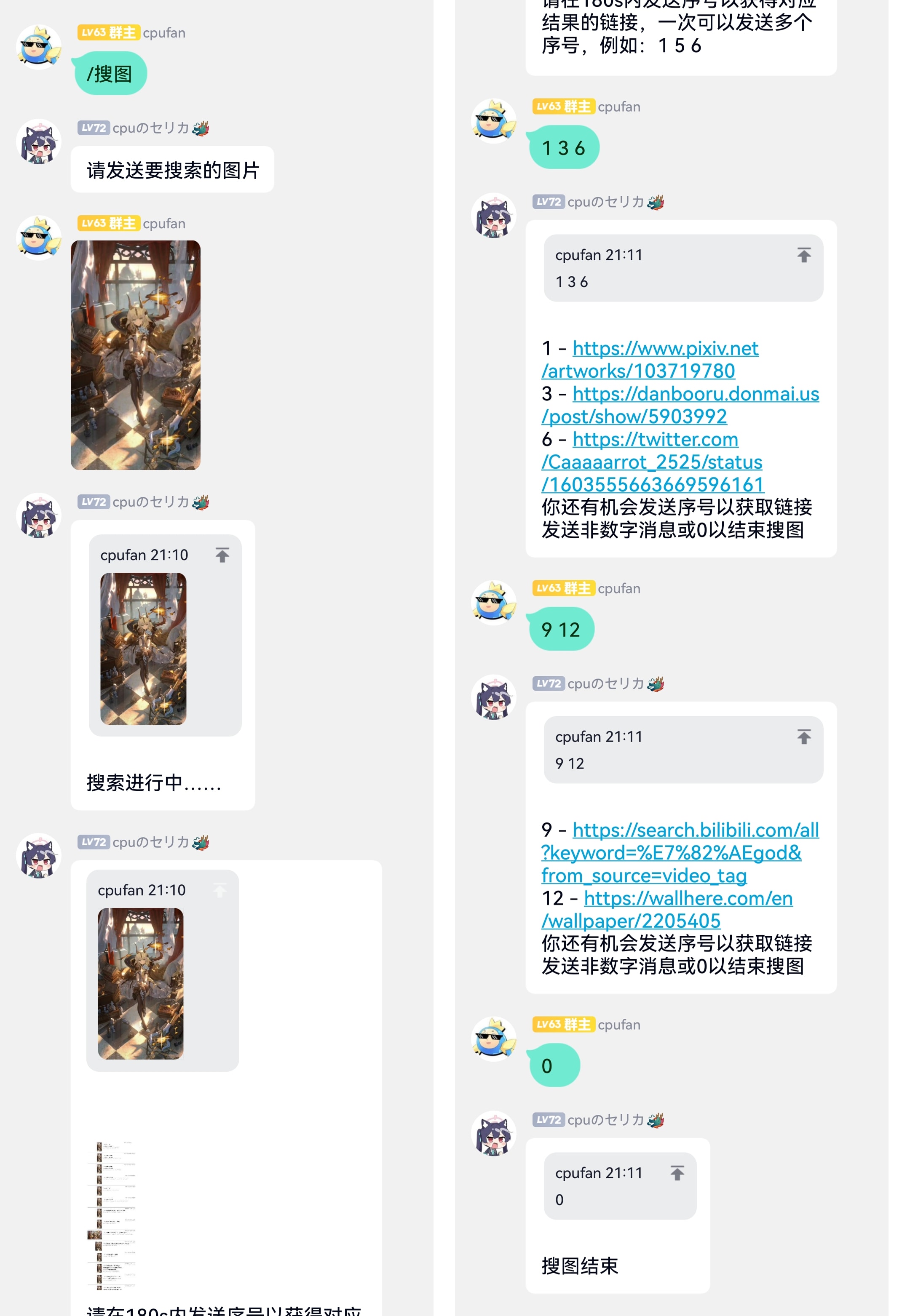
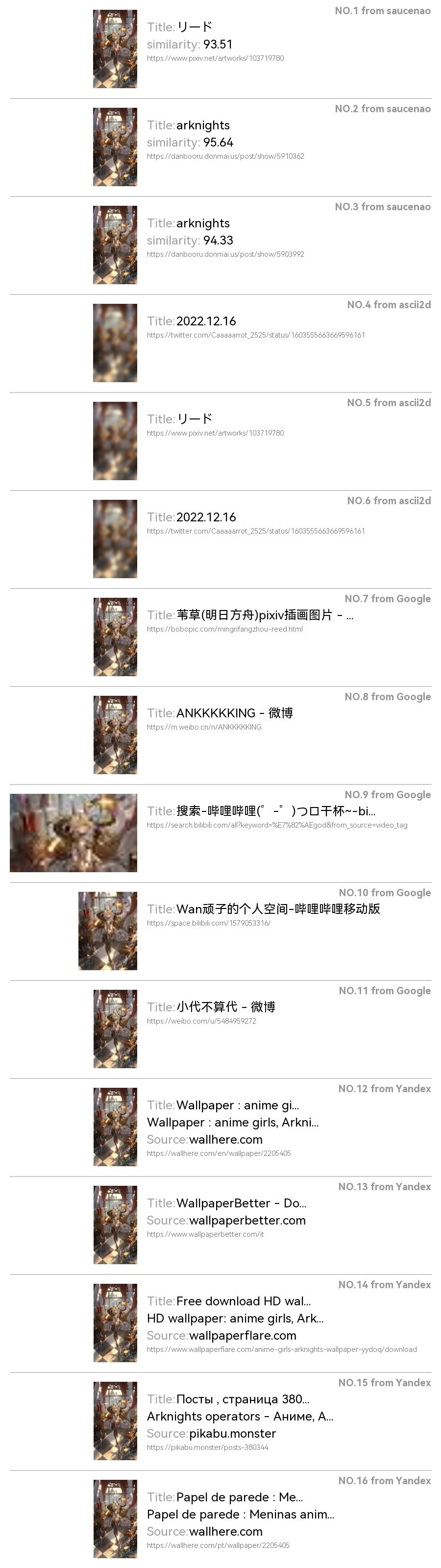
/搜图
/搜图 <图片>