
A Kotlin library that draws server-driven UI (SDUI) screens published by the HotLayout builder: a JSON document, a theme and your data become a native Jetpack Compose screen.
Quickstart: docs · video · Builder and access: hotlayout.com · try the editor


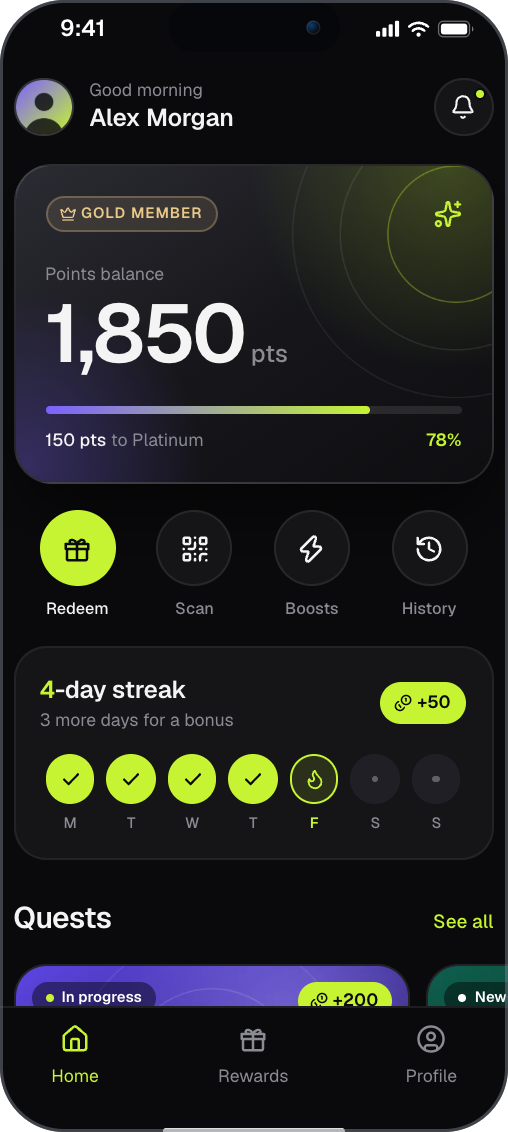
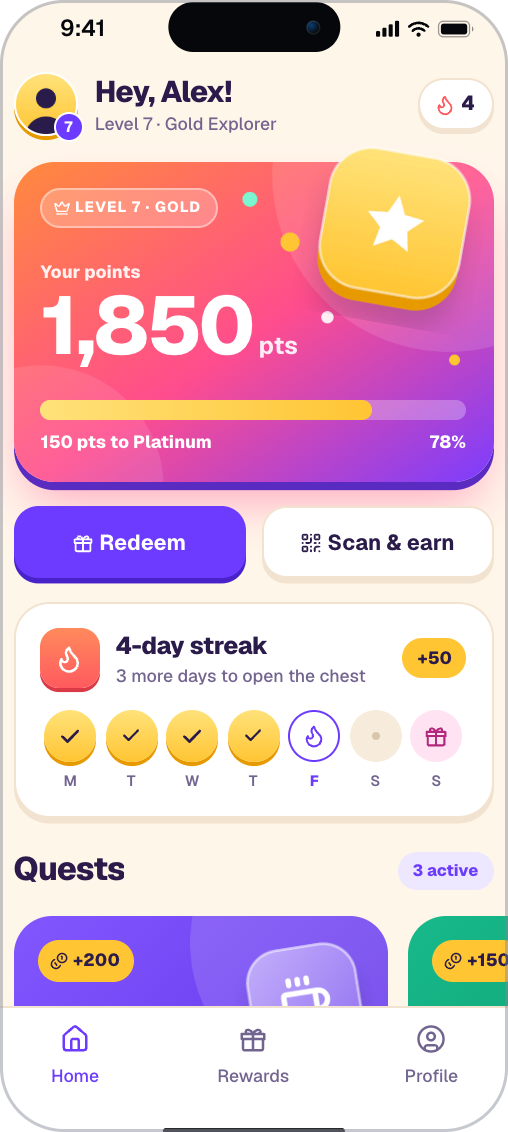
Two screens built in HotLayout. Try the editor in your browser, no sign-up: https://hotlayout.com/try
dependencies {
    implementation("com.hotlayout:hotlayout-android:0.5.0")
}
The integration is one composable, HotlayoutScreen, inside a screen of your own app. The library is on Maven
Central, so mavenCentral() must be among the repositories of your settings.gradle.kts, and your project needs
the Compose compiler plugin, as any Compose app does.
- One composable.
HotlayoutScreendraws a document with its own stack of screens and handles the system back key. - Three separate inputs. The document (screens), the theme (token values) and your data (
dataScopeOf(...)) are loaded and replaced independently. - Contract 9.42.0, read. Every widget but
Chartis drawn: text, buttons, lists, stacks, progress, form controls and validation, screen anatomy, modal layers, carousels, node motion, glass, images and the adaptive width classes. The minors that are not performed yet are listed in CHANGELOG.md. The rules of the contract pass the case tables shared by all HotLayout readers. - Languages and right-to-left. A document carries its translations; the reader picks the language, the formats and the direction from the locale.
- The document is untrusted input. A piece of the wrong shape is skipped and reported (
onReport), never a crash. The reader opens nothing itself: links and deep links reach your code checked. See docs/security.md. - Placements.
HotlayoutPlacementdraws whichever published document stands in a named place of your app (home.banner), with schedules, so a screen changes without a release. - The same document everywhere.
@hotlayout/react,hotlayout_flutterand the iOS reader (https://github.com/hotlayout/hotlayout-ios) draw the same JSON. All readers follow the open contract.
Requirements: Android 8.0 (API 26) and later, Jetpack Compose, no third-party dependencies besides AndroidX and Compose. Known platform limit: the blur under a modal layer and the glass of a node need a render effect, which exists from API 31; below that the picture stays sharp.
import android.util.Log
import androidx.compose.runtime.Composable
import androidx.compose.runtime.getValue
import androidx.compose.runtime.produceState
import androidx.compose.runtime.remember
import androidx.compose.ui.platform.LocalContext
import androidx.compose.ui.text.font.FontFamily
import com.hotlayout.HotlayoutDocument
import com.hotlayout.HotlayoutFonts
import com.hotlayout.HotlayoutLoadException
import com.hotlayout.HotlayoutScreen
import com.hotlayout.HotlayoutThemeSet
import com.hotlayout.dataScopeOf
import com.hotlayout.loadDocument
import com.hotlayout.runStandardAction
import kotlinx.coroutines.Dispatchers
import kotlinx.coroutines.withContext

@Composable
fun PromoScreen(documentJson: String, themeJson: String, inter: FontFamily) {
    val context = LocalContext.current

    // Reading is work for a background thread, and it throws on a document the reader cannot use
    // (malformed, a newer major version): the screen waits for it and the host decides what to do on failure.
    val document by produceState<HotlayoutDocument?>(null, documentJson) {
        value = withContext(Dispatchers.Default) {
            try {
                loadDocument(documentJson)                      // tolerant read + version gate
            } catch (error: HotlayoutLoadException) {
                Log.w("promo", "document refused: ${error.message}")
                null
            }
        }
    }
    val theme = remember(themeJson) { HotlayoutThemeSet.read(themeJson) ?: HotlayoutThemeSet.builtIn }

    document?.let { loaded ->
        HotlayoutScreen(
            document = loaded,
            theme = theme,
            data = dataScopeOf("user.name" to "Maya", "user.points" to 1850),
            entry = "promo",                                    // a named entry point, optional
            fonts = HotlayoutFonts { name -> if (name == "Inter") inter else null },
            onAction = { action, _ ->
                // The reader opens nothing itself. A standard action arrives checked:
                runStandardAction(context, action)
            },
            onTrack = { event, _ -> Log.i("analytics", "${event.event} ${event.params}") },
            onScreenChange = { shown -> Log.i("screen", "${shown.screenId} ${shown.cause}") },
        )
    }
}
Things to know:
localedefaults to the device locale.labels = HotlayoutLabels(back = …)gives what assistive technology hears in your language.- The library does not declare the
INTERNETpermission. The default picture loader downloads overhttps:only, so an app that shows pictures adds<uses-permission android:name="android.permission.INTERNET" />to its manifest, or loads pictures through its own client withImagePolicy.fetch. - Give the activity
android:windowSoftInputMode="adjustResize"and draw edge to edge (enableEdgeToEdge()): the reader adds the status bar, the cutout, the navigation bar and the keyboard itself, minus what an ancestor already consumed. - Fonts are yours: the theme names a family and
HotlayoutFontsgives theFontFamily. - Standard actions go through
runStandardAction, which checks an action again before it opens anything.
The reference lives on the documentation site:
hotlayout.com/docs/integrator/android-reference. It covers
loading and version checks, images and the ImagePolicy limits, actions and navigation, swipe fill, fonts,
labels, placements and their schedule, and window insets.
Also in this repository:
- docs/platform-notes.md: where the Android platform and the shared tables differ, and what the reader does.
- docs/security.md: the trust boundary and the tests that pin it.
- CONTRIBUTING.md: building, testing and running the demo.
- CHANGELOG.md
- Website: hotlayout.com
- Documentation: hotlayout.com/docs, including the quickstart for this platform
- Video quickstart: YouTube
- Getting the builder: screens are made in the HotLayout builder, hosted at hotlayout.com or self-hosted. To get access, use "Get access" on hotlayout.com or write to contact@hotlayout.com.
HotLayout for Android is licensed under the Apache License 2.0; see LICENSE.
The icon drawings include icons from Lucide (ISC); see THIRD-PARTY-NOTICES.md. The demo bundles
Inter, Geist and Manrope (SIL Open Font License, demo/fonts-license/).