
Animated, accessible components for React Native, built for touch. A native companion to beUI: the same component APIs and motion language, rebuilt for phones with Reanimated, Gesture Handler and Uniwind.



Components · Setup guide · Try in Expo Go · CLI
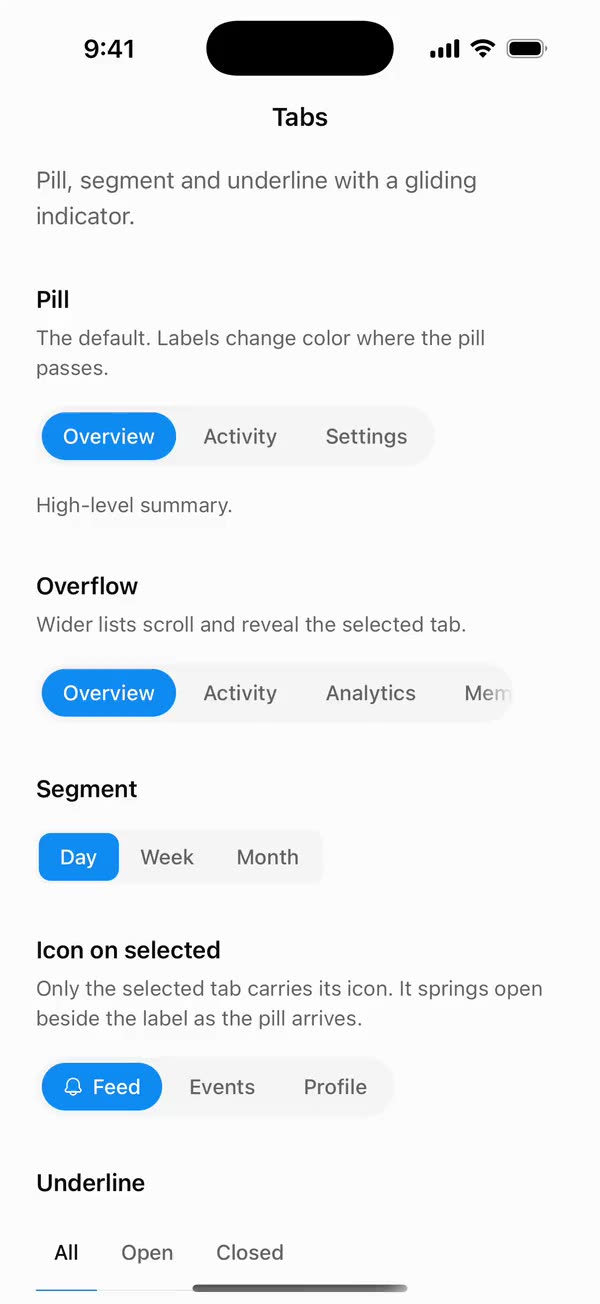 Tabs |
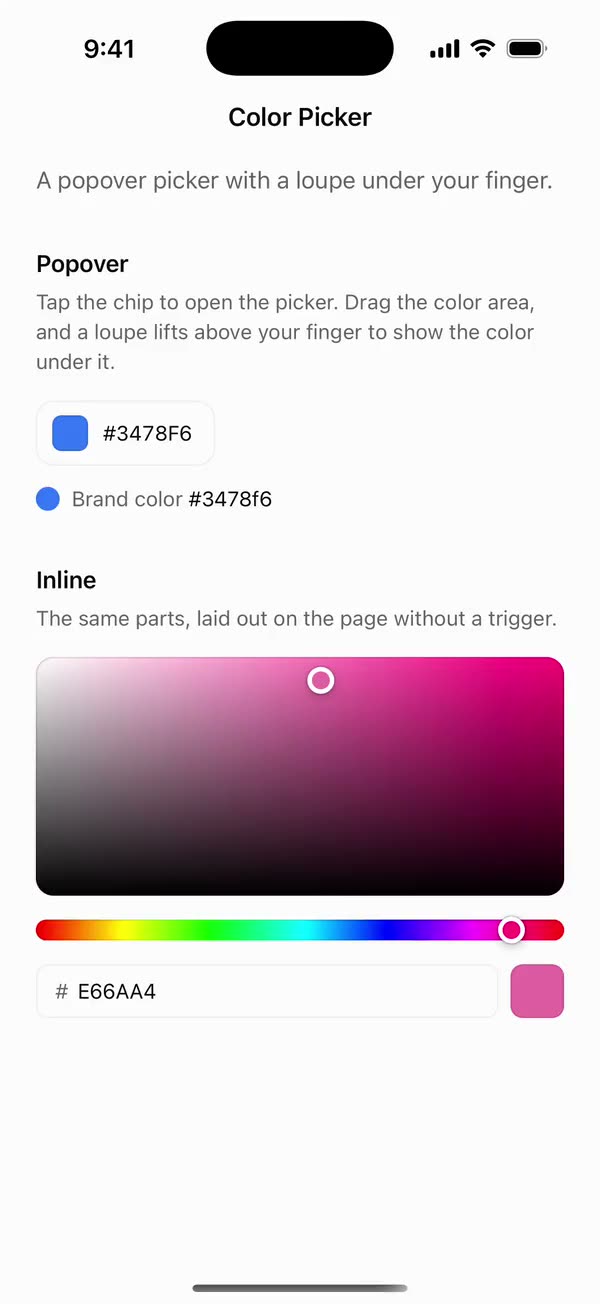 Color Picker |
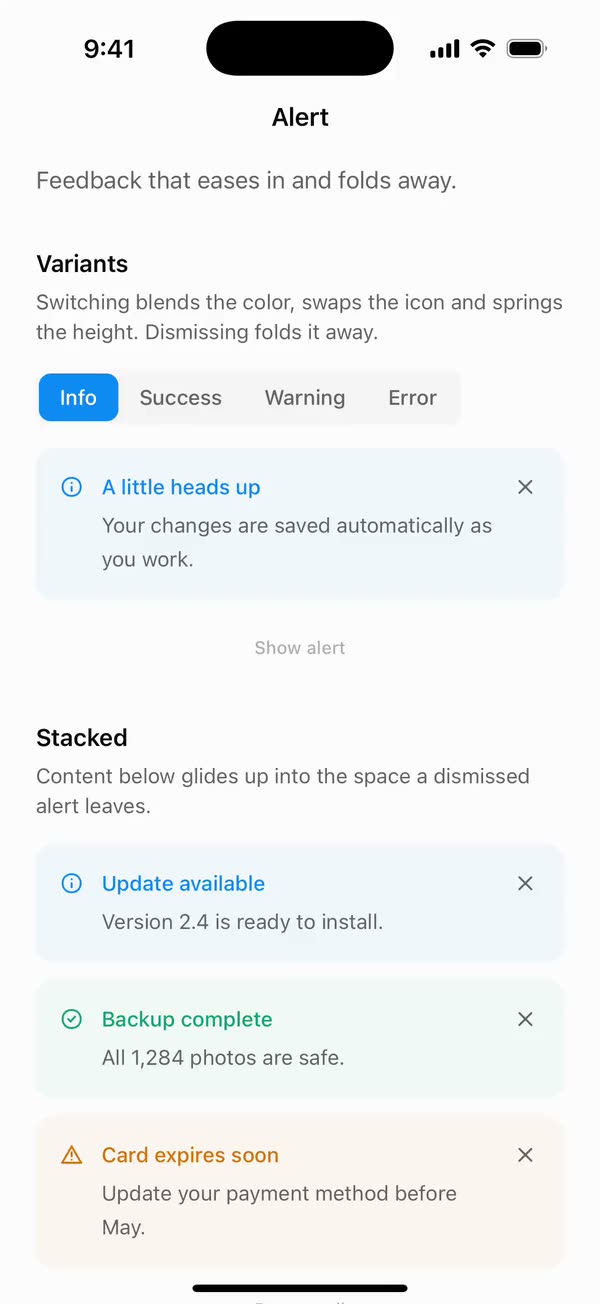 Alert |
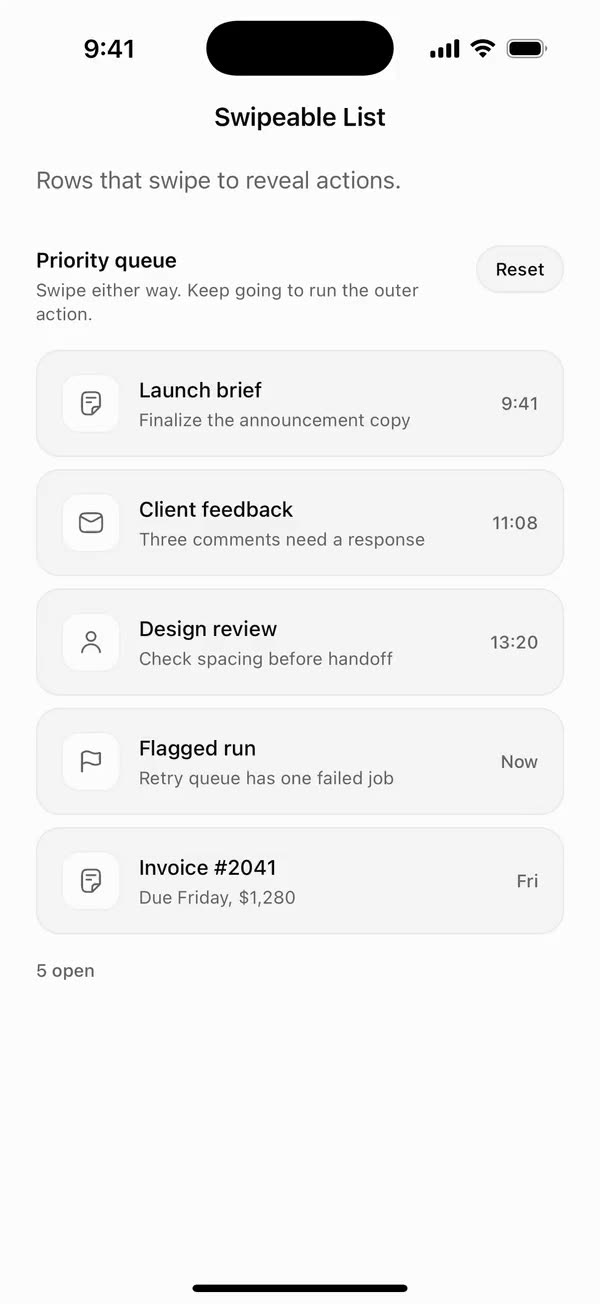 Swipeable List |
Like beUI on the web, beUI Native isn't a dependency. You copy each component's source into your app and own it, by hand or with the CLI. Every component has a page on beui.dev with a recording, install steps and its docs, and a README here covering its API, motion and accessibility.
-
Do the one-time setup in your Expo or React Native app: Reanimated, Gesture Handler, Uniwind and the theme tokens.
-
Add a component from your app's root:
npx beui-native add tabs
It copies the component and the shared files it needs into
src/, and installs any libraries your app is missing. -
Use it:
import { Tabs, TabsContent, TabsList, TabsTrigger } from "./src/components/tabs";

<Tabs defaultValue="overview">
  <TabsList>
    <TabsTrigger value="overview">Overview</TabsTrigger>
    <TabsTrigger value="activity">Activity</TabsTrigger>
  </TabsList>
  <TabsContent value="overview">…</TabsContent>
  <TabsContent value="activity">…</TabsContent>
</Tabs>
Each name opens the component's page on beui.dev, with a recording from iOS and install steps.
| Component | What it does | Docs |
|---|---|---|
| Actions | ||
| Button | Spring press, ripple, icons, and a stateful variant for async actions. | README |
| Expandable Control | Buttons and chips that spring open to reveal a label or an action. | README |
| Menu | A pull-down menu with submenus you can slide a finger through. | README |
| Card | Composable surfaces, selectable with press feedback. | README |
| Forms | ||
| Input | Error shake, focus ring and a drawn success check. | README |
| OTP Input | Digits roll into slots, with SMS autofill. | README |
| Select | A panel that unfolds out of its trigger. | README |
| Multi Select | Searchable options that become removable chips. | README |
| Color Picker | A popover picker with a loupe under your finger. | README |
| Checkbox | A checkmark that draws itself in. | README |
| Radio Group | One dot glides to the option you pick. | README |
| Range Slider | A bar thumb that glides between steps. | README |
| Switch | A weighty thumb that squishes and stretches. | README |
| Navigation and lists | ||
| Bouncy Accordion | FAQ rows that spring apart as they open. | README |
| Tabs | Pill, segment and underline tabs with a gliding indicator. | README |
| Swipeable List | Rows that swipe to reveal actions. | README |
| Motion and feedback | ||
| Number Animation | Rolling tickers and count-ups. | README |
| Text Animation | Reveals, sweeps, shimmers, cascades and scrambles. | README |
| Alert | Feedback that eases in and folds away. | README |
| Animated Badge | Status pills whose icon and label roll. | README |
| Loader | Seventeen loading indicators from one size prop. | README |
| AI agents | ||
| Message | Rows that rise out of their corner, with avatars and typing dots. | README |
| Message Bubble | Six surfaces that pop from their corner, and a show more. | README |
| Message Scroller | Follows new output and lets go when you scroll up. | README |
| Prompt Input | A chat composer with attachments, voice and stop. | README |
| Streaming Response | A reply that streams in, then settles with actions. | README |
| Agent Loading States | Shimmers, cycling reasoning text and a progress timer. | README |
| Agent Activity | Steps, searches and tool calls in one live log. | README |
| Todo List | A plan whose marks morph as tasks finish. | README |
| Tool Approval | Hold to let an agent run a tool. | README |
| Approval Card | Swipeable questions, or a review to approve. | README |
| Tool Result | Output that streams in, then folds into a result. | README |
| Citations | Tap a number and its source springs up. | README |
| Code Block | Streaming code with fixed line numbers and wrap. | README |
| File Diff | Changes with live counts and folded context. | README |
| Image Generation | A dot field you can steer while the image forms. | README |
| Voice Orb | A liquid sphere that moves with your voice. | README |
Scan this code with Expo Go (SDK 57) to open the showcase, with every component on its own page in light and dark. Each component's page on beui.dev has a code that opens it directly.
To run the showcase from source, you need Node.js 22.13 or later and Bun 1.3.14:
git clone https://github.com/starc007/beui-native.git
cd beui-native
bun install --frozen-lockfile
bun dev
Scan the code it prints with Expo Go on a phone on the same network, or run bun ios or bun android.
The CLI does these steps for you. To do them yourself:
- Set up your app once with the setup guide: it installs the libraries, adds Uniwind to your Metro config and
global.css, adds the theme tokens fromsrc/styles/theme.css, and wraps your app inGestureHandlerRootView. - Copy the component's folder from
src/components/, with the shared files its README lists at the end. Keep the folder layout, since components import them by relative path:src/hooks/: reduced motion, presence and shake helperssrc/primitives/: drawn paths and iconssrc/styles/motion.ts: beUI's springs and easing curves
- Install its libraries. Each component's page on beui.dev lists the exact commands. In an Expo app, use
npx expo installso versions match your SDK.
The components are tested with:
| Library | Version |
|---|---|
| React Native | 0.86 (Expo SDK 57), React 19 |
| Reanimated and Worklets | 4.5 and 0.10 |
| Gesture Handler | 2.32 |
| Uniwind with Tailwind CSS | 1.12 with 4.3 |
The shared source doesn't depend on Expo, so the components also work in a bare React Native app.
Components take any icon library. An icon is a component given { size, color }, or a ready-made element. The showcase uses Hugeicons, imported one file per icon so only the icons in use are bundled.
- Built for touch. Motion is designed for fingers, not ported from hover. Controls run on one spring so closing plays opening backward, gestures follow the finger on the UI thread, and anything a finger covers, like a color picker's thumb, gets a loupe.
- Motion that respects people. Every component honors the system's Reduce Motion setting and takes a
disableAnimationprop. - Accessible by default. Accessible names, roles and states, adjustable actions for screen readers, comfortable touch targets and support for large text are part of each component.
- Yours to change. Components are plain source with semantic tokens, so restyling one is editing a class name.
src/
  components/   One folder per component, each with a README
  hooks/        Shared hooks: reduced motion, presence, shake
  primitives/   Shared drawing and icon helpers
  styles/       Theme tokens and motion settings
  index.ts      Exports every component
example/        Expo Router showcase that imports ../src directly
  app/          The component list and one page per component
  components/   Showcases, and registry.ts listing every component
cli/            The beui-native CLI, published to npm
bun check          # TypeScript and Biome
bun run format     # Format and apply safe lint fixes
bun doctor         # Expo configuration and dependency checks
bun run export     # Production bundles for iOS and Android
Bundling isn't device testing. Before a component ships, check it on iOS and Android with VoiceOver or TalkBack, large text, reduced motion and cancelled gestures.
Install or upgrade app dependencies from example/ with bunx expo install <package> --bun, and commit the root bun.lock.
Bug reports, component requests and pull requests are welcome. Read CONTRIBUTING.md to get set up, and follow the Code of Conduct.
- beUI, the web library these components are ported from
- Software Mansion for Reanimated and Gesture Handler
- Uniwind for Tailwind styling in React Native
- Hugeicons for the showcase's icons
Built by Saurabh (@saurra3h on X), the creator of beUI.
MIT © 2026 beUI and Saurabh