Repository navigation
Export
English · Español
Exporting turns the deck on screen into one or more print-ready PDFs, and also exports the deck as a text list (Moxfield, Arena, MTGO, plain) or as a .pbdeck package. The PDF export is a long, parallel, cancellable background job with progress events that never leaves a half-written file under the final name.
Source: src-tauri/src/commands/export.rs (job), src-tauri/src/jobs.rs (ids and cancel flags), src/features/export/ (right panel, row alignment, presets, "more ways to export" menu), src/lib/trabajos.ts and src/stores/trabajo-store.ts (job plumbing on the screen), src-tauri/crates/proxy-core/src/decklist/exportar.rs (list text). Settings live in PrintSettings (src-tauri/crates/proxy-core/src/model.rs).
Tauri commands (registered in src-tauri/src/lib.rs):
| Command | Where | What it does |
|---|---|---|
export_pdf(deck, path) -> u32 |
commands/export.rs |
Starts the job in a blocking task and returns the job_id immediately. Progress on export://progress, result on export://done. |
export_cancel(job_id) -> bool |
same | Sets the job's cancel flag (Jobs::cancelar); false if the job no longer exists. |
export_estimate(deck) -> ExportEstimate { bytes, images, pages } |
same | Rough PDF size before exporting (see below). |
card_export_image(card, back, settings, deck_back, path) -> String |
commands/imagen.rs |
Saves one face of a card as an image (right-click → "Export image"): the same image the PDF would hold (retouches, edge darkening, designed cards painted by the engine) at the PDF quality's DPI and without bleed. The format comes from the extension (png, jpg, webp, tif, bmp; none → PNG; other → InvalidInput). The back is the card's own, the other face of a DFC, or the deck's. |
export_calibration(settings, path, texts) -> String |
same | Writes the duplex calibration sheet (Imaging and PDF). |
export_open(path), export_reveal(path)
|
same | Open an exported file with the system viewer / show it in its folder. Only .pdf and .pbdeck files that exist are accepted (exportado()), otherwise InvalidInput. |
deck_list_text(deck, format) -> String |
commands/decklist.rs |
The deck as list text for copying. |
deck_list_save(deck, format, path) |
same | Writes the list to a .txt (path must be absolute and end in .txt). |
deck_export_package(id, path) -> u64 |
commands/library.rs |
Saves the .pbdeck from the stored deck (Deck Package Format). |
preset_list / preset_save / preset_delete |
commands/library.rs, store/presets.rs
|
Named print presets (see "Presets" below). |
Events (types in src/bindings/, declared in src/lib/ipc.ts):
-
export://progress:ExportProgressEvent { jobId, phase: "prepare" | "compose" | "write", done, total }. -
export://done:ExportDoneEvent { jobId, result: ExportResult | null, error: AppError | null }.ExportResult { paths, pages, sheets, bytes }.
sequenceDiagram
    participant UI as export-panel.tsx
    participant A as acciones.ts (exportarA)
    participant T as lanzarTrabajo
    participant R as export_pdf (Rust)
    participant J as exportar() worker
    UI->>A: pedirDestino (save dialog)
    UI->>R: export_estimate(deck)
    alt estimate > 500 MB
        UI->>UI: warning dialog (lower to JPEG 90 / 300 dpi / export anyway)
    end
    A->>T: lanzarTrabajo("export://progress","export://done", call export_pdf)
    T->>T: listen first, then launch
    T->>R: export_pdf(deck snapshot, path)
    R-->>T: job_id
    R->>J: spawn_blocking
    J-->>UI: export://progress (prepare n/total)
    J-->>UI: export://progress (compose page/total)
    J-->>UI: export://progress (write)
    J-->>T: export://done
    T-->>A: result or error
    A-->>UI: toast with Open / Show in folder
-
pedirDestinoasks where to save throughguardarParaExportarfromsrc/lib/dialogos.ts(which remembers the last export folder in Rust). Default name:nombreSeguro(deck.name, "pdf"), which replaces characters that filesystems reject. -
export-panel.tsxcallsexport_estimate; aboveAVISO_BYTES(500 MiB) it shows a dialog with three choices: "Lower to JPEG 90", "Lower to 300 dpi" (both change the deck's settings, then export) or "Export anyway". -
exportarA(destino, t)reads the deck snapshot from the deck store and throws{ code: "Busy" }ifuseTrabajoalready has a job. It marks the job as started, then callslanzarTrabajo. - On completion: a
Cancellederror shows "Export cancelled"; any other error is thrown (the caller toastsmensaje(e)); success shows a toast with size, path, "Open" (export_open) and "Show in folder" (export_reveal).
Decision: the deck sent is the in-memory snapshot, not what is in the database. Why: autosave can lag by up to about 800 ms, and a user who changes a setting and exports immediately must get that setting.
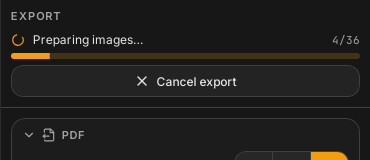
lanzarTrabajo (src/lib/trabajos.ts): it subscribes to the progress and final events BEFORE invoking the command, buffers anything that arrives before the job_id is known, then replays it filtered by jobId. Why: a short job can finish before the invoke promise resolves; subscribing afterwards would lose the final event. useTrabajo (trabajo-store.ts) holds the single running job (tipo: "resolver" | "exportar", jobId, fase, hechas, total); the panel shows a spinner, "n/total", a Progress bar and a Cancel button (cancelarTrabajo in src/features/decklist/acciones.ts calls export_cancel for exports). Phase labels: FASES map (prepare, compose, write to "Preparing images...", "Composing pages...", "Writing the PDF...").
export_pdf registers a job (state.jobs.alta() -> (job_id, Arc<AtomicBool>)), marks the app busy with state.trabajo() (so e.g. the auto-updater will not restart mid-export, see Releases and Auto Updates), runs exportar(...) in tauri::async_runtime::spawn_blocking inside catch_unwind, always removes the job (jobs.baja) and emits export://done with either the result or the AppError (a panic becomes Internal { detalle: "pánico" }). Reason: without export://done the screen keeps showing the last progress forever and "Cancel" has nothing to stop.
exportar(state, deck, destino, cancelado, progreso) does:
-
Plan.
plan(deck)(the same call the preview uses; Layout Engine). -
Designs.
DisenosDelDeck::de(state, deck)(src-tauri/src/diseno/pintar.rs) computes the effective design of each designed card (card > collection > factory) once per job. -
Order form (
encargo). For every occupied slot of every page, build aRenderSpecwithrender::spec_de_casilla. If the card has a design,DisenosDelDeck::referenciagives aDisenoRef { huella, cara, lang }(which face of the design this slot shows: the front, or face 1 of a designed double-faced card as back or as separate card; seecara_de_casilla), and the spec'seditsandedgeare cleared (designed cards get no retouches or edge darkening) anddisenois set. Specs are keyed byRenderSpec::key(), so identical slots (e.g. 4 copies of the same card, or the same back on every sheet) are rendered once.por_casillamaps(page, slot)to the key. -
Prepare. A rayon pool of
min(available_parallelism, 8)threads renders each distinct spec:render_para_pdffor ordinary images, orrender_diseno_para_pdffor designed ones (pintar(...)withSalida::Impresionat the exact trim pixel size for the chosen dpi, thenrender_desde_imagenfor bleed and encoding). Each task checks the cancel flag first (returnsErrorCode::Cancelled) and emitsPrepareprogress(done, total distinct images). -
Images for krilla. Rendered bytes become
krilla::image::Image(from_jpegorfrom_png). -
Compose and write, per output chunk (see splitting):
compose(&sub_plan, &cutGuides, PdfMeta{title: deck.name, document_id: "<hash>-<chunk>"}, image_for_slot, page_done).page_doneemitsComposeprogress and returns!cancelled. After a chunk is composed,Writeprogress is emitted andescribir_atomicowrites it.
document_id comes from huella_documento: SHA-256 of the serialised plan plus the sorted slot-to-spec keys, first 16 bytes in hex. Same deck and settings give byte-identical PDFs.
- Cancelling sets the shared
AtomicBool; the prepare tasks and the per-page callback ofcomposeobserve it and the job returnsPdfError::Cancelled/ErrorCode::Cancelled, which the screen treats as a normal "cancelled" outcome, not a failure. -
escribir_atomico(src-tauri/src/store/blobs.rs) writes to<name>.<ext>.part,sync_all, then renames over the destination. A cancelled or failed export therefore never leaves a half-written file under the real name (testcancelar_no_toca_el_destino). - Gotcha: progress counters are not perfectly uniform.
Preparecounts distinct images,Composecounts pages across all chunks,Writeis the chunk index (t) over the chunk count, so it never reaches 100 % beforedone.
PrintSettings.splitEvery (Option<u32>, UI "Split every N sheets"; empty means a single file). trozos(plan, n) groups pages by page.sheet / n, so the front and back of a sheet always stay in the same file. Output names: ruta_trozo keeps the chosen path when there is one file, otherwise <stem> (1).pdf, <stem> (2).pdf... next to it. ExportResult.paths lists every file written. Test partir_cada_dos_hojas. A cancel after some chunks were written leaves those earlier chunks (each was written atomically); Inferred from the loop structure in exportar.
export_estimate re-runs plan and encargo(.., None) (no design references, so designed cards are counted by their stored thumbnail blob) and multiplies pdf::estimate::bytes_por_imagen(...) by the number of distinct specs. It is an approximation, used only to warn above 500 MiB. Test la_estimacion_cuenta_imagenes_distintas.
Every control writes to deck.settings through useDeck.setAjustes, so each change is saved with the deck, is undoable with Ctrl+Z and triggers a plan recompute (100 ms debounce, Layout Engine). Sections:
| Section | Controls | Setting fields |
|---|---|---|
| Quality 300/600/900, image format JPEG/PNG, JPEG quality (60-100), split every N sheets |
quality, encoding {format, jpegQuality}, splitEvery
|
|
| Double-sided | Off / duplex, interleave DFC pairs, big-card back (only when the plan has a bigGrid), calibration sheet |
duplex, interleaveDfc, bigCardsBack
|
| Page | Paper, landscape, card size (63 x 88, 63.5 x 88.9 or 65 x 90 mm, with a help text about the last one), minimum margin |
paper, landscape, cardSize, minMarginMm
|
| Gap and bleed | Gap, bleed (0-5 mm), bleed fill (repeat edge / mirror), fill corners, bleed on backs |
gapMm, bleedMm, bleedMode, fillCorners, bleedOnBacks
|
| Cut guides | Draw guides, colour, width (px), offset from edge, length | cutGuides {enabled, color, widthPx, offsetMm, lengthMm} |
| Darken edges (collapsed) | Mode, amount, band width, auto-detect, apply to Scryfall / uploads / backs | edgeDarkening |
| Align rows (collapsed) | Front/back per-row X/Y offsets, measure-and-correct | rowOffsets |
| Print presets (collapsed) | Save/load named sets | all of PrintSettings
|
A footer note reminds the user to print at 100 % (no "fit to page") so the measurements come out exact.
| Setting | Default | Rationale |
|---|---|---|
| paper / landscape | A4 / portrait | Common case. |
| cardSize | 63 x 88 mm | Official size; the 63.5 x 88.9 option is the 2.5 x 3.5 in poker size, and 65 x 90 fills a sleeve (below). |
| minMarginMm | 5 | Typical unprintable border; the effective margin is max(min, bleed). |
| gapMm | 2 | A white gap, as in the reference tool: each card keeps its exact size (fits sleeves) and bleed does not cover the gap. |
| bleedMm | 0 | Gap instead of bleed by default; bleed stays available. |
| bleedOnBacks | on | Backs match fronts when bleed is used. |
| fillCorners | off | Transparent corners print as paper colour; corners::fill only when the user turns it on. |
| cutGuides.enabled | off | Clean sheets by default; colour #00c853, 0.5 px, offset 0, length 5 mm when enabled. |
| edgeDarkening | disabled | Only for old scans; amount 80, band 8 %, auto-detect on, applies to Scryfall images only. |
| duplex | off | Most users print single-sided. |
| quality / encoding | 600 dpi / JPEG 95 | Print-quality default with sane size. |
| designLang |
En (decks saved without it: Es) |
Language designed cards are painted in (DesignLang). Any of the 15 languages; set from the "Language of designed cards" selector (SelectorIdioma, flag + native name) in the PDF section of the export panel (and the one in the Diseñar preview); a print preset never carries it. Changing it goes through ponerIdiomaDiseno (src/features/disenar/renumerar.ts): for a language other than Spanish and English it first runs completarIdioma (job design_complete_lang: downloads the Japanese/Korean/Chinese font if needed and the printing of every designed card missing that language), then re-renders the baked thumbnails of designed cards (design_rerender), since the sheet shows those. See Designer App Layer. |
Test los_ajustes_por_defecto_son_los_de_fabricard in model.rs pins several of these.
The selector offers three CardSize constants of src-tauri/crates/proxy-core/src/model.rs (the panel's TAMANOS map, recognised back by widthMm):
| Option | Constant | Use |
|---|---|---|
| 63 x 88 mm |
CardSize::MTG (default) |
The size Wizards publishes. |
| 63.5 x 88.9 mm | CardSize::POKER |
2.5 x 3.5 in. |
| 65 x 90 mm | CardSize::FUNDA |
Fills a standard sleeve exactly. |
Why 65 x 90: it is the same footprint as 63 x 88 printed with 1 mm of bleed, but the whole image is scaled to that size instead of having its edge repeated or mirrored, which is where bleed shows its artefacts (the repeated border of a scan, a mirrored stripe). The help text under the selector says so ("65 × 90 mm llena justa una funda: es como 1 mm de sangrado, pero con la imagen entera a ese tamaño en vez del borde repetido."). The image is stretched to the cell like any other (imaging::frame, see Imaging-and-PDF): the aspect ratio of 65 x 90 differs from 63 x 88 by under 1 %. Designed cards are rendered at that size from their design (the frame geometry is stretched by the same amount; see Designer-Engine).
How many fit, with the default 2 mm gap and 5 mm minimum margin (Layout-Engine):
- A4 portrait: still 3 x 3 (test
a4_vertical_a_la_medida_de_la_funda_siguen_siendo_3x3inlayout/grid.rs). - US Letter portrait: only 3 x 2, because three rows need
3 x 90 + 2 x gap + 2 x margin <= 279.4, that ismargin + gap <= 4.7mm. Lowering the minimum margin to 2.7 mm (with the 2 mm gap), or the gap to 0 with a margin up to 4.7 mm, gives 3 x 3 again, if the printer can print that close to the edge.
The PDF test la_carta_sale_en_el_pdf_con_su_tamano_en_milimetros (pdf/compose.rs) checks all three sizes, single- and double-sided.
AlinearFilas shows an X/Y table per row for "Front" and "Back" (range -20..20 mm, step 0.1). Back offsets are entered in the FRONT frame, indexed by front row; Rust applies them before mirroring (Layout Engine). "Correct with the measured values" opens a dialog where the user types the deviation read on the calibration sheet (right and down positive) per row; aplicar subtracts it from the existing back offsets (rounded to 2 decimals). "Reset" clears both lists. exportarCalibracion saves the sheet from export_calibration, passing translated title and four instruction lines (Rust writes no prose; see Internationalization).
Presets is a generic "load / save / delete" control over preset_list, preset_save, preset_delete, with PresetKind: frontOffsets, backOffsets (JSON Offset[]) and print (JSON of the whole PrintSettings). They live in the local library DB (table presets, store/presets.rs), not in the deck, so they apply to any deck. Loading a print preset merges it over the current settings ({ ...actual, ...s }) after checking it has a paper field; a corrupt JSON shows "That preset is damaged". Gotcha: because it spreads, a preset saved by an older version lacks newer fields and keeps the current values for them.
The "Export PDF" button is split: the three dots (MenuExportar) offer:
| Item | Does |
|---|---|
| Copy: For Moxfield / For Arena / For MTGO / Plain text |
deck_list_text(deck, format) then clipboard; empty result shows an info toast instead. |
| Download for MTGO (.txt) | Save dialog, then deck_list_save(deck, "mtgo", path). |
| Deck with its images (.pbdeck) |
guardarAhora() (flush autosave), save dialog, then deck_export_package(id, path). |
The list text is written by proxy_core::decklist::exportar (FormatoLista::{Moxfield, Arena, Mtgo, Texto}):
- Source is the deck's cards (what prints), merging copies of the same printing (name + set + collector number) in order of appearance, not the pasted text.
- Sections (commander, companion, sideboard) are not stored per card, so they are recovered by re-parsing
deck.decklistTextand matching by name (also by front-face name for double-faced cards). - Tokens (by source or by type line), blank slots and custom cards linked to an external token source are omitted.
- Marks:
cuentan(&deck.cards)drops optional cards and extra design variants; sideboard-marked cards go to the sideboard. See Statistics for thecuentanrule. - Formats: Moxfield
1 Sol Ring (CMM) 410withSIDEBOARD:; Arena withCommander/Companion/Deck/Sideboardheaders and front-face names; MTGO1 Namewith the commander and sideboard after a blank line; plain1 Name.
| Situation | Behaviour |
|---|---|
| Card does not fit paper / invalid settings |
plan fails: AppError InvalidInput with motivo. |
| Blob missing |
ErrorCode::NotFound from leer_blob. |
| Bad image |
ErrorCode::Image (motivo=too_large or detalle). |
| PDF write error |
ErrorCode::Pdf with detalle. |
| Cancel |
ErrorCode::Cancelled, treated by the UI as "Export cancelled". |
| Another job running | UI throws Busy before calling Rust. |
| Design lost between planning and render |
ErrorCode::Internal ("diseno perdido"). |
- Rust:
src-tauri/src/commands/export.rstests (exportar_veinte_cartas_en_duplex,exportar_cartas_disenadas,una_dfc_disenada_sale_con_cada_cara_en_su_sitio,un_plano_disenado_sale_grande_en_su_hoja,cancelar_no_toca_el_destino,partir_cada_dos_hojas,la_estimacion_cuenta_imagenes_distintas,la_hoja_de_calibracion_se_escribe, and an end-to-end test),src-tauri/crates/proxy-core/src/decklist/exportar.rstests,src-tauri/src/jobs.rs. - Frontend:
src/features/export/__tests__/acciones.test.ts(mocked event bus).
- New print option: add the field to
PrintSettings(with#[serde(default)]if old decks must still open), regenerate bindings, add a control inexport-panel.tsx, use it inlayout::planorrender::spec_de_casilla, and add the label tosrc/i18n/en/. - New list format: add a
FormatoListavariant and a branch inexportar(), then an entry inCOPIARinmenu-exportar.tsx.